Tag-based Collections & Products
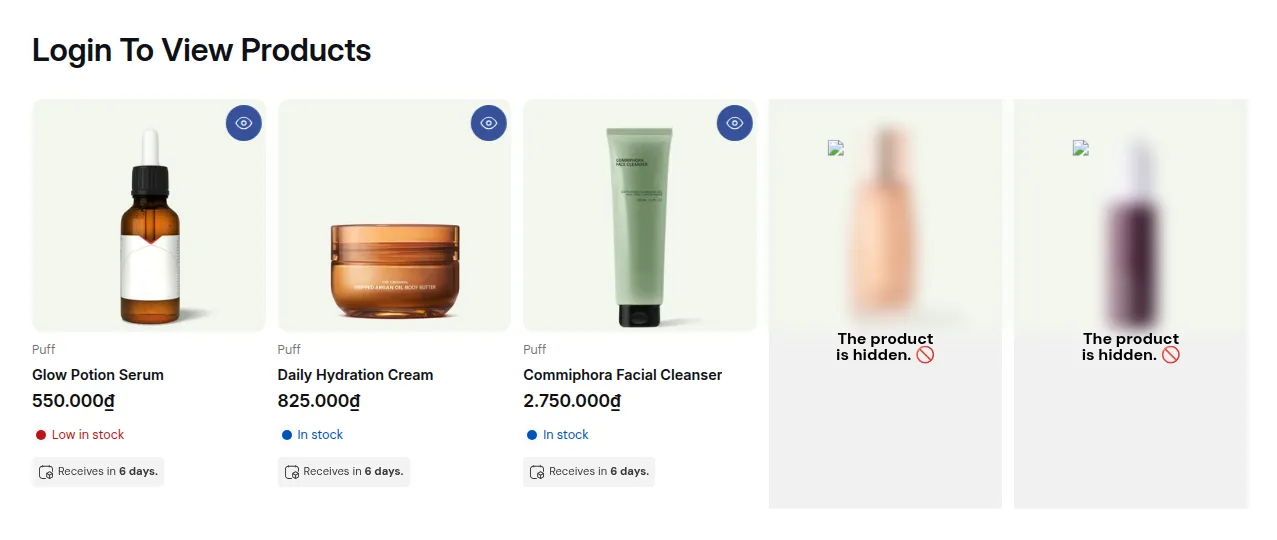
What your customers see on the storefront.
This page shows how to use customer tags with BSS B2B Lock to control which collections/products different customers can see.
Think of it as:
“If customer has tag X → show catalog Y.”
1. Core pattern
Section titled “1. Core pattern”The basic pattern is:
- Decide which customers should see a catalog segment.
- Give them a tag (e.g.,
wholesale,eu-distributor,vip). - Create a BSS B2B Lock rule:
- Step 1 – Lock Target: choose what to protect (products/collections).
- Step 2 – Access & Message: allow access only for customers with that tag, and customize the lock message for everyone else (Preview card → Customize message).
- Step 3 – Exclude Pages: keep any pages that should stay open, then click Save.
2. Example 1 – Wholesale collection for wholesale-tagged customers
Section titled “2. Example 1 – Wholesale collection for wholesale-tagged customers”Goal
Allow only wholesale customers to see the Wholesale collection.
Step 1 – Lock Target
- Target: Collections → Specific
- Select: collection “Wholesale”
Step 2 – Access & Message
- Condition:
- User type → Tagged customers – Must have specific tags →
wholesale
- User type → Tagged customers – Must have specific tags →
Result:
- Wholesale-tagged customers:
- See the Wholesale collection in navigation and can browse normally.
- Everyone else:
- Don’t see the collection; if they hit the URL directly, they see a lock message.
3. Example 2 – Distributor-only products
Section titled “3. Example 2 – Distributor-only products”Goal
Only customers tagged distributor can see certain products.
Step 1 – Lock Target
- Target: Products → Specific products, with Fully Hide Product under Product Visibility Control
- Select: all SKUs you want to limit to distributors.
Step 2 – Access & Message
- Condition:
- User type → Tagged customers – Must have specific tags →
distributor
- User type → Tagged customers – Must have specific tags →
Result:
- Distributor-tagged customers:
- See those SKUs in collections and product pages.
- Others:
- Don’t see them in collections/search; direct URL can be locked.
4. Example 3 – Region-based catalogs
Section titled “4. Example 3 – Region-based catalogs”Goal
US distributors see a US collection; EU distributors see an EU collection.
Tags
- Customers in the US:
us-distributor - Customers in the EU:
eu-distributor
Two locks:
- Lock for US collection
- Step 1 – Lock Target:
- Target: Collections → Specific → US-Wholesale
- Step 2 – Access & Message:
- Condition: User type → Tagged customers with
us-distributor
- Condition: User type → Tagged customers with
- Lock for EU collection
- Step 1 – Lock Target:
- Target: Collections → Specific → EU-Wholesale
- Step 2 – Access & Message:
- Condition: User type → Tagged customers with
eu-distributor
- Condition: User type → Tagged customers with
Result:
- US distributors see only the US catalog.
- EU distributors see only the EU catalog.
5. Tips for designing tag-based catalogs
Section titled “5. Tips for designing tag-based catalogs”- Prefer collection-level locks when possible:
- Easier to manage than many product-level rules.
- Keep tag names aligned with business groups:
wholesale,us-distributor,eu-distributor,vip.
- Use product/collection naming and structure to mirror segments:
- e.g.,
Wholesale – US,Wholesale – EU.
- e.g.,
When tags and collections match real-world segments, BSS B2B Lock rules become easy to read:
“You’re wholesale → you see the wholesale collection.”
Still Need Help?
Section titled “Still Need Help?”If you have questions or need assistance configuring BSS B2B Lock, our dedicated support team is here to help.
- In-App Assistance: Click Need help? or use the in-app chat button within BSS B2B Lock.
- Email Support: Contact us at [email protected] with your store URL and specific rule details.