
General FAQs
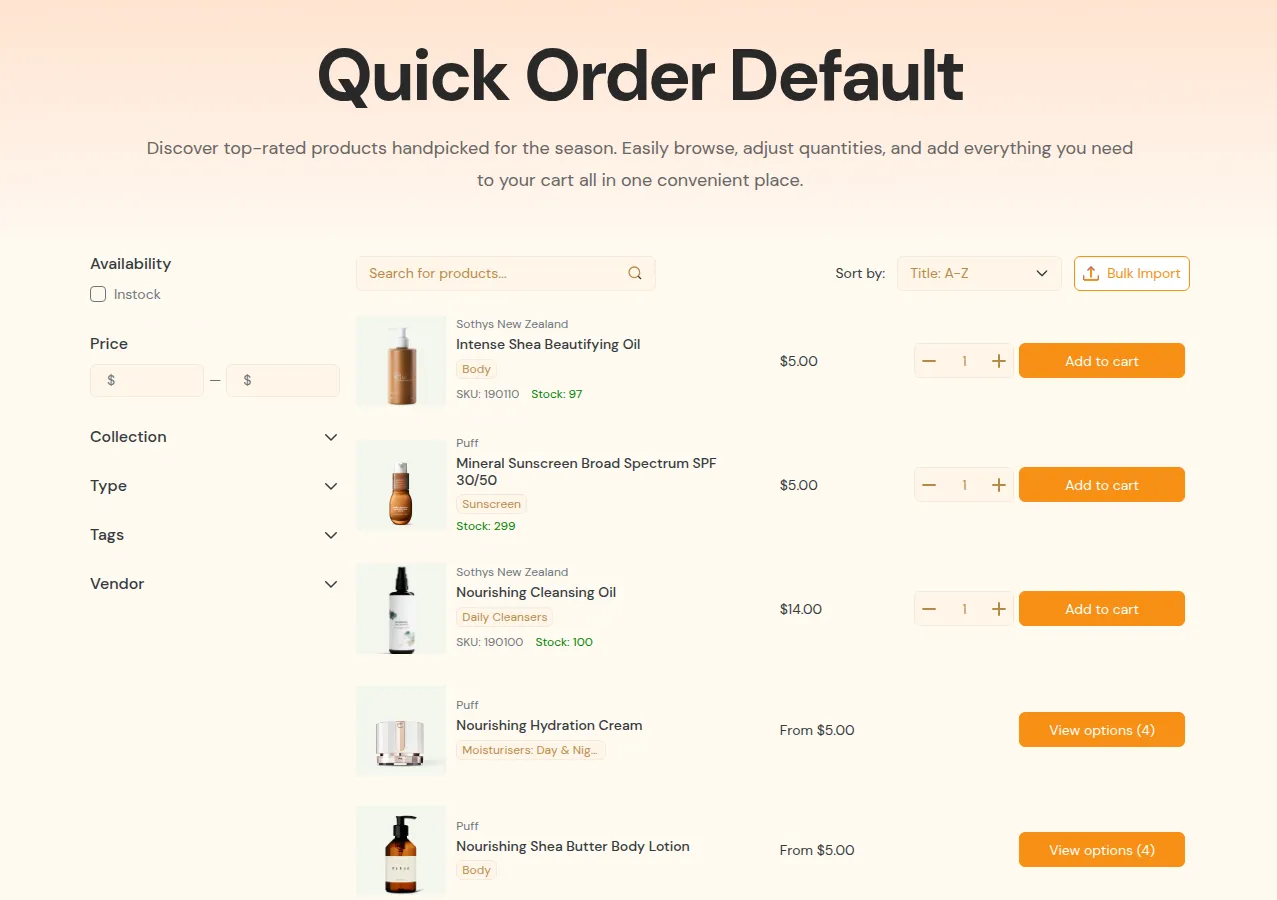
What your customers see on the storefront.
Q1. I installed the app but nothing appears on my store. What did I miss?
Section titled “Q1. I installed the app but nothing appears on my store. What did I miss?”Most of the time, one of these steps is missing:
- The app embed is not enabled in your theme.
- The Quick Order page is created but not published.
- Quote Logic is not active or not matching any products/customers.
Quick checks:
- In the app, check the dashboard for any “App not set up” notice and click through to enable the theme integration.
- In Quick Order, confirm at least one page is published and accessible via a URL.
- In Request for Quote → Quote Logic, make sure at least one rule is Active and its conditions match your test customer and product.
Q2. Is my theme compatible with this app?
Section titled “Q2. Is my theme compatible with this app?”Best compatibility:
- Online Store 2.0 themes.
- Standard product/collection templates that haven’t been heavily changed.
If you use a highly customized or third-party paid theme:
- Quick Order pages usually work without code changes.
- Quote buttons on product/collection pages may need manual installation via the Quote Settings → Installations area or support assistance.
When in doubt:
- Test with your current theme.
- If buttons don’t appear, contact support and mention your theme name and a sample product URL.
Q3. How does the app work with multiple languages?
Section titled “Q3. How does the app work with multiple languages?”The app supports multi-language stores through:
- Shopify’s native translations and/or
- Third-party translation apps.
General notes:
- Most static text (labels, messages, button text) can be edited in the app settings or via translation apps.
- Some dynamic text (e.g., customer data, product titles) comes directly from Shopify.
If translations don’t appear:
- Check your translation app’s configuration and make sure app blocks/sections are included.
- Review text labels inside the app (Quick Order settings, Quote settings) and ensure they are translated or localized.
Q4. Will Quick Order slow down my store?
Section titled “Q4. Will Quick Order slow down my store?”Quick Order is optimized for B2B use, but performance depends on:
- How many products you display on a single page.
- How many apps/scripts are loaded on your theme.
- Your theme’s complexity.
Recommended:
- Limit items per page (for example, 20–50 rows per page).
- Use filters and search instead of loading thousands of items at once.
- Create multiple Quick Order pages for very large catalogs instead of a single massive page.
If a Quick Order page feels slow:
- Reduce the product scope (fewer collections or a more specific segment).
- Lower the number of rows per page.
- Check for conflicts with heavy scripts from other apps.