
Public APIs
The Public API integration lets you programmatically manage B2B pricing rules and registration workflows at scale, without manually configuring each rule in the app dashboard.
Who Should Use This
Section titled “Who Should Use This”Public APIs are intended for:
- Developers integrating B2B pricing with external ERP or PIM systems
- Merchants with large catalogs who need automated pricing rule management
- Teams using CSV/data pipeline workflows to sync pricing from external sources
Plan Requirement
Section titled “Plan Requirement”Public API access requires the Platinum plan.
Authentication
Section titled “Authentication”All API requests require an Access Key generated from within the app:
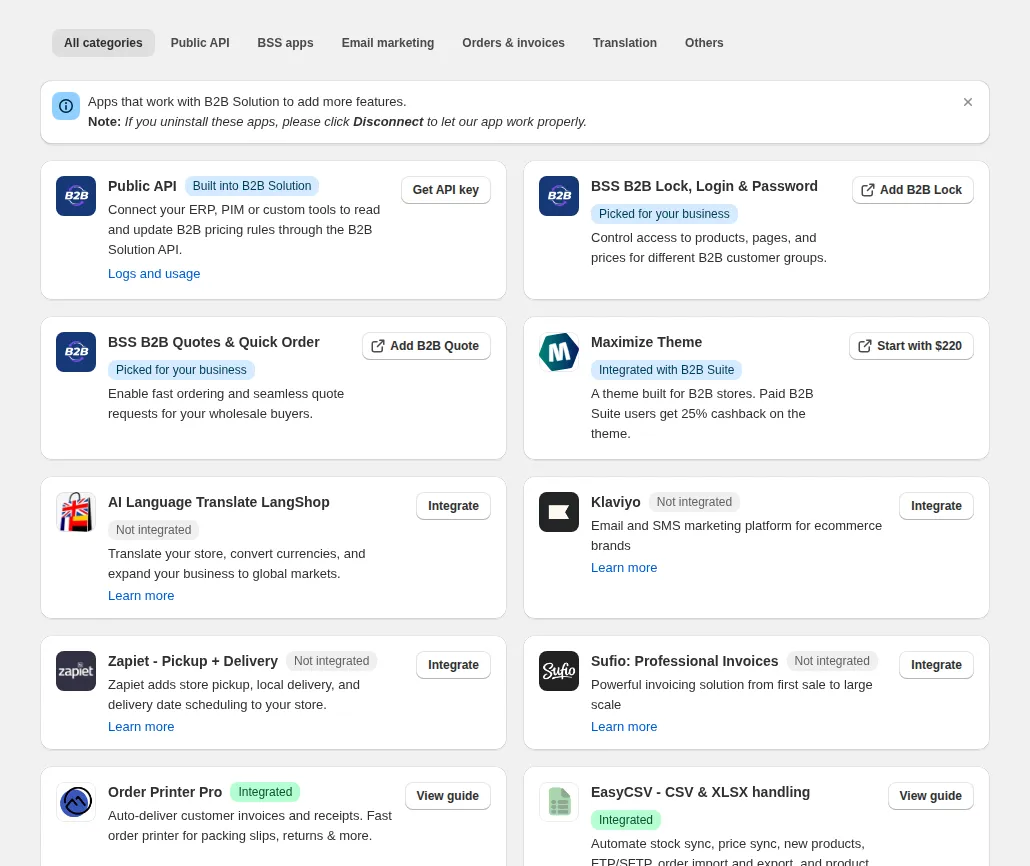
- In the app menu, click Integrations and find the Public API card.
- Click Get API key, then generate the API key.
- Copy your Access Key.
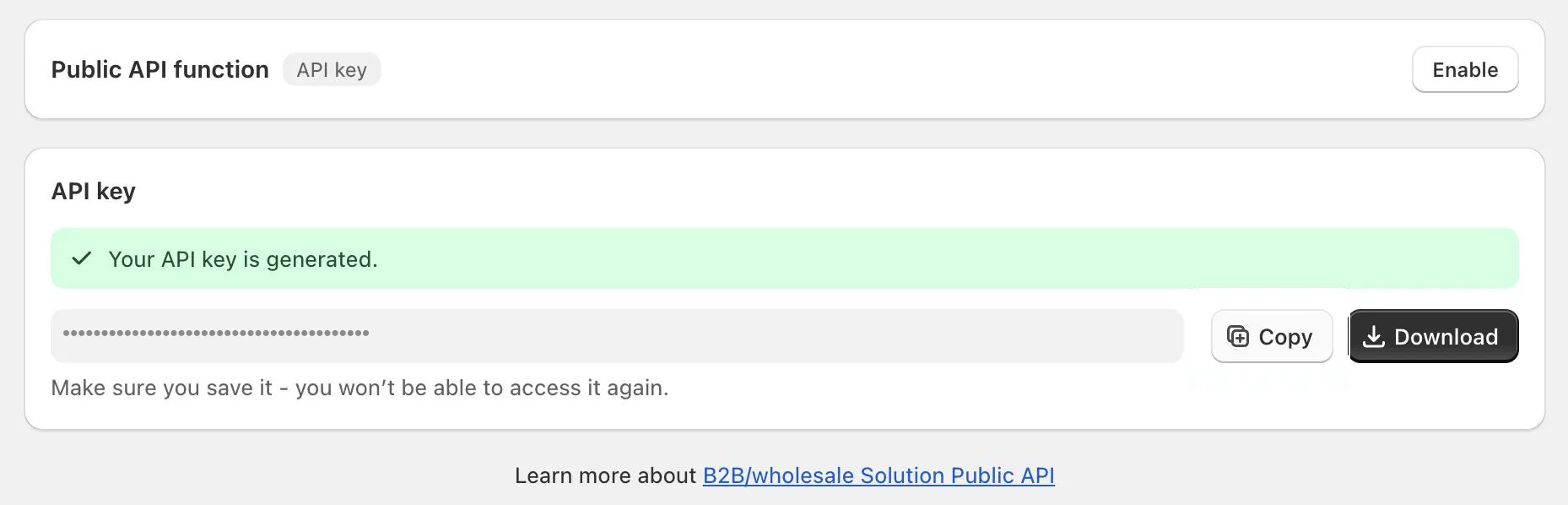
Treat the key like a password: anyone with it can read your B2B data and call the write endpoints. If it leaks, delete (revoke) it on the same card; clients using it stop working at once, and you can generate a new key.
- Include it in every request: either in the request body as
accessKey, or as a header. The header name depends on the API version, so check which one your endpoint uses:
| API version | Endpoints | Header name |
|---|---|---|
v1 (/api/v1/...) |
Uploading, Custom Pricing (CP), Price List (PL), Registration Form (RF), and all v1 Volume Pricing (VP) endpoints |
x-bss-b2b-api-key |
v2 (/api/v2/...) |
Volume Pricing (VP) GET /api/v2/vp/rules |
x-api-key |
Available API Groups
Section titled “Available API Groups”| API Group | What it manages |
|---|---|
| Uploading APIs | Upload/sync active rules to your Shopify theme |
| Volume Pricing (QB) APIs | Manage quantity break / volume pricing rules |
| Custom Pricing (CP) APIs | Manage custom pricing rules |
| Price List (PL) APIs | Manage price list per customer rules |
| Registration Form (RF) APIs | Manage wholesale registration workflows |
Logs and Usage
Section titled “Logs and Usage”The Logs and usage card under Advanced Settings > Public API lists your recent API requests (time, method, path, status and request), with tabs for Custom Pricing, Volume Pricing and Pricing List. Click a row to see the full request and response. Requests to other resources, such as Discount Code, Registration Form or Order Limit, are listed under the Pricing List tab.
Use it to confirm that your integration connects, and to see why a request failed.
Rate Limits
Section titled “Rate Limits”| Endpoint group | Limit |
|---|---|
| Upload endpoints | 1 request per module per 5 minutes |
Exceeding rate limits returns a 429 Too Many Requests response.
Technical Constraints
Section titled “Technical Constraints”Pricing data is stored in Shopify metafields as JSON with these limits:
- Maximum 10 keys per metafield
- Maximum 2,000,000 characters per key
- Maximum ~20,000,000 characters total
Content exceeding these limits will not be uploaded to the theme.