
App Overview
BSS B2B Lock controls who can see what on your Shopify store: prices, products, collections, pages, or the whole storefront. Instead of running a separate wholesale site, you run B2B, B2C and private content from one store and decide which audience gets access to what.
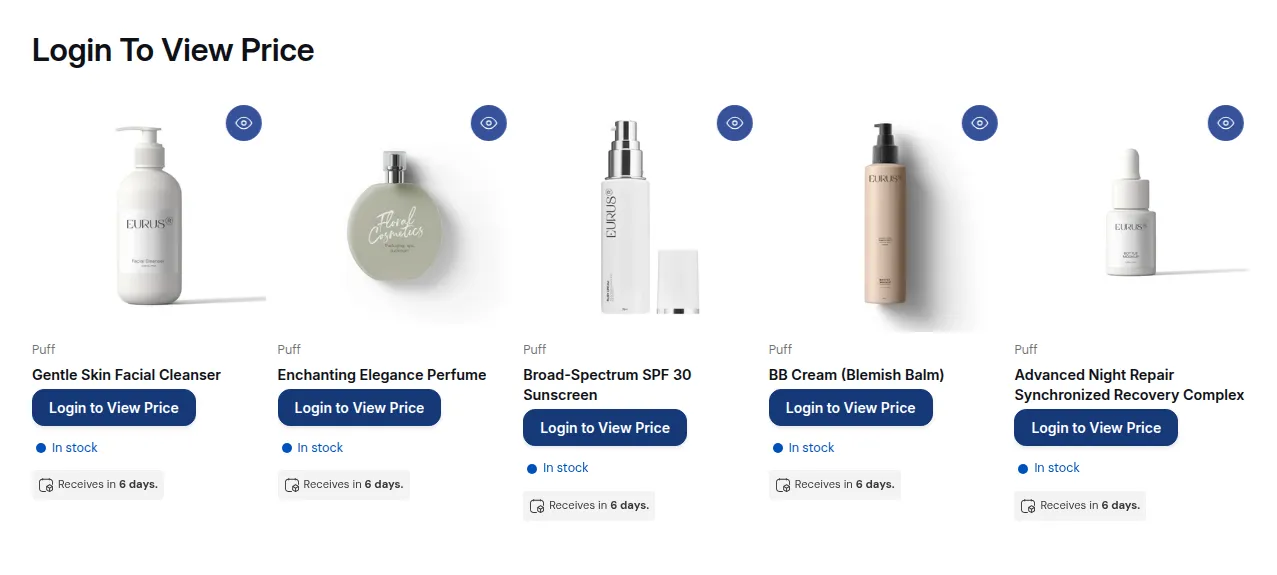
What your customers see on the storefront.
What You Can Do
Section titled “What You Can Do”- Hide prices and “Add to cart” until the visitor logs in, enters a passcode, or meets your conditions.
- Hide or lock products, variants and collections so only the right customer groups see them.
- Protect pages, blogs and URLs behind login, passcodes, secret links, age gates or regional rules.
- Limit checkout on Shopify Plus with validation rules by customer, product, tag, IP or location, and hide payment or shipping methods for some customers.
- Keep wholesale prices off Google for wholesale-only or contract pricing.
- Let visitors request access and approve them from the app.
How a Lock Rule Works
Section titled “How a Lock Rule Works”Everything is managed in one Rule Builder. In each rule you decide:
- What to lock: prices, products, collections, pages, or the whole store. See Lock content (targets).
- Who can access it: login status, customer tags, markets, IP, passcodes, secret links and more. See Control access.
- What everyone else sees: your lock message, for example a login screen, a passcode form, an access denied message or a request access button. See Exclude pages & lock message.
When several conditions or rules apply, see How access rules combine. The 3-step model explains this in more detail.
Get Started
Section titled “Get Started”- Install and open BSS B2B Lock, then take the quick tour of the dashboard.
- Check the app settings and installation so the app runs on your theme.
- Create your first lock in about 5 minutes.
- Read who this app is for and the goal-based guides for common setups.
If a lock does not behave as expected, go through the lock not working checklist.
Works With the BSS B2B Suite
Section titled “Works With the BSS B2B Suite”- BSS B2B Solution: wholesale registration, customer tags and B2B pricing. Approved customers get a tag, and your lock rules open prices and catalogs for that tag. See With BSS B2B Solution: registration + tags.
- BSS B2B Quote: quick order pages and request for quote for the customers you let in.
See How the apps work together.
Still Need Help?
Section titled “Still Need Help?”- In-app assistance: click Need help? or use the chat button in BSS B2B Lock.
- Email: [email protected], with your store URL and the rule you are working on.

View Maximize Theme. Once you’ve purchased the theme, fill this form to claim the cash back