
App Overview
BSS B2B Quote makes B2B and wholesale buying fast on your Shopify store. Buyers place bulk orders on one page, request a quote when the price needs negotiating, and reorder past purchases in one click, instead of emailing you or clicking through dozens of product pages. You keep Shopify’s checkout, orders and reports.
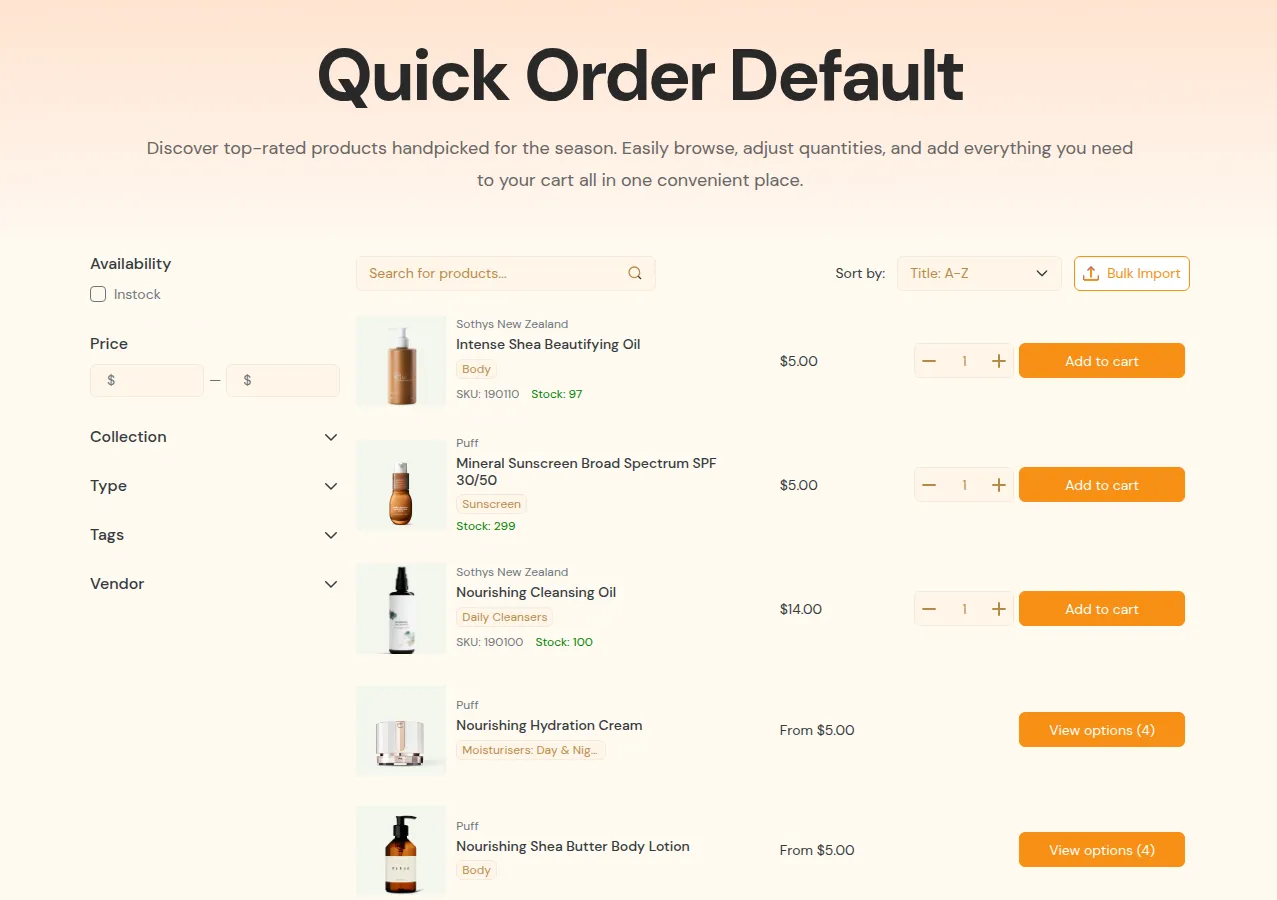
What your customers see on the storefront.
Three Modules in One App
Section titled “Three Modules in One App”| Module | What buyers get | Start here |
|---|---|---|
| Quick Order | A one-page order form: search products, pick variants, enter quantities and add everything to the cart at once. Also a variant table on product pages and CSV upload of order lists | Quick Order overview |
| Request for Quote | A “Request a quote” button or form, alongside or instead of Add to cart, for products where the price is negotiated or hidden | Request for Quote overview |
| Reorder | A self-service page with past orders to buy again in one click, and draft orders waiting for checkout | Reorder overview |
Quick Order
Section titled “Quick Order”- Create several Quick Order pages for different audiences: by customer segment (retailers, distributors), product group (spare parts, seasonal items) or program (VIP, dealers).
- Buyers can upload a CSV of SKUs and quantities, and the app builds the cart for them. See CSV upload.
- Add a variant table on product pages so buyers order many variants at once.
Request for Quote
Section titled “Request for Quote”- Quote logic decides where the quote option appears (products, collections), who sees it (all customers, tagged customers, B2B companies) and what happens on the storefront (show “Request a quote”, hide the price, hide Add to cart). See Hide price & Add to cart.
- Buyers submit a form with their items, quantities, notes and offer prices. You review each request in the app, adjust prices and items, send a quote, or convert it to a draft order with a checkout link. See Quote statuses and lifecycle.
- Forms, buttons and emails can be customized to match your brand.
Reorder
Section titled “Reorder”- Past orders: browse order history and buy items or whole orders again in one click.
- Waiting for checkout: review unpaid draft orders and go straight to checkout.
- Review & edit before placing the order: change quantities or add products. See Reorder review & edit modal.
Who It Is For
Section titled “Who It Is For”- You sell to wholesalers, distributors, dealers or company buyers who already know the SKUs they need and order many items at once.
- You handle volume deals or negotiated prices and want to stop quoting by email.
- You run a mixed B2B/B2C store and want special ordering flows only for approved B2B customers, while retail shoppers keep the normal flow.
Get Started
Section titled “Get Started”- Follow the Quick Start (5 to 10 minutes).
- Learn the key concepts and terminology.
- Set up the module you need: Quick Order, Request for Quote or Reorder.
- Compare pricing plans.
A theme that supports Online Store 2.0 app blocks makes installation easiest. If something does not show, see Quote button not showing or Quick Order page not showing.
Works With Shopify B2B and the BSS B2B Suite
Section titled “Works With Shopify B2B and the BSS B2B Suite”- Shopify Plus B2B: works with companies and locations, so buyers see their catalog prices on Quick Order pages too.
- BSS B2B Solution: registration and B2B pricing, shown on Quick Order pages and in quotes.
- BSS B2B Lock: hide prices from the public and let only approved customers use Quick Order and Request for Quote.
See How the apps work together.
Install
Section titled “Install”Install BSS B2B Quote from the Shopify App Store.

View Maximize Theme. Once you’ve purchased the theme, fill this form to claim the cash back