
Introducing New Edition
We’re excited to let you know that starting July 14th, our app BSS B2B Quote (then called B2B Quick Order & Quotes) will be updated to a new and improved version to make your wholesale experience even better.
1. What’s New in Version 2?
Section titled “1. What’s New in Version 2?”We’re focusing on the two most important features:
✅ Quick Order
✅ Request For Quote
Both now work smoothly with Shopify Plus features like Company, Catalog, and Location.
Please note: Older features like Company Account, Sales Reps and Net Terms won’t be available in the new version.
2. What’s Improved in Version 2?
Section titled “2. What’s Improved in Version 2?”A. Quick Order
Section titled “A. Quick Order”1. Better Storefront Design
Section titled “1. Better Storefront Design”-
Version 1: Old-fashioned layout and needs the Customer Portal to work.
-
Version 2: Clean, modern design that works perfectly with Shopify themes. No Customer Portal required anymore.
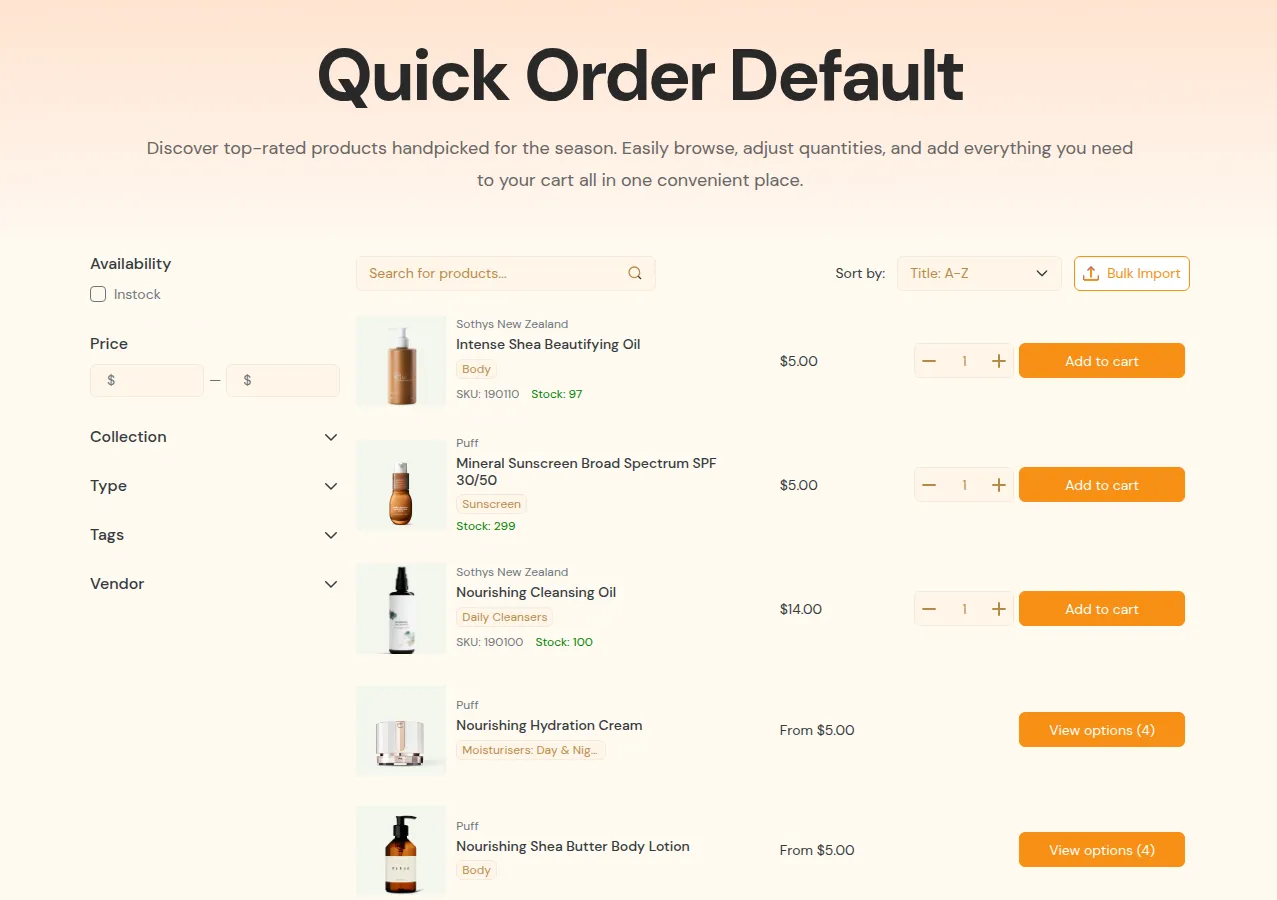
Version 2
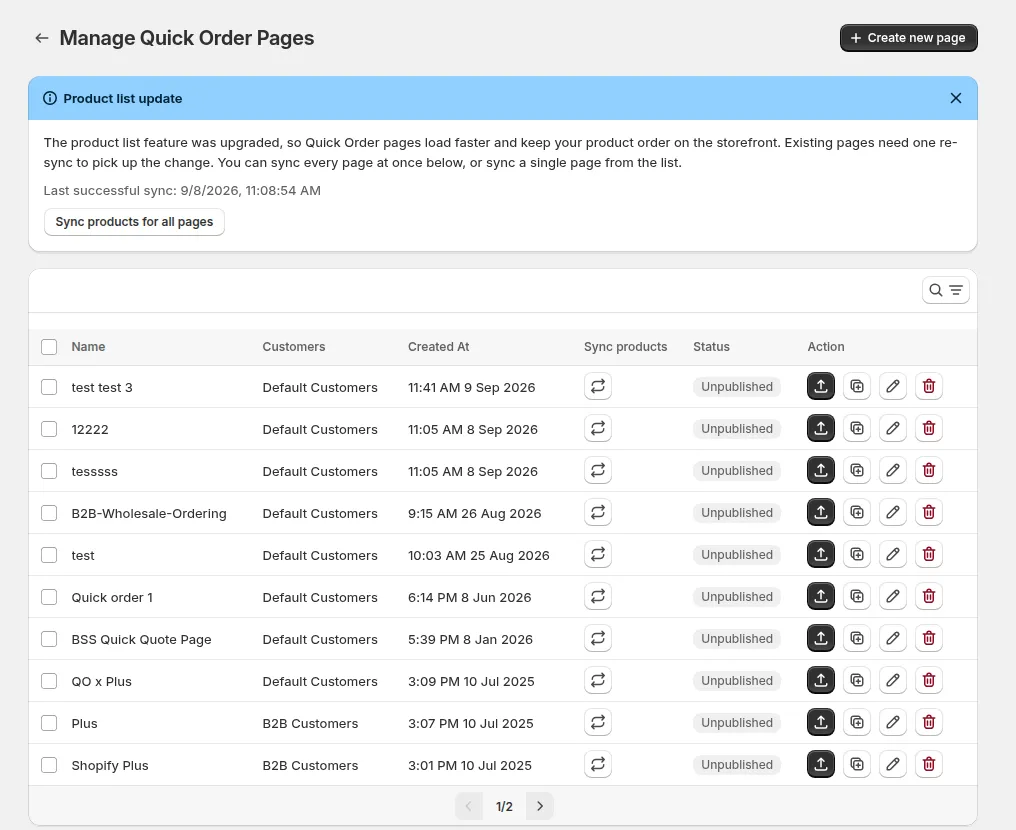
2. Multiple Quick Order Pages
-
Version 1: Only one Quick Order page allowed, with different rules.
-
Version 2: Create as many Quick Order pages as you need. Each page has its own URL, product list, and customer group. Much easier in page management.
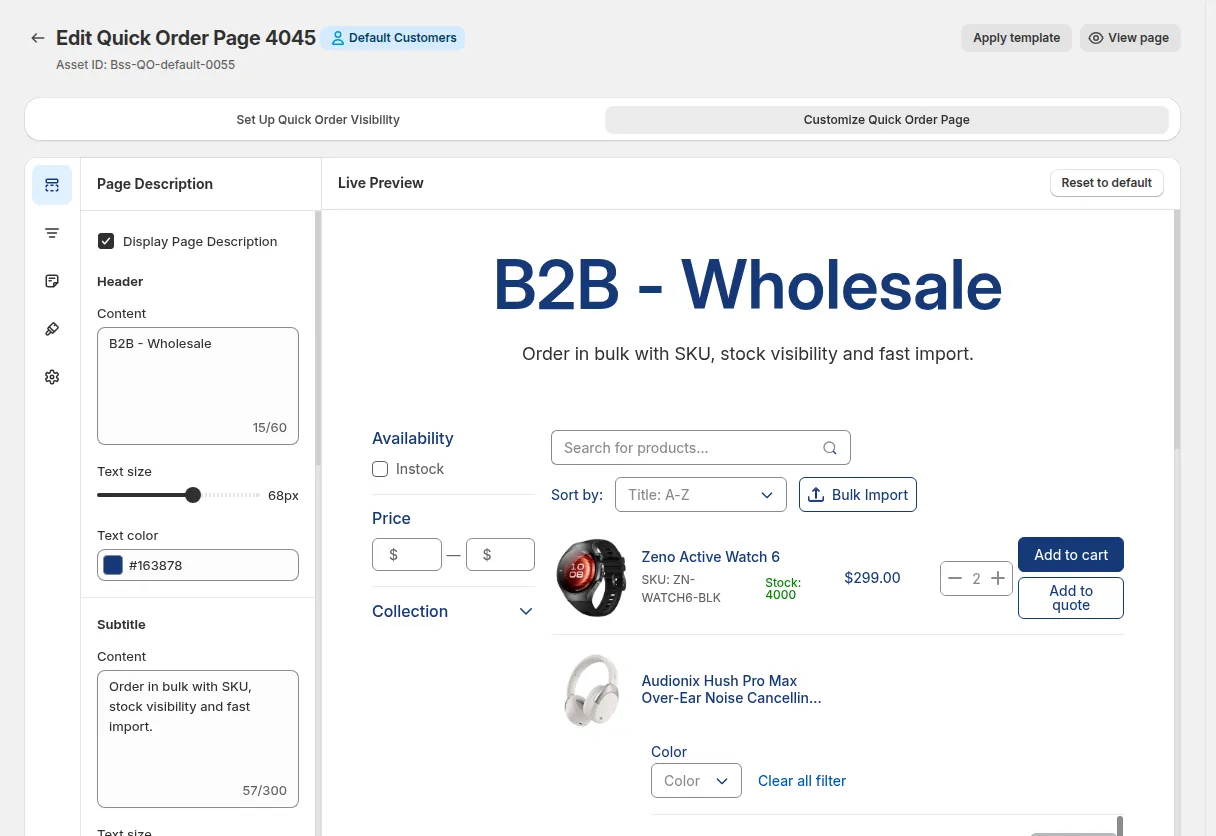
3. Easy Customization
-
Version 1: Limited configurations to change by yourself, must contact support.
-
Version 2: Fully customizable, change labels, layout, styles, etc. yourself. You can preview changes live.
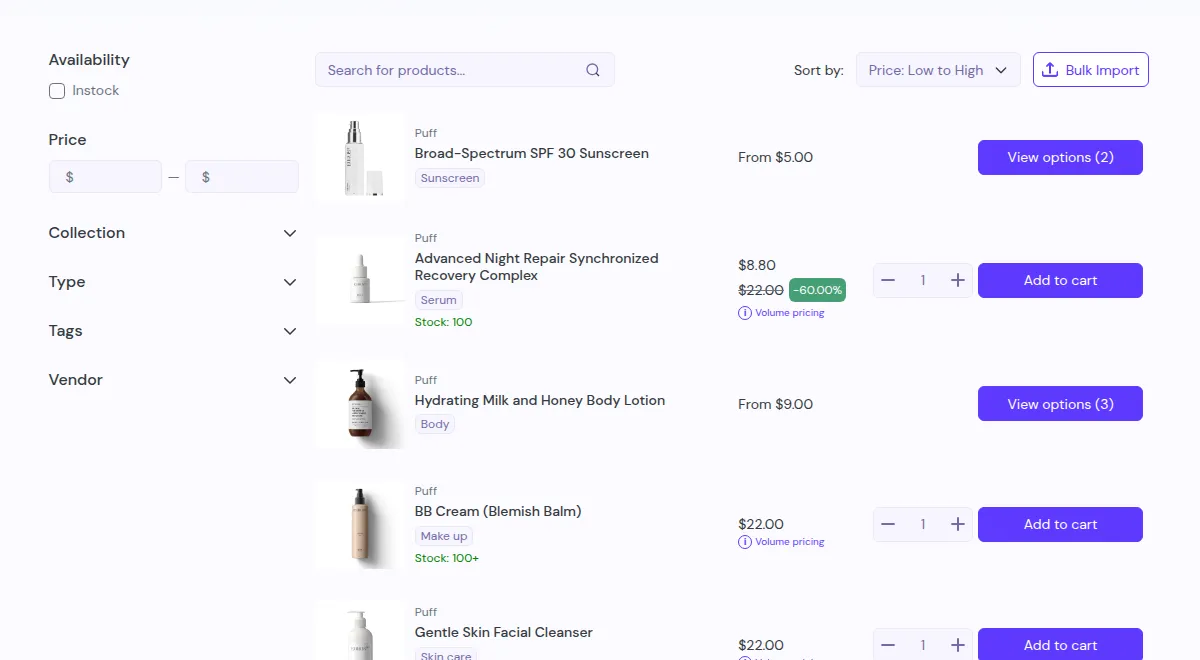
4. Smarter Product Filters
-
Version 1: Basic filters like title and collection only.
-
Version 2: More filter options such as product type, vendor, tag, availability, and even variants.
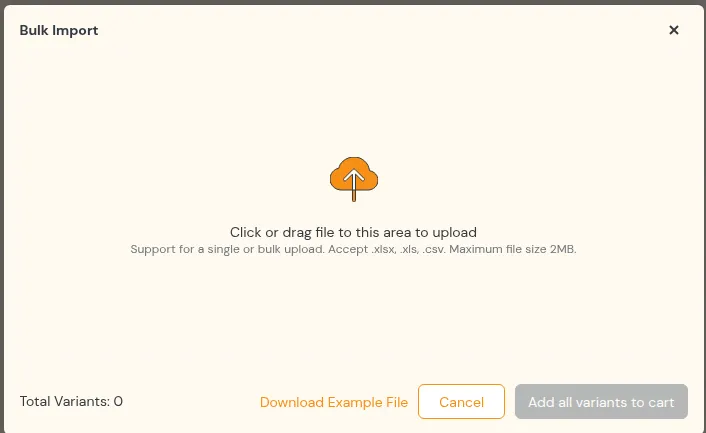
5. Bulk Product Import
- Version 1: Doesn’t support CSV uploads.
- Version 2: Customers can upload a CSV file to quickly add multiple products to the cart.
6. Shopify Plus Intergration: Catalog & Location
- Version 1: Shows the same default price for everyone.
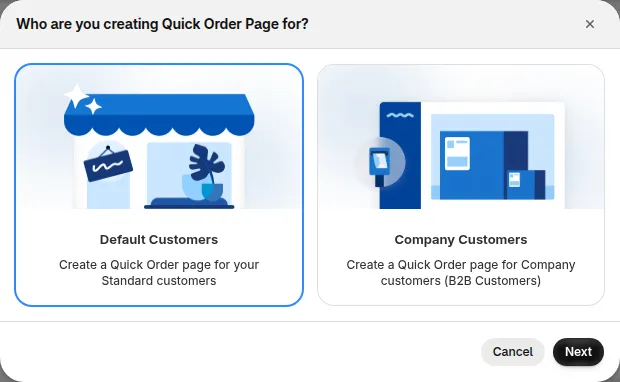
- Version 2: Shows custom prices based on the customer’s company and location, with quantity breaks and quantity rules. Separate setup for default and company customers.
B. Request For Quote
Section titled “B. Request For Quote”1. Full Customization
-
Version 1: Can only change the quote button a little - no control over form or email.
-
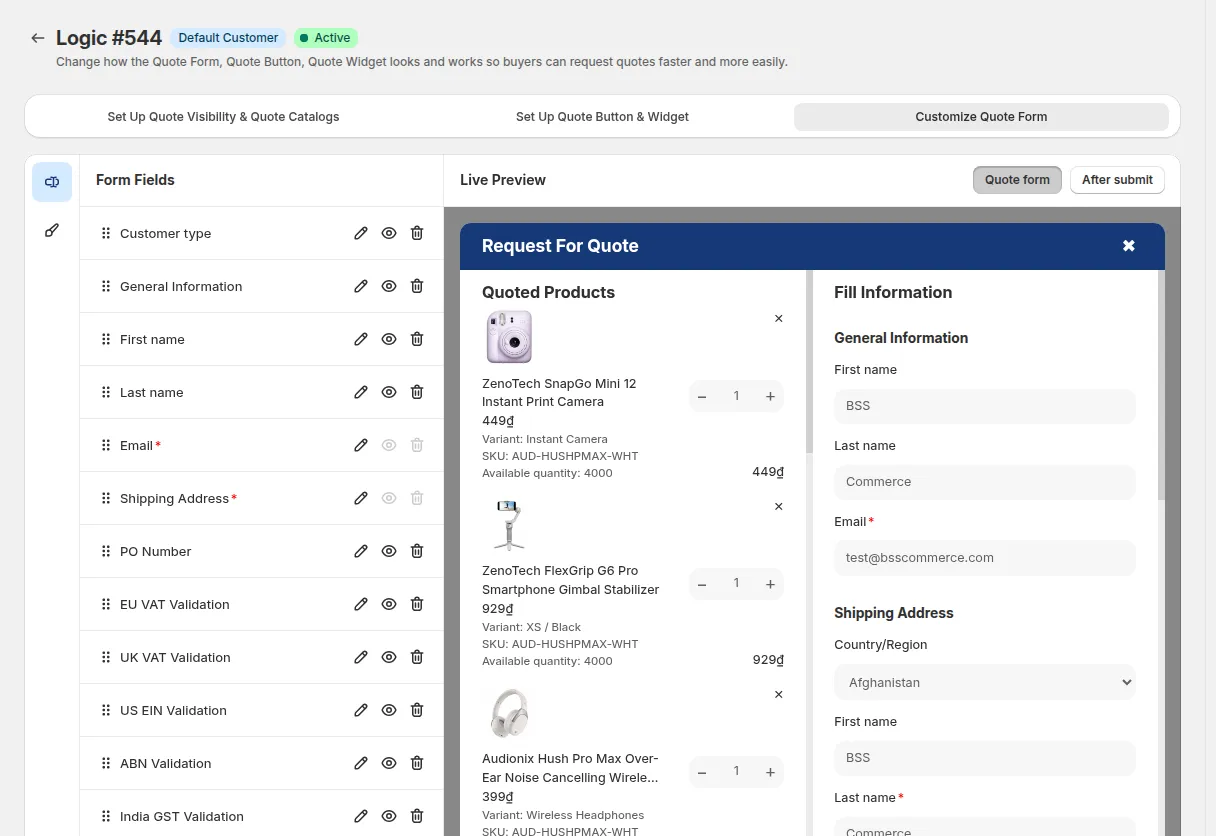
Version 2: Customize everything buttons, forms, widgets, and emails - with live preview. No need to ask support.
Version 2
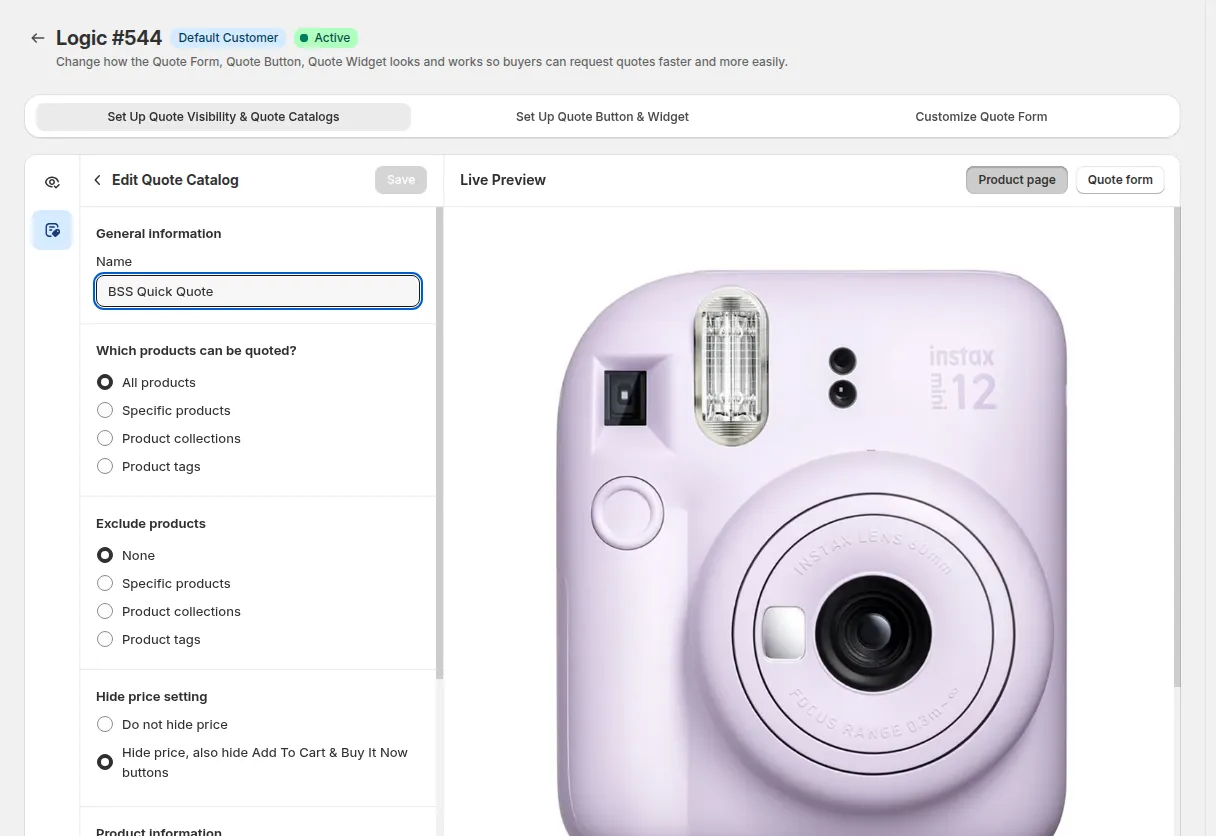
2. Better Price Hiding
- Version 1: You can hide prices, but the Add to Cart/Buy Now buttons still show, which can be confusing.
- Version 2: Fully hides both prices and purchase buttons for selected customer groups, no bugs or confusion.
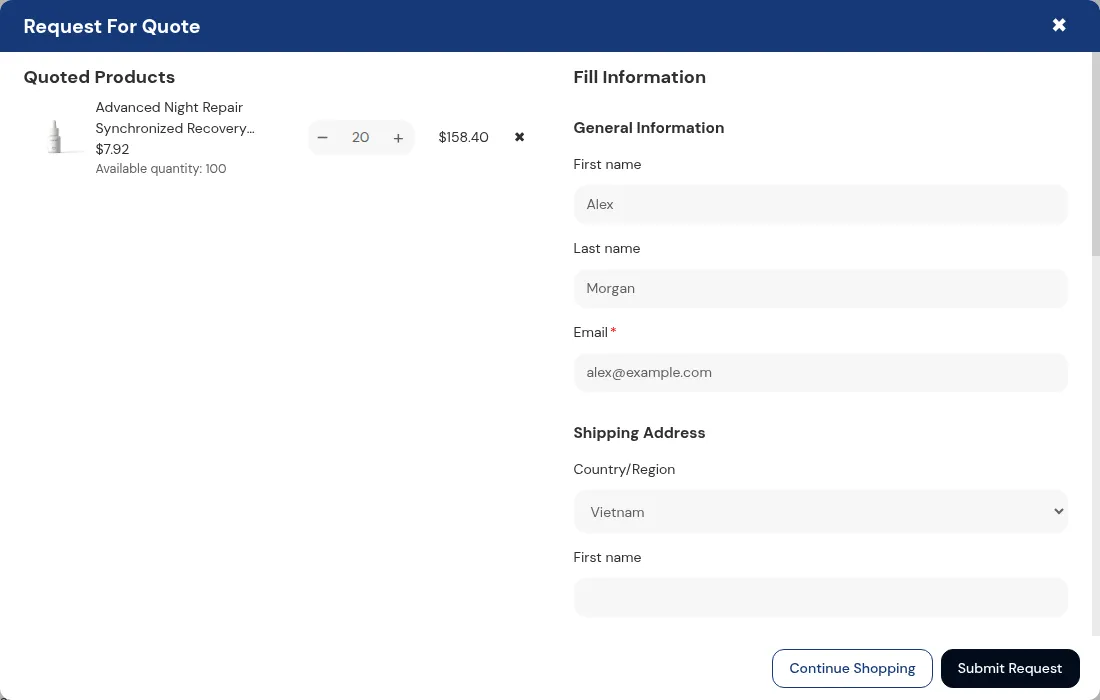
3. Smoother Quote Flow
-
Version 1: Quotes go through the Customer Portal on a different page, breaking the flow.
-
Version 2: Customers submit quotes in a simple popup modal on the same page – much faster and cleaner.
4. Shopify Plus Features
-
Version 1: Not supported.
-
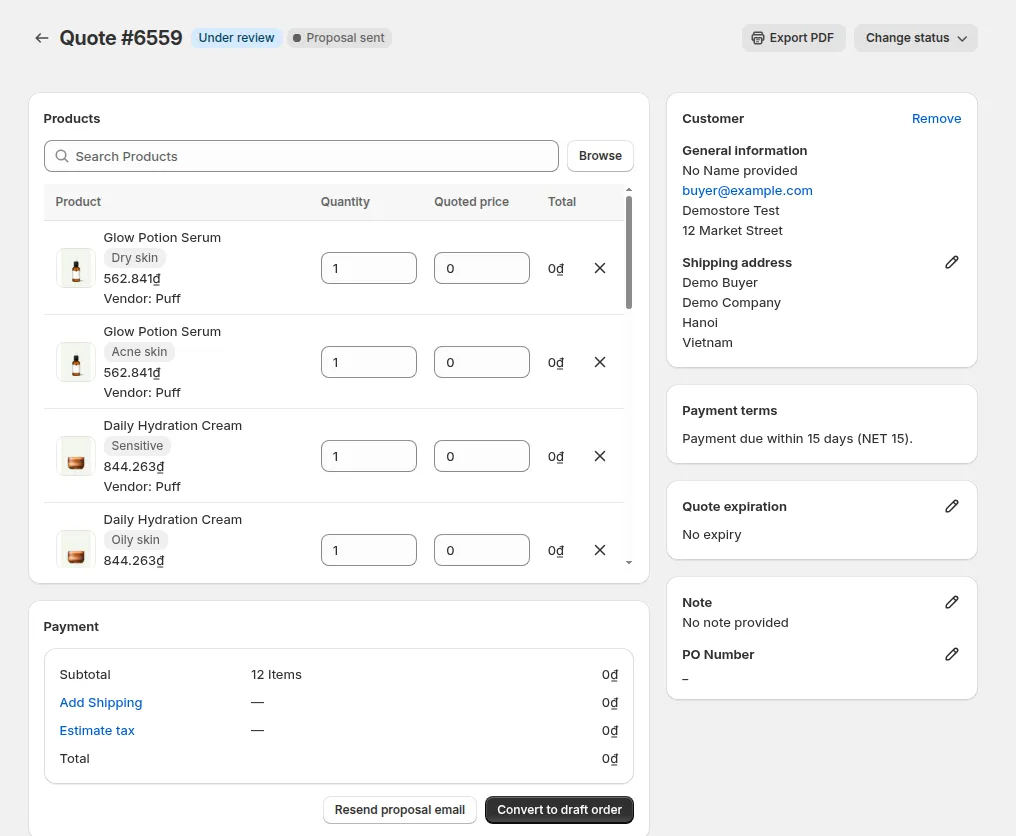
Version 2:
-
Storefront: Company and location fields are auto-filled. Catalog pricing shows based on the customer profile.
-
Admin: See catalog prices and edit quotes manually.
-