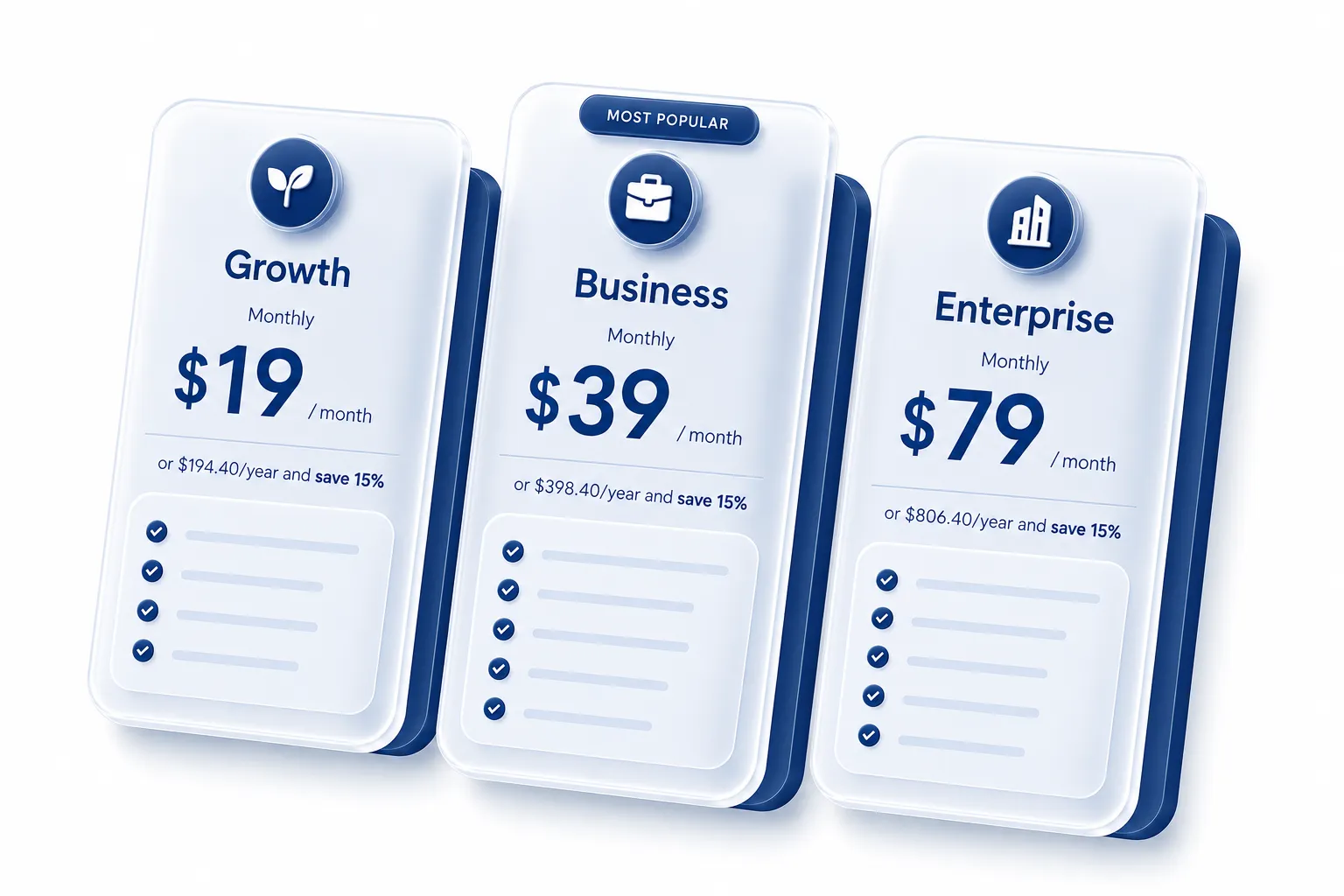
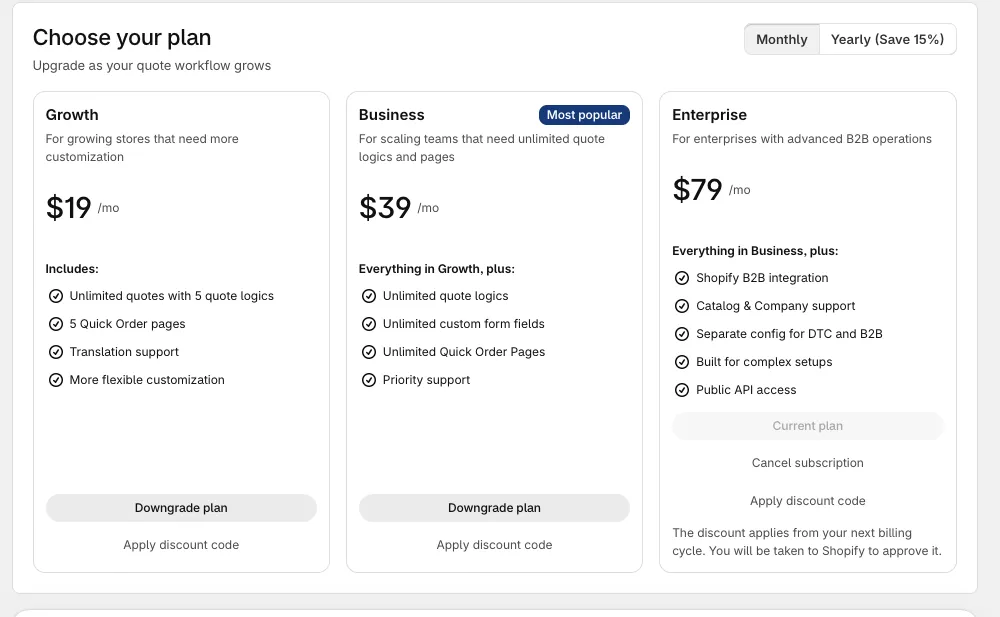
BSS B2B Quote is the quote engine for Shopify B2B, with Quick Order and Reorder to go with it. It offers three pricing plans - Growth , Business , and Enterprise - each designed to support your B2B business at every growth stage. Every plan works on any Shopify plan; Enterprise does not require Shopify Plus.
Features Growth Business Enterprise Request for quote Number of quote requests Unlimited Unlimited Unlimited Number of quote logics 5 Unlimited Unlimited Custom Fields on Quote Form 5 Unlimited Unlimited Maximum file upload size 10MB 20MB 20MB Maximum video upload size 50MB 150MB 150MB Maximum number of file upload fields per form 3 5 Unlimited Quick Order Number of quick order pages 5 Unlimited Unlimited Bulk Import by CSV for customers on QO Page Yes Yes Yes Sales Agents (ordering for retailers) No Yes Yes
Features Growth Business Enterprise Set up price ✗ ✗ ✗ Hide “Add to Cart” Button ✓ ✓ ✓ Hide “Buy Now” Button ✓ ✓ ✓ Hide product prices ✓ ✓ ✓ Configure quote button visibility ✗ ✗ ✗ Show quote button on product page ✓ ✓ ✓ Show quote button for chosen customers ✓ ✓ ✓ Show quote button for chosen products ✓ ✓ ✓ Show quote button on collection page ✗ ✓ ✓ Customize quote button ✗ ✗ ✗ Adjust button size & border ✓ ✓ ✓ Set button position ✓ ✓ ✓ Set button color ✓ ✓ ✓ Change button text ✓ ✓ ✓ Customize quote form ✗ ✗ ✗ Display quantity ✓ ✓ ✓ Display SKUs ✓ ✓ ✓ Change default form field settings ✓ ✓ ✓ Customize form radius and border ✓ ✓ ✓ Customize form color ✓ ✓ ✓ Edit text style ✓ ✓ ✓ Change After Submit text ✓ ✓ ✓ Show and hide quote widget ✓ ✓ ✓ Hide quote widget when cart is empty ✗ ✓ ✓ Add note to each items ✗ ✓ ✓ Edit quote requests ✗ ✗ ✗ Sync with store products and customers ✓ ✓ ✓ Add shipping rate ✓ ✓ ✓ Shipping fee validation ✓ ✓ ✓ Add tax calculations ✓ ✓ ✓ Export quote as PDF ✓ ✓ ✓ Convert quote to draft order ✓ ✓ ✓ Add discounts to quotes ✓ ✓ ✓ Set expiry date for quotes ✗ ✓ ✓ Add tags for quotes ✗ ✓ ✓ Sync with shipping rates & discounts set in Shopify admin ✗ ✓ ✓ Quote emails & Notifications ✗ ✗ ✗ Edit proposal email template ✓ ✓ ✓ Edit quote PDF template ✓ ✓ ✓ Admin email notification for new quotes ✓ ✓ ✓ Include PDF file in proposal emails ✗ ✓ ✓ Automatically Send email confirmation to customer ✗ ✓ ✓ Quote metrics ✗ ✗ ✗ Total , Average Value & Conversion Rate of Quotes Requested ✓ ✓ ✓ Most Active Customers Requesting Quotes ✗ ✓ ✓ Most Quoted Products ✗ ✓ ✓ Create similar Quote ✗ ✓ ✓ Public API (create and read quotes with API keys, Beta; Enterprise plan, Shopify Plus not required) ✗ ✗ ✓
Features Growth Business Enterprise Set up quick order page visibility ✓ ✓ ✓ Display page for chosen customers ✓ ✓ ✓ Display page for chosen products ✓ ✓ ✓ Edit Page description ✓ ✓ ✓ Edit page description content ✓ ✓ ✓ Hide page description ✓ ✓ ✓ Customize page description color & style ✓ ✓ ✓ Product Information showed on QO Page ✗ ✗ ✗ SKUs ✓ ✓ ✓ Inventory ✓ ✓ ✓ Type ✓ ✓ ✓ Vendor ✓ ✓ ✓ Metafields ✓ ✓ ✓ Discount badge ✗ ✓ ✓ Filter & Search for Quick Order Page ✗ ✗ ✗ Search bar ✓ ✓ ✓ Filter only available items ✓ ✓ ✓ Price range ✓ ✓ ✓ Collection ✓ ✓ ✓ Product type ✓ ✓ ✓ Vendor ✓ ✓ ✓ Tag ✓ ✓ ✓ SKUs ✓ ✓ ✓ Customize general style ✗ ✗ ✗ Customize page style (radius, border ...) ✓ ✓ ✓ Customize color ✓ ✓ ✓ Quick Order Page Analytics ✗ ✗ ✗ Active users ✓ ✓ ✓ Page views ✓ ✓ ✓ Most commonly used filters ✓ ✓ ✓ Top search keywords ✓ ✓ ✓ Top Add-to-cart products ✗ ✓ ✓ Most active users ✗ ✓ ✓
Feature Growth Business Enterprise Reorder Basic Flow ✓ ✓ ✓
Feature Growth Business Enterprise Sync prices and quantity rules of catalog and locations ✗ ✗ ✓ Sync with catalog and location's price of chosen customer ✗ ✗ ✓ Display page for chosen company customers ✗ ✗ ✓ Show quote button for chosen company customers ✗ ✗ ✓ Autofill company and location information for B2B customer on storefront ✗ ✗ ✓ Sync B2B customer company and location information ✗ ✗ ✓ Most Active companies Requesting Quotes ✗ ✗ ✓
If you have a discount code, you can use it when you choose a plan. In the app, click Apply discount code and enter the code.
Plan you are already on : click Apply discount code on its plan card. You approve it in Shopify, and the discount starts from your next billing cycle. It is for the same plan, price and billing interval only.A code that cannot be used : the message says why, for example the condition of the code is not met, its usage limit is reached, or the code needs a plan price. A code that gives less than the discount already on your plan is refused, both when you check the code and when you subscribe.Monthly and yearly plans : a code works on both if its conditions allow it.