
Overview
The Quick Order module is designed for B2B buyers who already know what they want and require a fast, frictionless way to add dozens of products and variants to their cart or quote at once.
Quick Order works alongside quotes: buyers can send a quote request from the page when Request for Quote is enabled and your quote logic applies.
What You Can Do with Quick Order
Section titled “What You Can Do with Quick Order”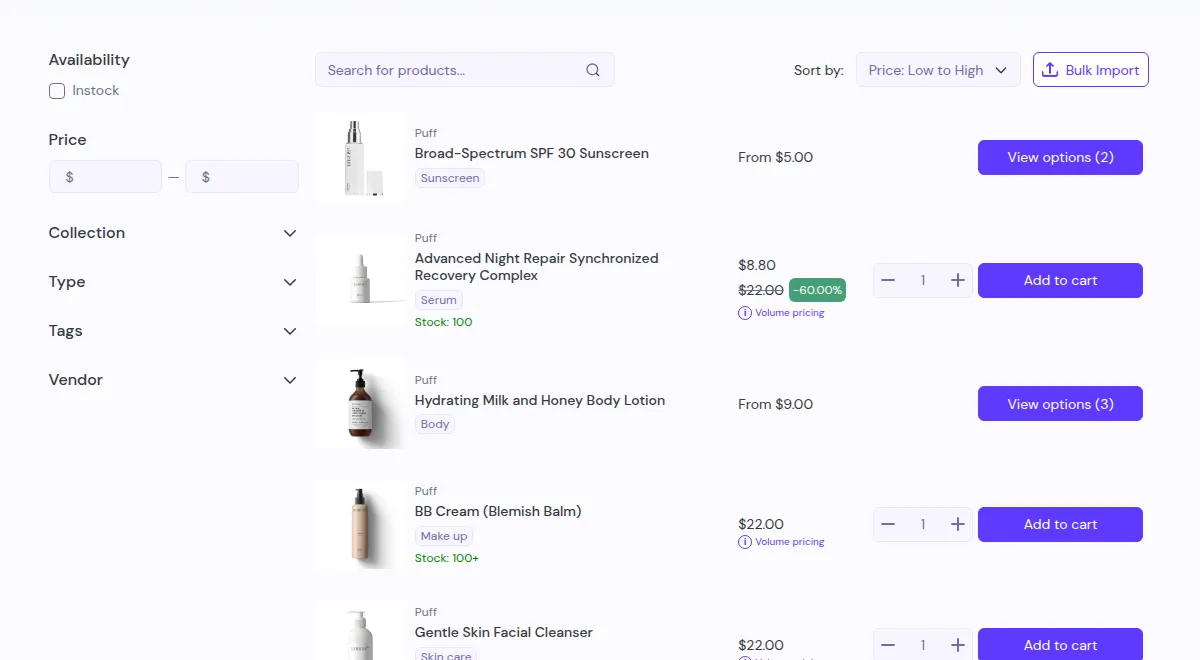
- High-Density Catalog Views: Display compact product tables with real-time pricing, SKUs, inventory stock, and inline quantity inputs.
- Product Page Variant Table: Enable bulk variant ordering directly on individual product pages (PDP App Block) so buyers can enter quantities across multiple sizes/colors and click Add to Cart or Add to Quote in one go.
- Templates Management: Choose from pre-built System Templates or build Custom Templates to standardize layouts across multiple wholesale categories.
- Advanced CSV Bulk Import: Allow buyers to upload spreadsheets, review verified item summaries with editable quantities, and add items directly to cart.
- Smart Access Control & Targeting: Control page access by customer login, customer tags, Shopify B2B Companies/Locations, or specific customer accounts with granular exclusion rules.
- Universal Page Routing: Deploy a permanent single URL that shows each buyer the Quick Order page they are allowed to use, or a landing page listing all their eligible pages.
- Storefront Translation: Translate every Quick Order text into each language published in your store, with a live preview.
Typical B2B Scenarios
Section titled “Typical B2B Scenarios”- Wholesale Restocking: Retailers replenishing 50+ staple SKUs every week in seconds.
- Parts & Consumables Ordering: Dealers ordering maintenance spare parts by searching SKU codes.
- Sales Agent Field Orders: Sales agents placing fast bulk orders on behalf of their retailers. See Sales Agents.
Key Module Elements
Section titled “Key Module Elements”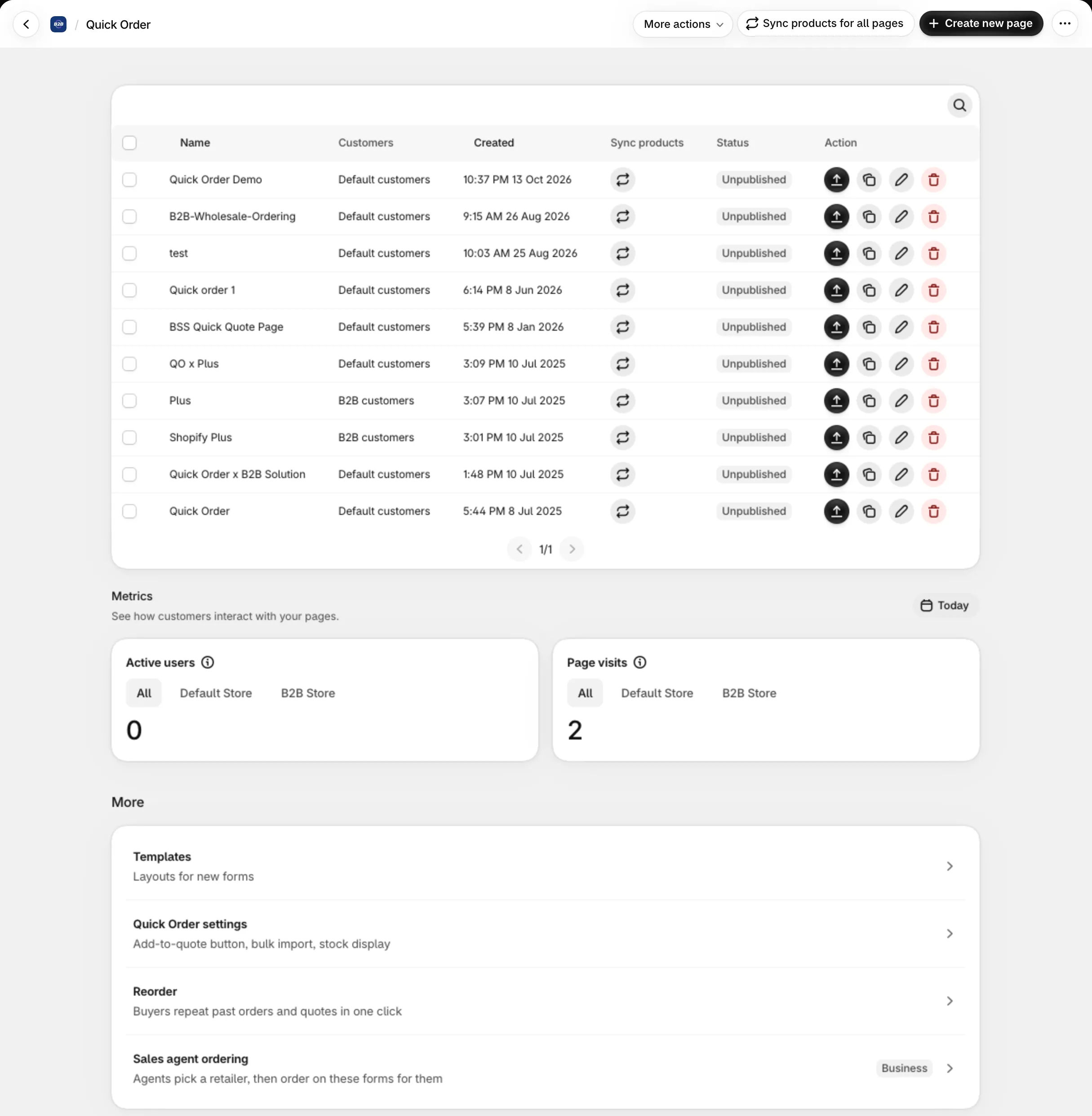
| Component | Description |
|---|---|
| Quick Order Pages | Custom standalone bulk-order pages with specific product scopes, filters, and layouts. |
| Product Page Variant Table | Theme App Block embedding bulk variant ordering directly on Product Detail Pages. |
| Templates Management | Dedicated preset gallery (System and Custom presets) to deploy standardized layouts quickly. |
| Universal Page | One link that shows each buyer their eligible Quick Order page, or a landing page of all of them. |
| CSV Bulk Import | Multi-file spreadsheet import with live stock validation and interactive quantity review. |
Have a question? See the Frequently Asked Questions.