
Product Page Variant Table
The Product Page Variant Table feature embeds a high-density, multi-variant ordering table directly on your store’s Product Detail Pages (PDP). It empowers B2B buyers to select quantities for multiple product variants (sizes, colors, materials) and bulk add them to the cart or submit an RFQ in a single click.
1. Overview & Business Value
Section titled “1. Overview & Business Value”Standard Shopify product pages typically limit shoppers to selecting one variant at a time through dropdown selectors. For B2B wholesale buyers purchasing dozens of variant combinations, this requires tedious, repetitive clicks.
- The buyer opens a product page.
- The Variant Table app block shows every variant with a quantity field.
- The buyer enters quantities for several variants.
- They click Add to cart to add everything at once, or Add to quote to send the variants to the quote form.
Key Merchant Benefits:
Section titled “Key Merchant Benefits:”- Faster Bulk Ordering: Buyers enter quantities across all available variants on a single screen.
- Transparent Pricing & Stock: Live variant prices, SKUs, and inventory availability are displayed in dedicated columns.
- Dual Action Support: Supports both Add to Cart (for immediate purchase) and Add to Quote (for RFQ negotiation).
2. Before You Begin
Section titled “2. Before You Begin”- Theme App Embed: Verify that the B2B Portal app embed is turned on in your Shopify Theme Editor.
- App Block Integration: The table is rendered via Shopify’s Theme App Extension. You must add the Variant Table App Block to your Product template in the Shopify Theme Editor.
3. Configuration via Shopify Theme Editor
Section titled “3. Configuration via Shopify Theme Editor”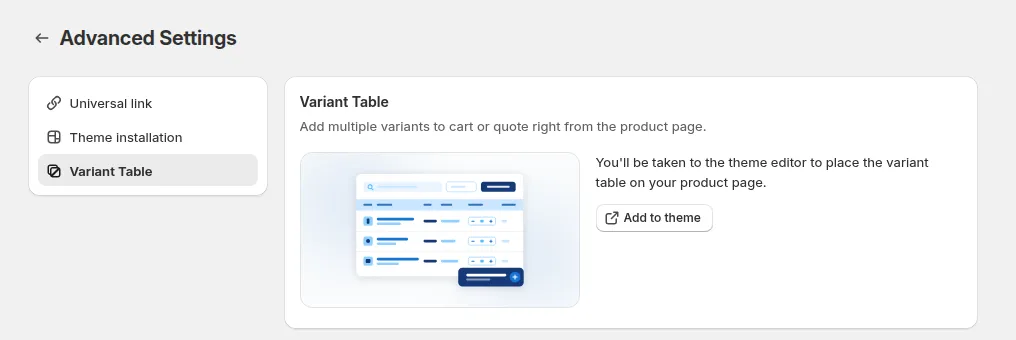
In the app admin (BSS B2B Quote > Quick Order), the Product Page Variant Table card provides an Add to theme shortcut that opens your Shopify Theme Editor directly. All visual and functional settings are customized directly inside the Theme Editor sidebar:
3.1 Adding the App Block
Section titled “3.1 Adding the App Block”- In Shopify Admin, navigate to Online Store > Themes > Customize.
- From the top dropdown menu, select Products > Default product (or your specific product template).
- In the left sidebar under the Product Information section, click Add block.
- Select Variant Table (under Apps).
- Drag the block to your preferred position (e.g., directly below the price or product description).
3.2 Block Schema Settings
Section titled “3.2 Block Schema Settings”| Setting | Type | Description |
|---|---|---|
| Enable Quote Compatibility | Toggle | When enabled, renders an Add to Quote button alongside Add to Cart if the product matches an active Quote Logic rule. |
| Show Column Image | Toggle | Displays the variant thumbnail image column. |
| Show Column SKU | Toggle | Displays the variant SKU code column. |
| Show Column Stock | Toggle | Displays real-time warehouse inventory availability. |
| Show Column Line Total | Toggle | Displays dynamically calculated line total per variant row. |
| Enable Bulk Quantity Input | Toggle | Adds a master quantity input in the table header to apply the same quantity across all variants simultaneously. |
| Primary Color | Color Picker | Customizes the background color of primary action buttons. |
| Text Color | Color Picker | Customizes the label text color of primary action buttons. |
- Click Save in the top-right corner to publish your configuration.
4. Storefront Buyer Experience
Section titled “4. Storefront Buyer Experience”- Inline Quantity Inputs: Buyers enter required quantities for each variant row.
- Bulk Quantity Applicator: When enabled, entering a number in the master quantity field at the top fills all variant rows in one click.
- Quantity Rules: Automatically respects Shopify Quantity Rules (minimum order quantities, maximum limits, and pack size increments).
- Out-of-Stock Protection: Variants with zero inventory (and backordering disabled) are grayed out with an “Out of stock” label.
- One-Click Action: Clicking Add to Cart or Add to Quote processes all entered variants simultaneously.