
Using with BSS B2B Solution
BSS B2B Solution is the custom pricing engine in the B2B Suite (tiered pricing, volume pricing, customer group rules, etc.).
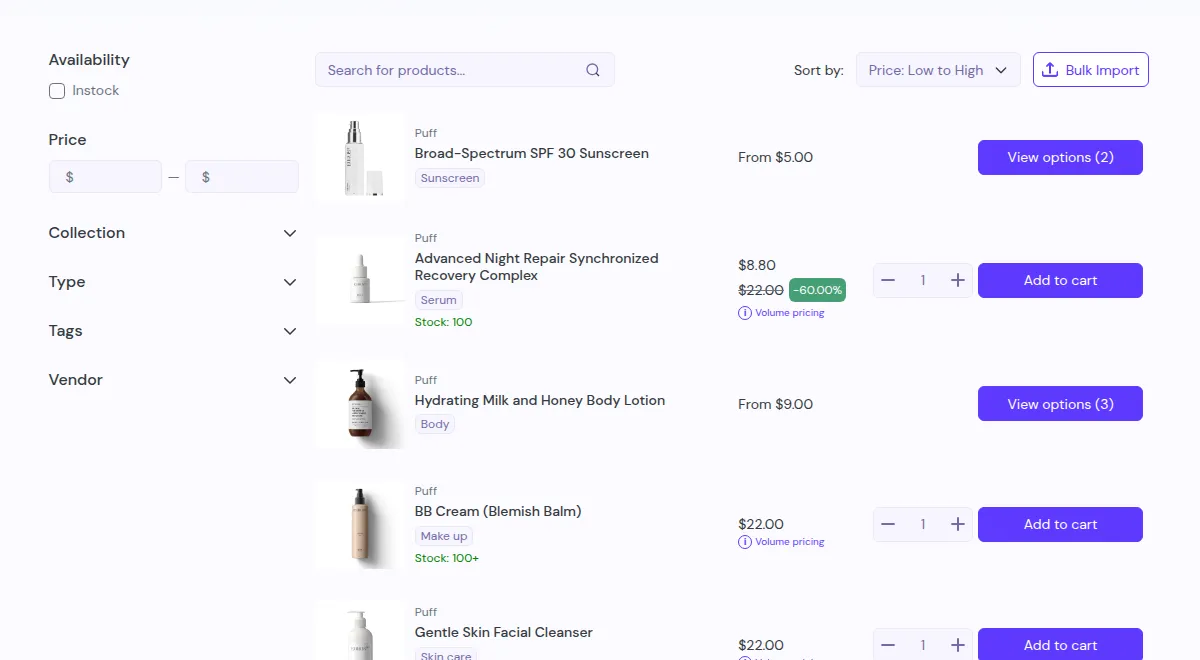
What your customers see on the storefront.
If you use it instead of (or alongside) Shopify B2B, the integration works like this:
1. Price engine vs UX layer
Section titled “1. Price engine vs UX layer”- BSS B2B Solution
- Defines who gets which prices (by tag, group, rules).
- Shows discounted prices on the storefront.
- BSS B2B Quote
- Uses whatever price is shown on the product page as the base.
- Provides Quick Order (bulk ordering) and RFQ (negotiation & draft orders).
In other words, Wholesale Solution = pricing logic; Quotes & Quick Order = ordering and quoting UX.
2. Typical combinations
Section titled “2. Typical combinations”Scenario A – Simple B2B store (no Shopify B2B)
- Use BSS B2B Solution to:
- Create custom price lists per tag/group.
- Set volume/quantity breaks and discount tiers.
- Use Quotes & Quick Order to:
- Show those prices in a Quick Order table.
- Let buyers reorder quickly or upload CSV files.
- Allow RFQ for special deals on top of existing discounts.
Scenario B – Hybrid store with both pricing and RFQ
- Some products:
- Use B2B Wholesale prices + normal checkout.
- Other products or segments:
- Use Wholesale prices + hide Add to Cart + RFQ only.
3. Setup tips
Section titled “3. Setup tips”- Keep pricing logic in one place (BSS B2B Solution or Shopify B2B), not multiple overlapping discount apps.
- Treat this app as the front-end for bulk orders and quotes, not as a second pricing engine.
- When testing, always verify:
- Product page price
- Quick Order page price
- Quote line price
All three should match your intended rule before you start offering RFQs.