
Hide wholesale collections from guest users
Hide one or more wholesale collections from guests and show them only to logged-in or approved customers.
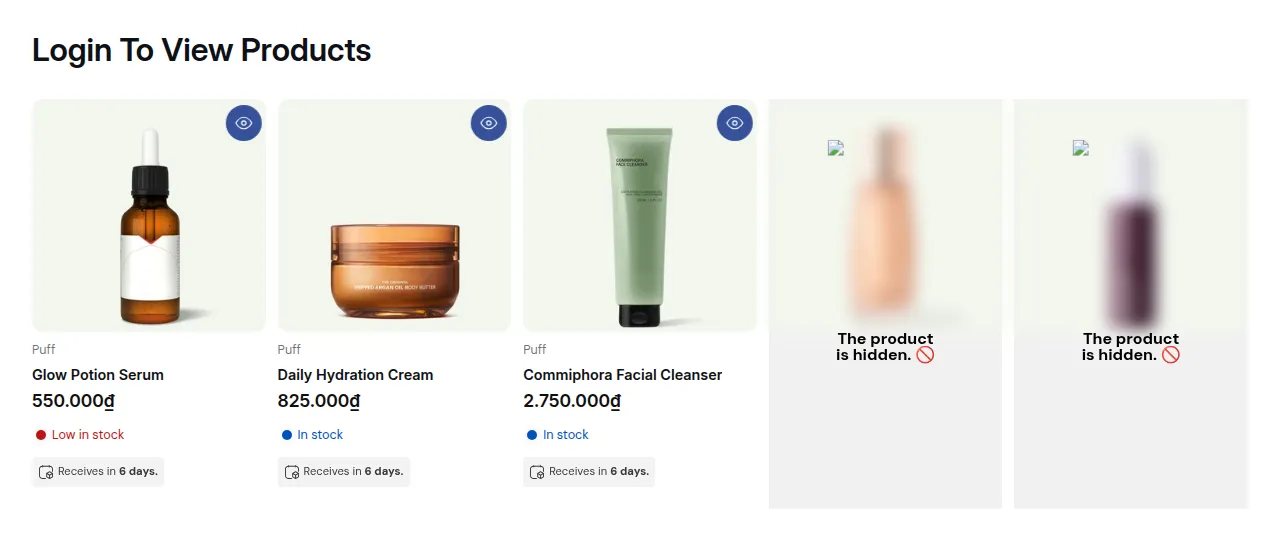
What your customers see on the storefront.
Goal
Hide one or more wholesale collections from guests and show them only to logged-in or approved customers.
When to use this recipe
- You have a collection like “Wholesale” / “B2B Catalog” / “Distributor Products”.
- You want regular visitors to see only your retail catalog.
Step 0 – Before you start
Section titled “Step 0 – Before you start”Identify:
- The wholesale collection(s) you want to hide.
- Whether access is granted to any logged-in customer or only tagged wholesale customers.
Step 1 – Lock Target
Section titled “Step 1 – Lock Target”- Go to Apps → BSS B2B Lock → Locks → Add lock rule.
- In the Start with a preset modal, select Create my own lock (or Require login to view collections), then click Continue.
- In Step 1 – Lock Target:
- Name the rule in Lock name:
Hide wholesale collections from guests - In What do you want to lock?, select Collections.
- Under Which collections to restrict?, select Specific, then use Search collections to open the Select collections picker.
- Tick the collections you want to hide (e.g., “Wholesale”, “B2B Only”) and click Select.
- Name the rule in Lock name:
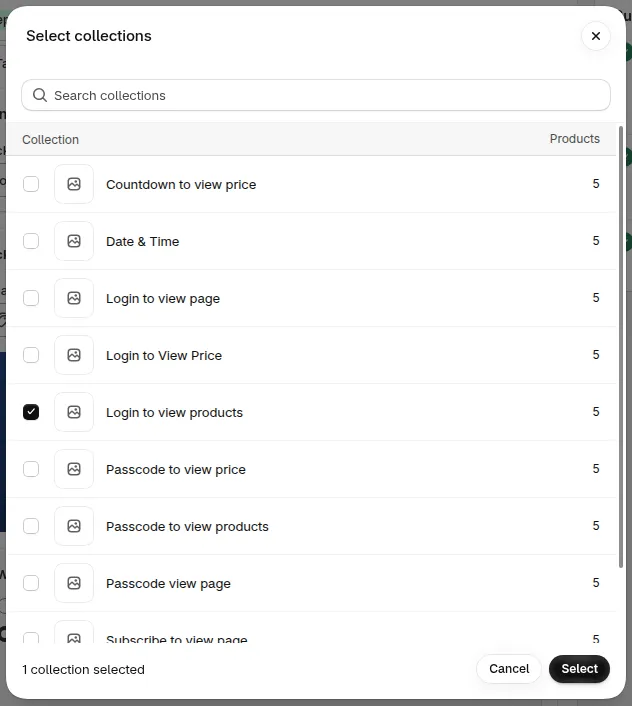
Select collections: tick the wholesale collection and click Select
- Under Visibility settings, keep the options you need. All four are ticked by default:
- Hide collection cards
- Hide product cards
- Hide product pages
- Hide from navigation menu
- Click Next.
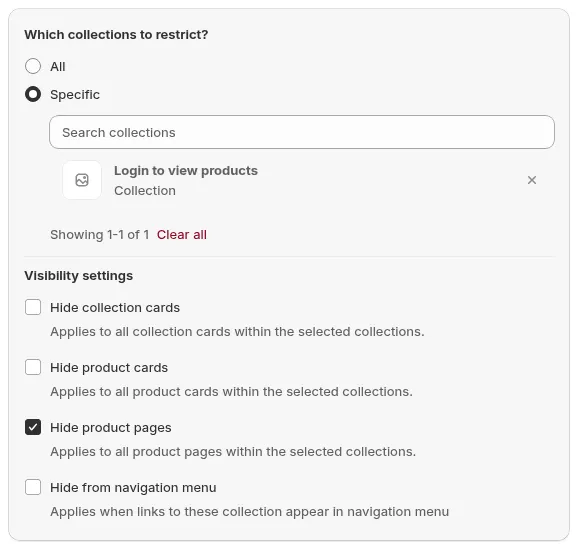
Step 1 - Lock Target. Wholesale Collection selected, with the Summary showing 1 specific collection
Step 2 – Access & Message
Section titled “Step 2 – Access & Message”Choose who can see those collections:
Option A – Any logged-in customer
- Condition: User type → Signed-in customers - Must be logged in
→ All registered customers see wholesale collections; guests do not.
Option B – Only approved wholesale customers
- Condition: User type → Tagged customers – Must have specific tags with the tag
wholesalein the Customer tag field
→ Only tagged wholesale customers see them.
Steps:
- In Rule 1, click the User type condition chip and choose your access rule from Select access rule.
- If using tags, ensure your customers are correctly tagged (e.g., synced from B2B registration app).
- Customize what happens if a guest hits a wholesale collection URL directly. In the Preview card, click Customize message and set a message such as:
- “This collection is for wholesale customers only. Please log in or request access.”
- Click Next.
Step 3 – Exclude Pages
Section titled “Step 3 – Exclude Pages”Optional refinements:
- In Exclude from lock rules, check any pages that must stay visible to everyone (e.g., Home page, Customer areas, or Specific pages).
- To keep a retail collection visible, leave it out of the collections you selected in Step 1.
Click Save (the button next to Back, or Save in the Unsaved changes bar at the top of the page).
Check your storefront
Section titled “Check your storefront”- As a guest:
- Wholesale collections should not appear in navigation, collections lists, or search results.
- Direct access to their URL should show your lock message.
- As a logged-in or tagged wholesale customer:
- The same collections should appear and behave normally.
Still Need Help?
Section titled “Still Need Help?”If you have questions or need assistance configuring BSS B2B Lock, our dedicated support team is here to help.
- In-App Assistance: Click Need help? or use the in-app chat button within BSS B2B Lock.
- Email Support: Contact us at [email protected] with your store URL and specific rule details.