
Using Customer Tags with BSS B2B Lock
Customer tags are the backbone of most serious B2B setups in Shopify.
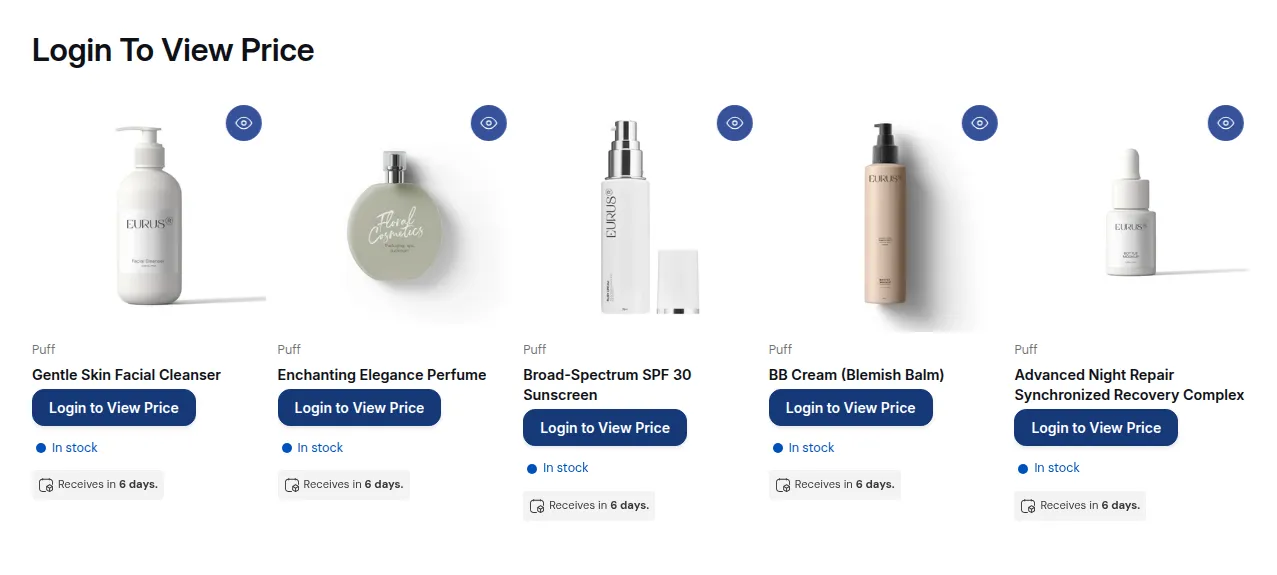
What your customers see on the storefront.
Customer tags are the backbone of most serious B2B setups in Shopify.
BSS B2B Lock doesn’t create new account types – instead, it uses Shopify customer tags to decide who can see what.
If you design your tags well, your locks stay simple and easy to maintain.
1. Why tags matter
Section titled “1. Why tags matter”Tags let you:
- Group customers into segments (wholesale, distributor, VIP, region, tier, etc.)
- Control catalog visibility with BSS B2B Lock
- Connect your B2B setup to:
- Registration apps
- CRM / ERP
- Manual approvals
BSS B2B Lock can check tags in Step 2 – Access & Message, with the condition User type → Tagged customers – Must have specific tags:
Tagged customers:
wholesale
Tagged customers:b2b-approved
If the condition is true → they see locked content.
If not → they see your lock message instead.
2. Common tag patterns
Section titled “2. Common tag patterns”Here are simple, scalable patterns to use:
Access level tags
wholesale– generic wholesale customerb2b-approved– generic B2B approvalvip– high-value customersstafforinternal– internal accounts, testers
Region or market tags
us-wholesaleeu-distributorjp-partner
Tier tags
silvergoldplatinum
You can combine them as needed on each customer (e.g., wholesale + eu-distributor + gold).
3. Where tags come from
Section titled “3. Where tags come from”Tags can be:
- Added automatically by:
- B2B registration apps (approve → add tag)
- Workflows / automation (Shopify Flow, Zapier, etc.)
- Added manually by staff:
- In Shopify Admin → Customers → Edit → Tags
Best practice:
Have a clear internal rule like:
“Once wholesale is approved, tag customer
wholesaleand removepending-b2b.”
This keeps your BSS B2B Lock rules simple:
- “Tagged customers:
wholesale…” instead of trying to mix multiple temporary states.
4. Good tag design: do & don’t
Section titled “4. Good tag design: do & don’t”Do
- Use short, consistent names:
wholesale,gold,us-wholesale - Document tag meanings internally (“What does
b2b-approvedactually mean?”) - Use tags to reflect business reality:
- Who can see what
- Who gets which pricing or catalog
Don’t
- Create lots of near-duplicates like
wholesale,wholesale_customer,b2b-wholesale - Overload tags with too many meanings
- Rely on tags you never actually apply consistently
5. How tags interact with BSS B2B Lock
Section titled “5. How tags interact with BSS B2B Lock”In BSS B2B Lock, you’ll mostly use tags in Step 2 – Access & Message (User type → Tagged customers):
Examples:
- Hide prices for everyone except wholesale:
- Tagged customers with
wholesale→ allow
- Tagged customers with
- Lock a collection only for EU distributors:
- Tagged customers with
eu-distributor→ allow
- Tagged customers with
You can also combine tags with other conditions:
- AND – add both conditions to the same Rule (a customer must meet every condition in the rule):
Passcode AND Tagged customers wholesale - OR – click + Add rule to create a separate Rule (any rule can let the customer in):
Rule 1: Tagged customers goldORRule 2: secret link
Once you commit to a clear tag strategy, rules are easier to read, change, and debug.
Still Need Help?
Section titled “Still Need Help?”If you have questions or need assistance configuring BSS B2B Lock, our dedicated support team is here to help.
- In-App Assistance: Click Need help? or use the in-app chat button within BSS B2B Lock.
- Email Support: Contact us at [email protected] with your store URL and specific rule details.