
Templates and Emails
Everything your customers read, the emails, the PDF and the history page, is set under Settings in the app admin: Email and notifications for the emails, Documents for the quote PDF, and Buyer account for the quote history page. The Quote settings card on the Settings page lists them all.
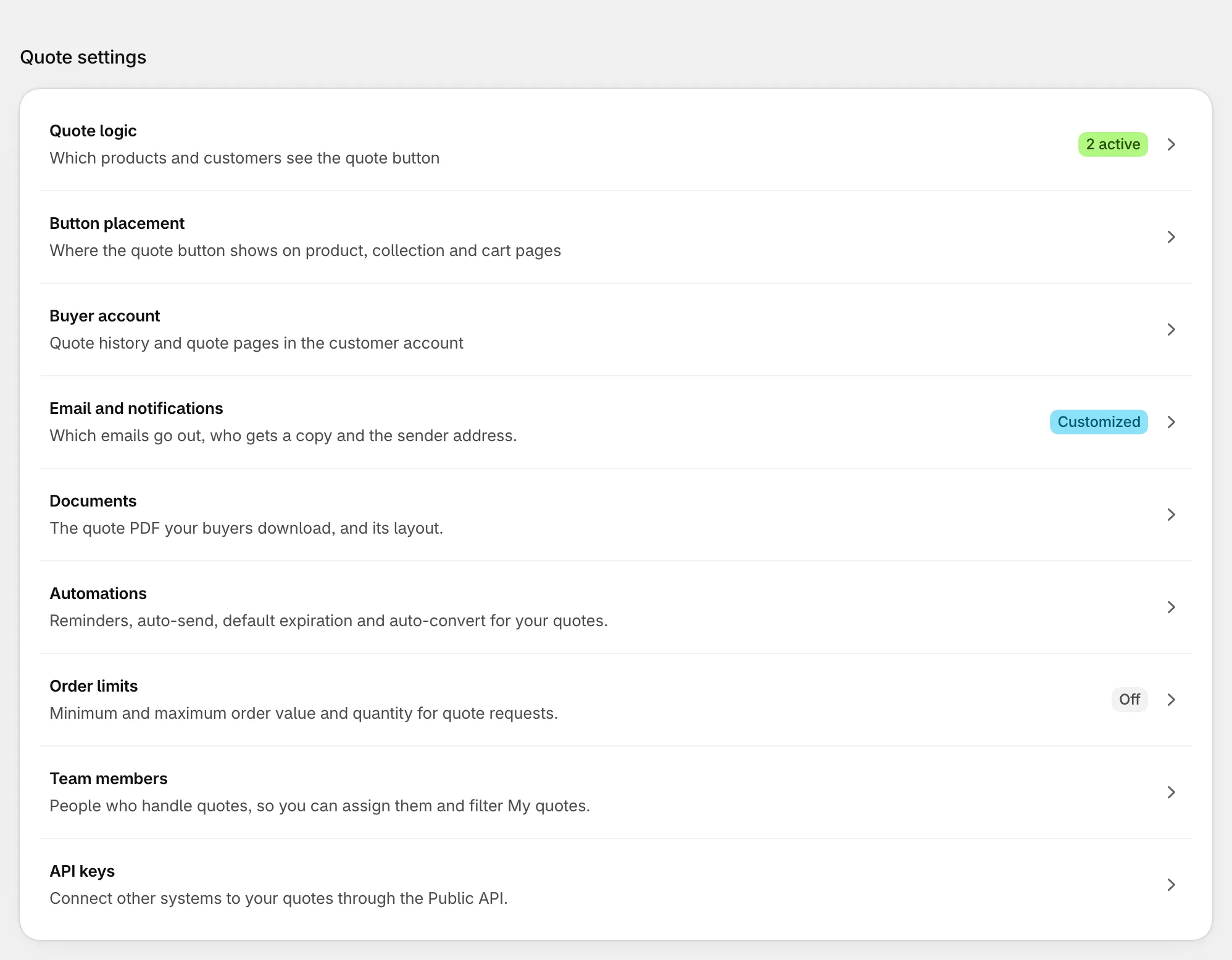
What is in each group
Section titled “What is in each group”| Group | What you can change | Learn more |
|---|---|---|
| Emails | Header and opening line, quote table columns and layout, price summary, quote actions (approve and reject buttons), background colour, whether prices are shown, and whether the PDF is attached by default | Quote emails and reminders |
| Quote PDF | File title, store details, customer, billing and shipping information, note for customer, expiry date, quotation table. On the Business plan and above you can keep several PDF templates and choose a default | Quote settings |
| Quote history page | The page logged-in customers use to track their quotes: statistics, quote list and quote detail | Customer quote history |
Good to know
Section titled “Good to know”- The default PDF template is used for every PDF download, proposal and automatic email. Set another template as default before deleting the current default.
- In the proposal email layout you choose which sections the customer sees and in which order, and which columns the product table shows (Quantity, Price, Total).
- Automatic emails and reminders are set in Quote Automation and Quotes → Automations → Quote reminders (see Quote settings).
- For the sender address, SPF and DKIM, see Quote emails: sender and deliverability.