
Integrations page
The Integrations page of BSS B2B Quote shows what the quote engine works with: BSS apps, Shopify B2B, page builders, themes, and your own ERP or CRM through the Public API. Open it from Integrations in the app menu. The old Settings > Integrations link opens the same page.
A banner at the top explains the badges: items marked Works with need no setup. You can close the banner.
What you see
Section titled “What you see”Cards are grouped in tabs: All, BSS apps, Shopify, Developer, Page builders and Themes.
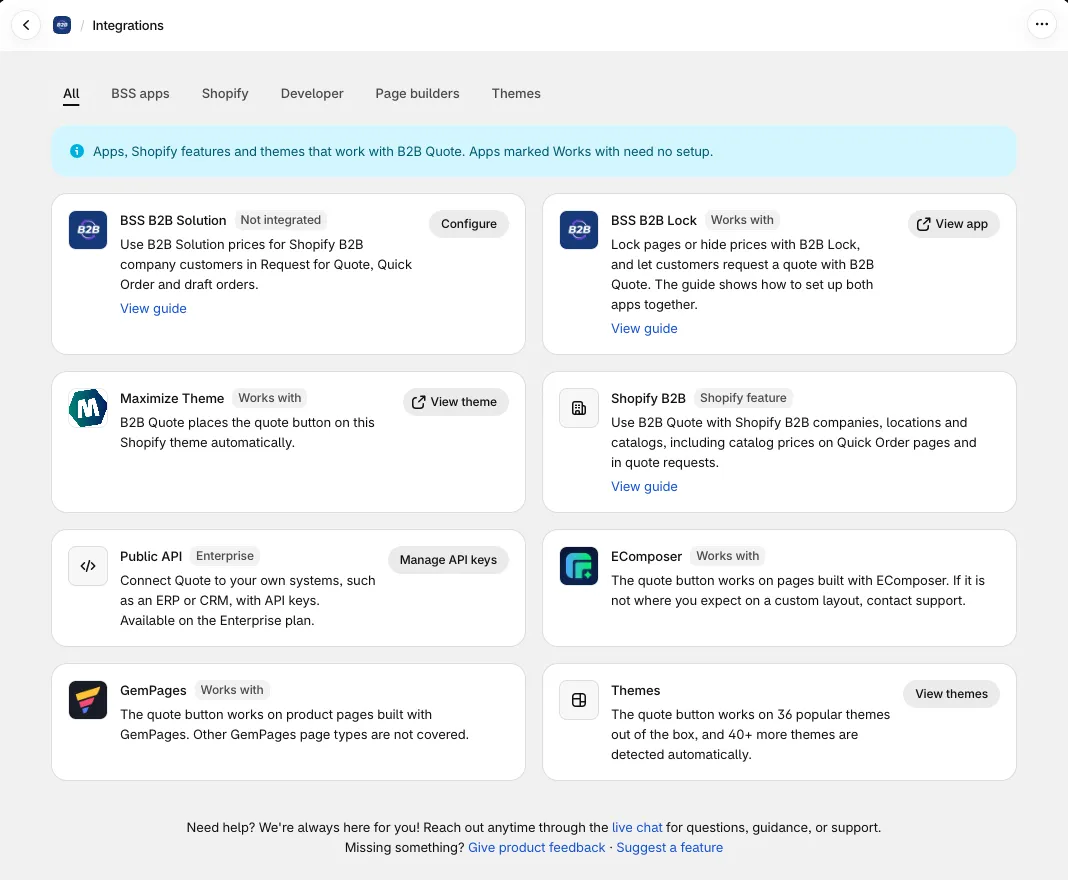
| Tab | Card | What it is for |
|---|---|---|
| BSS apps | BSS B2B Solution | Use B2B Solution prices for Shopify B2B company customers. The badge shows Integrated when the setting is on and Not integrated when it is off. Click Configure to change it. See Using with BSS B2B Solution. |
| BSS apps | BSS B2B Lock | Lock pages or hide prices with Lock, and let buyers request a quote with Quote. Marked Works with. See Using with BSS B2B Lock. |
| BSS apps | Maximize Theme | Quote places the quote button on this Shopify theme automatically. Marked Works with. |
| Shopify | Shopify B2B | Use Quote with Shopify B2B companies, locations and catalogs, including catalog prices on Quick Order pages and in quotes. See Using with Shopify B2B. |
| Developer | Public API | Connect Quote to your own systems, such as an ERP or CRM, with API keys. Marked Enterprise. Click Manage API keys to open the keys page. See Public API. |
| Page builders | EComposer, GemPages | The quote button works on pages built with these page builders. With GemPages it works on product pages only. Marked Works with. |
Cards with a guide show a View guide link. Cards for other apps link to their Shopify App Store or Theme Store page.
Themes
Section titled “Themes”The Themes tab lists the themes where the quote button is placed automatically, in two groups: Shopify free themes and Popular paid themes. More than 40 other themes are detected automatically. If your theme is not on the list or the button is in the wrong place, use Request theme support on that tab and our team will look at your theme. For button positions, see Button placement and themes.
B2B Solution settings
Section titled “B2B Solution settings”Open Integrations in the app menu, find the BSS B2B Solution card and click Configure. The page has two settings.
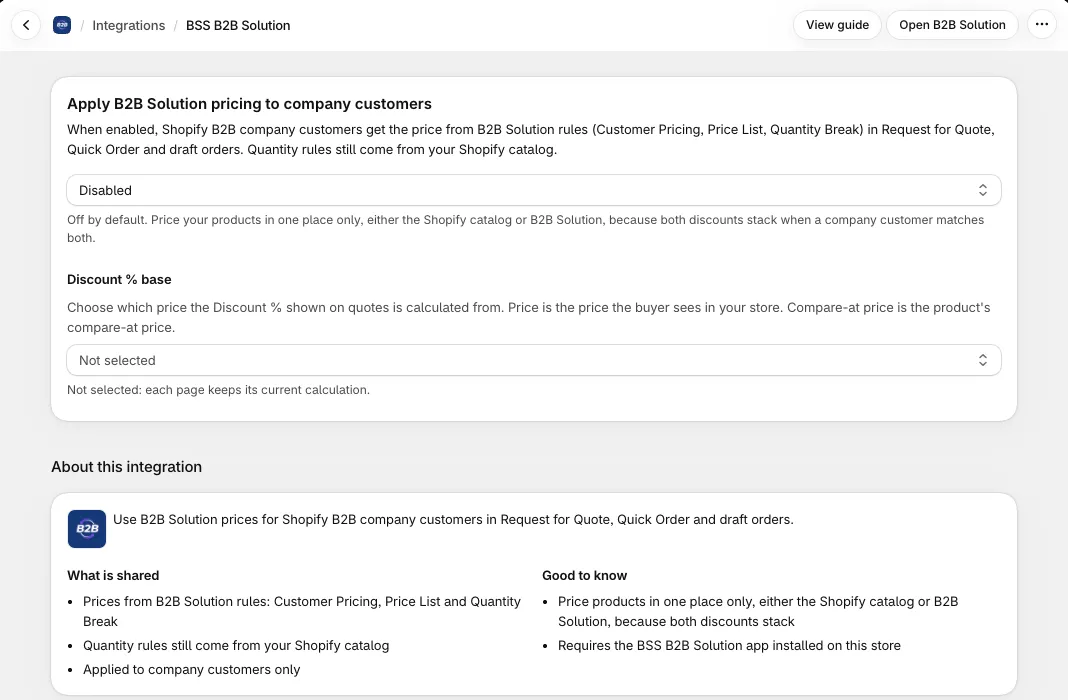
Apply B2B Solution pricing to company customers. Off by default. When on, Shopify B2B company customers get the price from B2B Solution rules (Customer Pricing, Price List and Quantity Break) in Request for Quote, Quick Order, Favourites and the draft orders created from quotes. It needs the BSS B2B Solution app installed on the store.
Discount % base. Choose which price the Discount % on quotes is calculated from:
- Price: the price the buyer sees in your store.
- Compare-at price: the compare-at price of the product.
- Not selected (default): each page keeps its current calculation.
Discount % = (base - quoted price) / base. With Compare-at price, the % may not match the B2B Solution rule %. Quick Order, the Variant Table and the quote form use this base for Discount % and for the crossed-out price. Quote detail, emails, PDF and CSV have a Discount % column.
Line discounts on a quote (Percent off or Amount off per unit) use the same base: the discount is worked out from Price or Compare-at price, and the line shows which base it used. Quotes you saved earlier keep the base they were created with.