
Credit Limit FAQ: Limits, Currency and When the Add-on Ends
This Credit limit FAQ for Net Terms gives short answers about rules, balances, buyers and checks, each with a link to the full page. For setup, start with the Credit limit overview.
Basics
Section titled “Basics”What does Credit limit do?
Section titled “What does Credit limit do?”It caps how much a Pay later buyer, a customer tag, a company or a company location can owe on Net Terms. When an order goes over the limit, you choose to warn or to block Pay later. See how Credit limit works.
Is Credit limit the same as checking a buyer’s credit?
Section titled “Is Credit limit the same as checking a buyer’s credit?”No. It caps unpaid Net Terms amounts that you set. It does not look at a buyer’s creditworthiness. Learn the terms in the Credit limit glossary.
Which plans can add Credit limit?
Section titled “Which plans can add Credit limit?”Credit limit is an add-on for Net Terms, so you need a plan that includes Net Terms: Advanced or Platinum. If your plan has a custom price, the add-on card tells you to talk to us about adding it. See add the add-on.
How is Credit limit billed?
Section titled “How is Credit limit billed?”It costs $39/month, or $421.20/year (12 months with 10% off). It is billed with your plan in one Shopify charge, after you approve the new total in Shopify. Plan details are on Pricing plans and details.
Is there a free trial?
Section titled “Is there a free trial?”Yes. Each store gets one 14-day free trial. Start it with Start 14-day free trial in Pricing plans > Add-ons, and end it with Cancel trial. Steps are in start your trial.
What happens when the add-on ends?
Section titled “What happens when the add-on ends?”The Pay later credit check stops. Your rules and balances are kept but hidden, and balances are not updated while the add-on is off. The check at Shopify checkout switches off within about an hour, and Pay later checkout notices within a few minutes. If you cancel the trial, the credit check stops at once and the Shopify checkout check within a few minutes. A paid add-on that you remove keeps working until the end of your billing period. See what happens when the add-on ends.
What if I remove Credit limit and add it later?
Section titled “What if I remove Credit limit and add it later?”Add it again from Pricing plans > Add-ons. Your rules come back as you left them, and Recalculate brings balances up to date. The free trial is used once per store, so a later add-on starts as a paid add-on. See add Credit limit again.
Will it change how my store works if I don’t add it?
Section titled “Will it change how my store works if I don’t add it?”No. Without the add-on, Net Terms and Pay later work as they do today. Credit limit changes nothing at checkout until you add it and create a rule. See Net Terms setup.
Balances
Section titled “Balances”What counts toward a limit?
Section titled “What counts toward a limit?”Three amounts count: unpaid Net Terms orders, Pay later drafts waiting for you (Pending drafts), and the opening balance and manual adjustments you enter. Paid and cancelled orders do not count, and a partly paid order counts only for what is left. See how balances are built.
Which orders does Credit limit check?
Section titled “Which orders does Credit limit check?”Credit limit checks Pay later orders placed at your online store checkout. With Check at Shopify checkout on, company and location limits in Block Pay later mode are also checked at Shopify checkout, including a draft order you complete in Shopify admin for a location with payment terms. POS orders, order edits and API orders are not checked. See checks at checkout.
Which orders count toward the balance?
Section titled “Which orders count toward the balance?”Credit limit counts Pay later orders placed through BSS B2B Solution: Pay later at your online store checkout (including the drafts waiting for you) and Manual Orders with payment terms. Shopify orders from a company buyer with payment terms also count when a company or location rule applies to that buyer. Orders and draft orders you create directly in Shopify admin or on POS do not count, even with payment terms, except the company orders described above. Add that debt with Adjust on the customer’s credit page. See Manual Orders and balances.
Why is my customer’s balance different from Shopify?
Section titled “Why is my customer’s balance different from Shopify?”Common reasons: orders older than 60 days, orders or drafts you created directly in Shopify (not counted, except company orders with payment terms under a company or location rule), a Manual Order in another currency, or an update that has not arrived yet. Click Recalculate to refresh. See fix a wrong balance.
Why do I only see 60 days of orders?
Section titled “Why do I only see 60 days of orders?”Shopify shares only the last 60 days of orders until you click Allow access to all orders. For older unpaid orders, enter an Opening balance. See read balances.
How often are balances updated?
Section titled “How often are balances updated?”New orders and payments reach Credit limit shortly after Shopify reports them, usually within a minute. Every day at 01:40 UTC, all tracked orders are read again from Shopify. Recalculate starts the same refresh now and can take a few minutes. See when balances update.
How do I enter what a customer owed before?
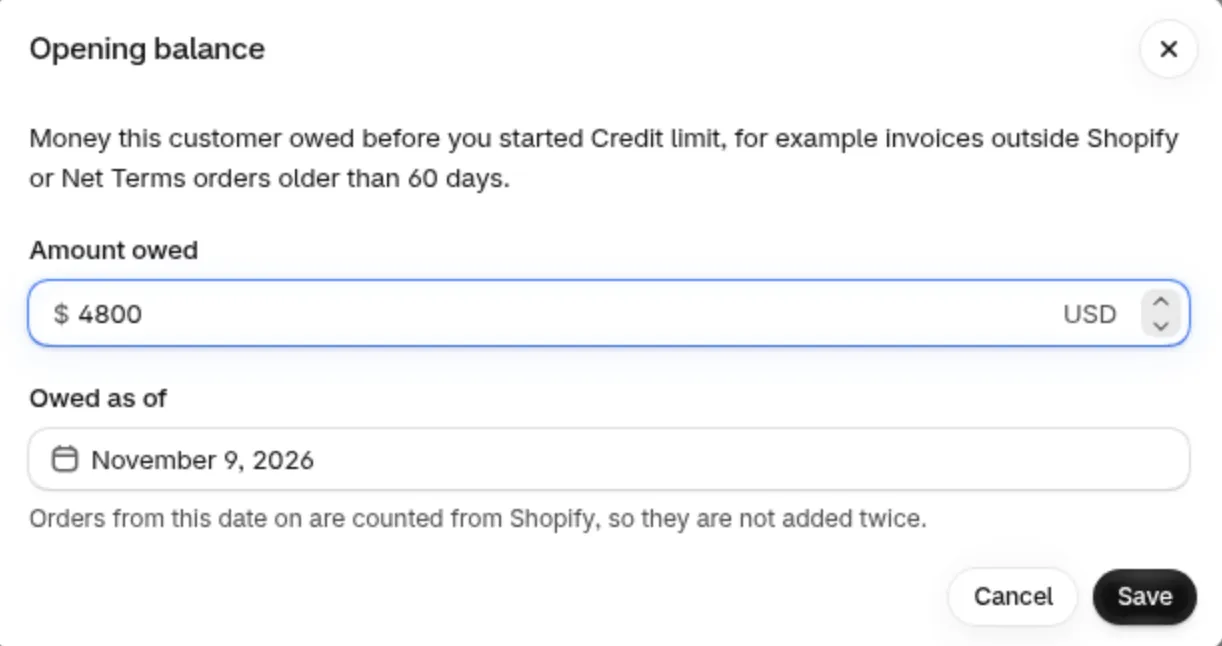
Section titled “How do I enter what a customer owed before?”Open the customer page and click Edit on Opening balance. Enter Amount owed and Owed as of. Orders from that date on are counted from Shopify. See opening balance and adjustments.
How do I give one order extra room?
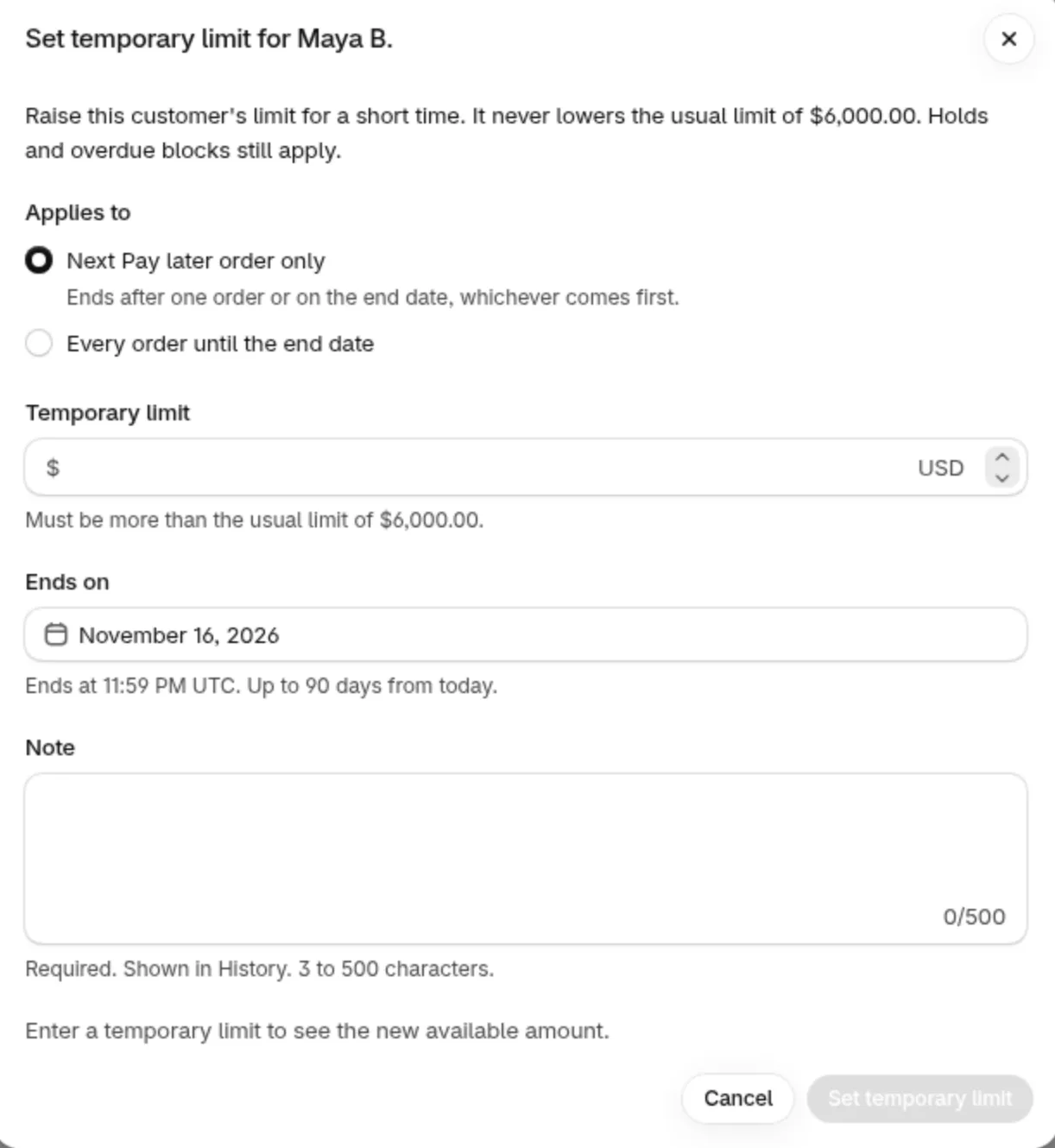
Section titled “How do I give one order extra room?”Click Set temporary limit on the customer page and choose Next Pay later order only. The limit goes up for one order and ends after it is used, or on the end date. See temporary limits.
What does on hold do?
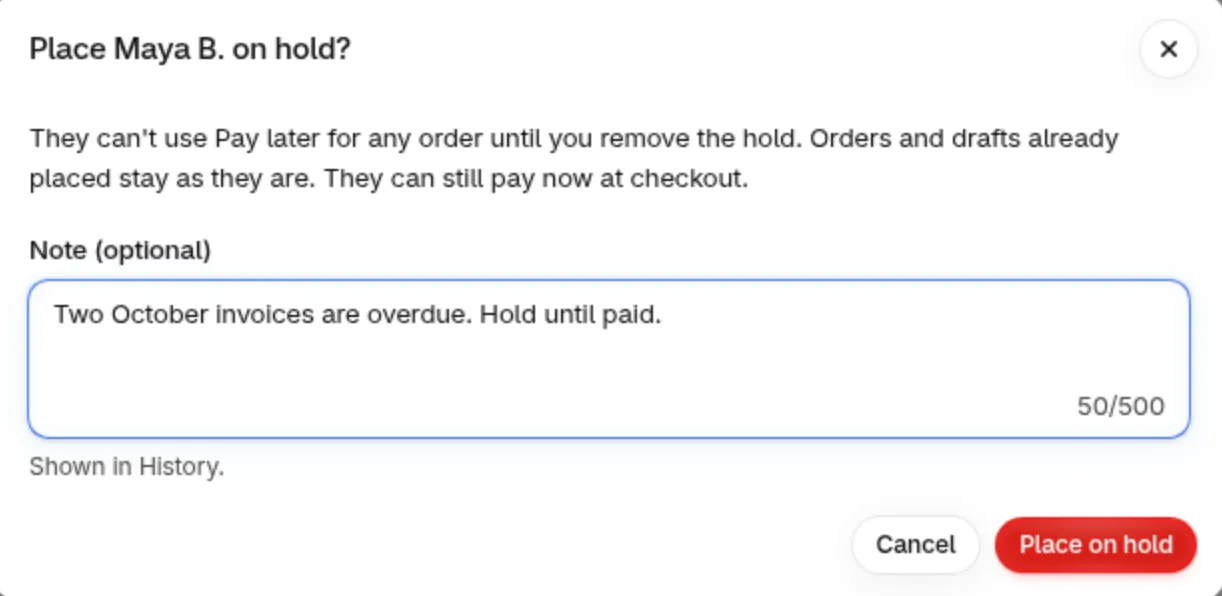
Section titled “What does on hold do?”Place on hold blocks Pay later for that customer in every mode, even with no rule, until you click Remove hold. Orders already placed stay as they are, and the buyer can still pay now. A hold on a company or location is recorded but does not stop orders. See place a customer on hold.
Can I export balances?
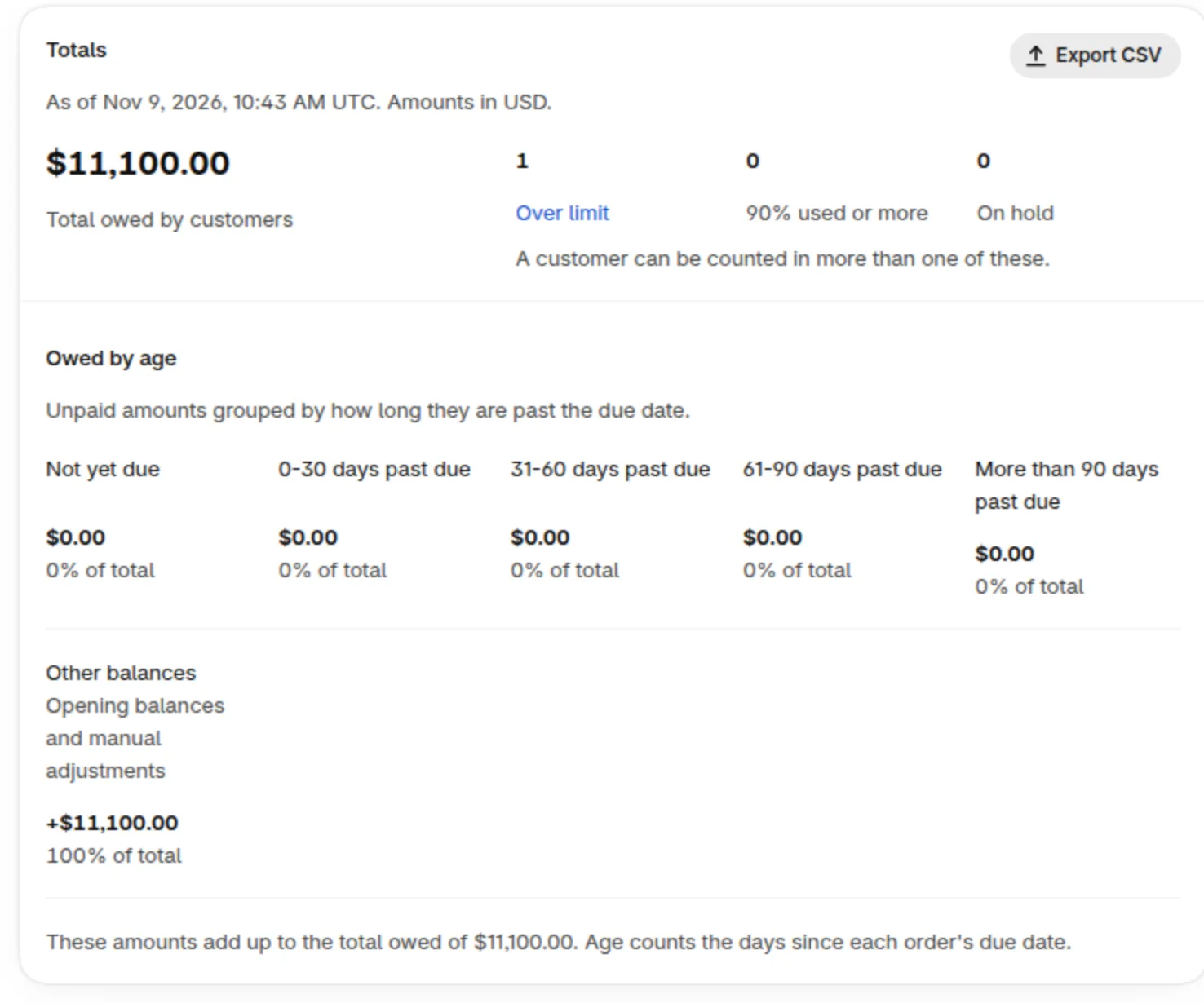
Section titled “Can I export balances?”Yes. Click Export CSV in Totals, in the Customers view. It covers up to 50,000 customers, shortens names, leaves out emails and shows amounts by age. See export balances.
Which rule wins when a customer matches several?
Section titled “Which rule wins when a customer matches several?”The customer’s own rule wins. Next come the location rule, the company rule, the tag rule and the all-customers rule. See rule priority.
What is the difference between Warn only and Block Pay later?
Section titled “What is the difference between Warn only and Block Pay later?”Warn only lets the order through and marks the customer Over limit. Block Pay later stops Pay later for that order. Warn only is the default for a new rule. See rule modes.
Can a customer pay now when Pay later is blocked?
Section titled “Can a customer pay now when Pay later is blocked?”Yes. Blocking stops Pay later only, and the buyer can still pay at checkout. See what buyers see when blocked.
Can I set a limit for a whole company?
Section titled “Can I set a limit for a whole company?”Yes. A company rule is one shared cap over all locations of the company, for every buyer of that company. A location rule gives one location its own limit. See company and location limits.
Which currency are limits in?
Section titled “Which currency are limits in?”Limits and balances are in your store currency. A Pay later order in a market currency is judged on its store-currency total. Only limits in your store currency are checked at Shopify checkout, and a rule in another currency shows This limit isn’t checked. See limits and currency.
Can I change who a rule applies to?
Section titled “Can I change who a rule applies to?”No. The Applies to choice is fixed when you create the rule. Create a new rule for other customers, tags, companies or locations. Choosing several creates one rule each. See create a rule.
Buyers
Section titled “Buyers”What do buyers see?
Section titled “What do buyers see?”Only what you turn on. With Show buyers their remaining credit on, buyers see their own limit, used, pending and available amounts in the Pay later modal and on the Credit page of their account. See the buyer view.
Do buyers get emails?
Section titled “Do buyers get emails?”Only if you turn alerts on. Each of the 70%, 90% and 100% alerts is a separate option and is off by default. Buyer emails are in English for now. See credit alert emails.
Can I change the buyer wording?
Section titled “Can I change the buyer wording?”The wording buyers see at Pay later checkout, for example the unavailable message, can be changed in Translations. Buyer emails and the message at Shopify checkout are English for now. See buyer messages.
Checks
Section titled “Checks”What does Check at Shopify checkout do?
Section titled “What does Check at Shopify checkout do?”It stops an order at Shopify checkout when the order is more than the Available of a company location or of its company. It is a switch you turn on, it needs one extra Shopify permission, and it covers locations with payment terms only. See turn on the check.
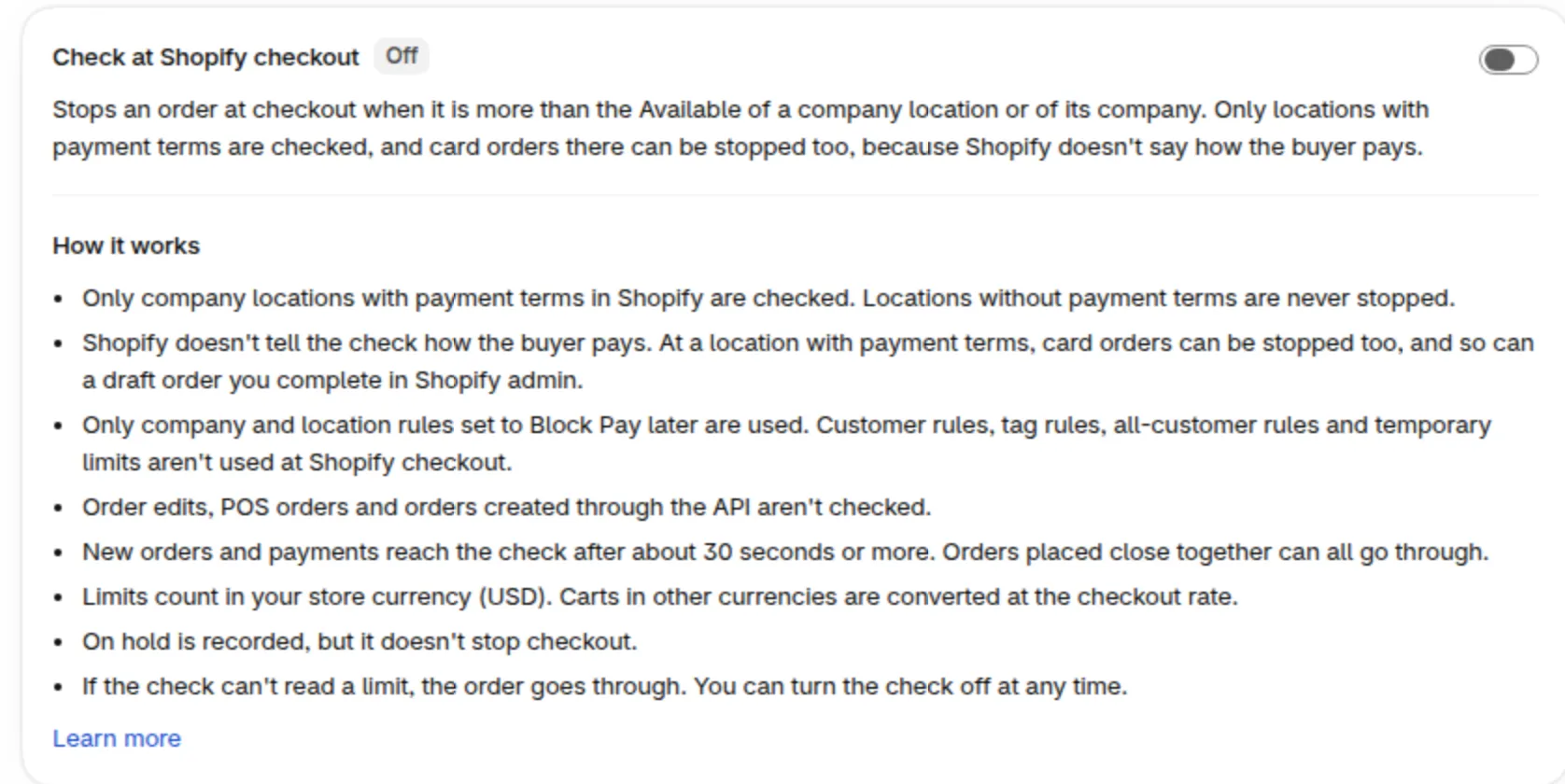
What if the check cannot read a limit?
Section titled “What if the check cannot read a limit?”The order goes through. This keeps buyers able to order if something is briefly unavailable. See fix checkout check problems.
Why can two orders both go through?
Section titled “Why can two orders both go through?”Shopify checkout sees new orders after about 30 seconds or more, so orders placed close together can all go through. Pay later checkout reserves the amount at once. See timing and delays.
Developers
Section titled “Developers”Can I use Credit limit with the Public API?
Section titled “Can I use Credit limit with the Public API?”Yes, on the Platinum plan (or Enterprise on a legacy plan) with the add-on. The API is read-only and returns each customer’s limit, owed, pending and available amounts. See the Credit limit API.