How to Promote Bulk Purchases with Volume Pricing and Order Limit
During B2B sales, many store owners want to encourage customers to buy in larger quantities by offering attractive tiered pricing. However, Shopify’s default settings don’t allow enforcing minimum purchase quantities or amounts.
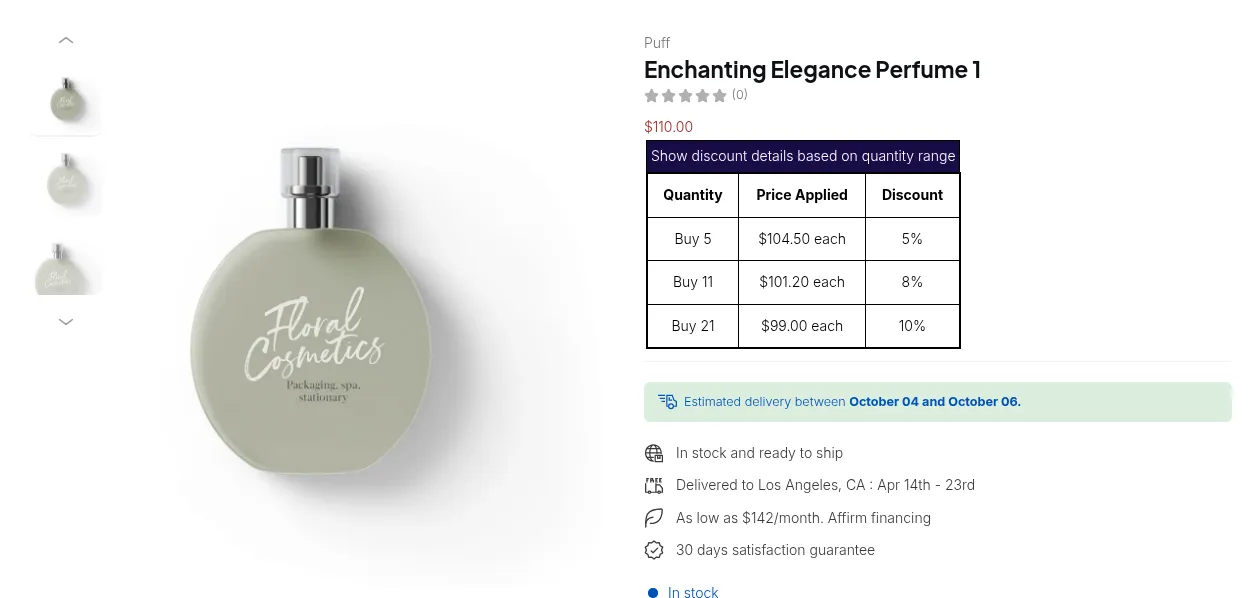
What your customers see on the storefront.
The BSS B2B Solution app helps you run a wholesale store more effectively: especially through two key features designed to boost sales per order:
- 🧮 Volume Pricing (VP)
- 📏 Order Limit (OL)
Both features work together to motivate bulk purchases and reward loyal buyers with better pricing.
Use Case Example
Section titled “Use Case Example”Goal:
Require customers to buy at least 5 products from the “Summer Fruit Collection” to check out.
Tiered Pricing Structure:
| Quantity Range | Discount |
|---|---|
| 5–10 products | 10% off |
| 11–15 products | 15% off |
| 16+ products | 20% off |
This setup helps increase order volume while maintaining flexible discounts.
Step 1: Set Up Order Limit Rule
Section titled “Step 1: Set Up Order Limit Rule”- Go to Order Limit (OL) Rules in the app dashboard.
- Click Create New Rule.
- In the new rule:
- Set Rule Type to match your business goal (quantity or amount).
- Under Minimum, enter 5 (to require at least 5 items).
- Under Apply to Products, choose Product collections → Summer Fruit Collection.
- Click Save to apply your settings.
✅ This ensures customers can only proceed to checkout once they add at least 5 products from that collection.
Step 2: Create Tiered Pricing Rules with Volume Pricing
Section titled “Step 2: Create Tiered Pricing Rules with Volume Pricing”- Go to Volume Pricing.
- Click “Add Rule”.
- In Apply to Products, select Product collections → Summer Fruit Collection.
- In Volume pricing settings, choose Quantity-based pricing.
- Create the following tier settings:
| From | To | Discount Type | Value |
|---|---|---|---|
| 5 | 10 | Percentage (%) | 10% |
| 11 | 15 | Percentage (%) | 15% |
| 16 | Leave blank | Percentage (%) | 20% |
📌 Notes:
- “From” defines the minimum quantity for each tier.
- “To” defines the maximum quantity (leave blank for unlimited).
- Discount Type: Choose “Decrease original price by percentage (%)”.
- Value: The discount percentage applied within the range.
Result
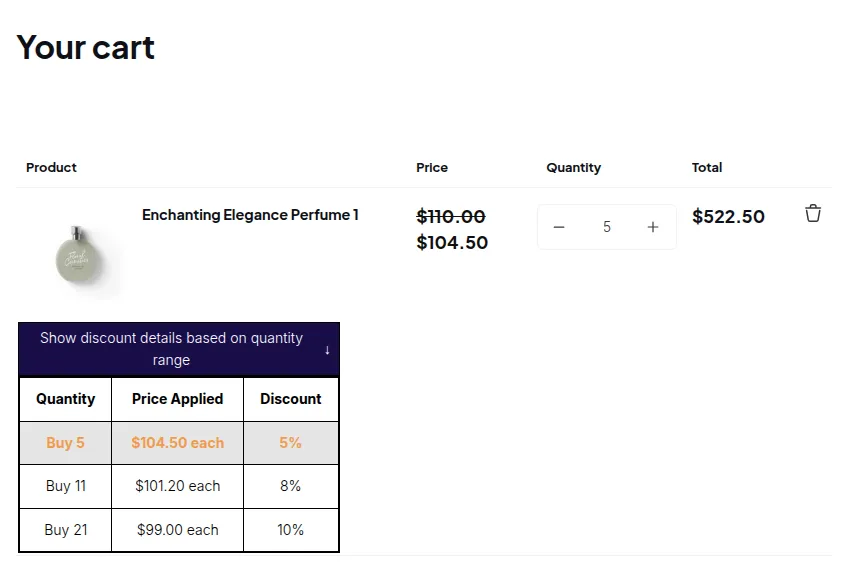
Section titled “Result”- Customers must buy at least 5 products to checkout.
- The app automatically applies tiered discounts based on total quantity.
- Both Order Limit and Volume Pricing features work together to promote higher-value orders and increase your store’s average order size.