
How Quantity Increment Calculation and Quantity Limit Work
The Quantity Increment (QI) function is a powerful tool to promote bulk sales and control inventory effectively. However, many merchants aren’t fully aware of how the rules operate: leading to missed opportunities to optimize store performance.
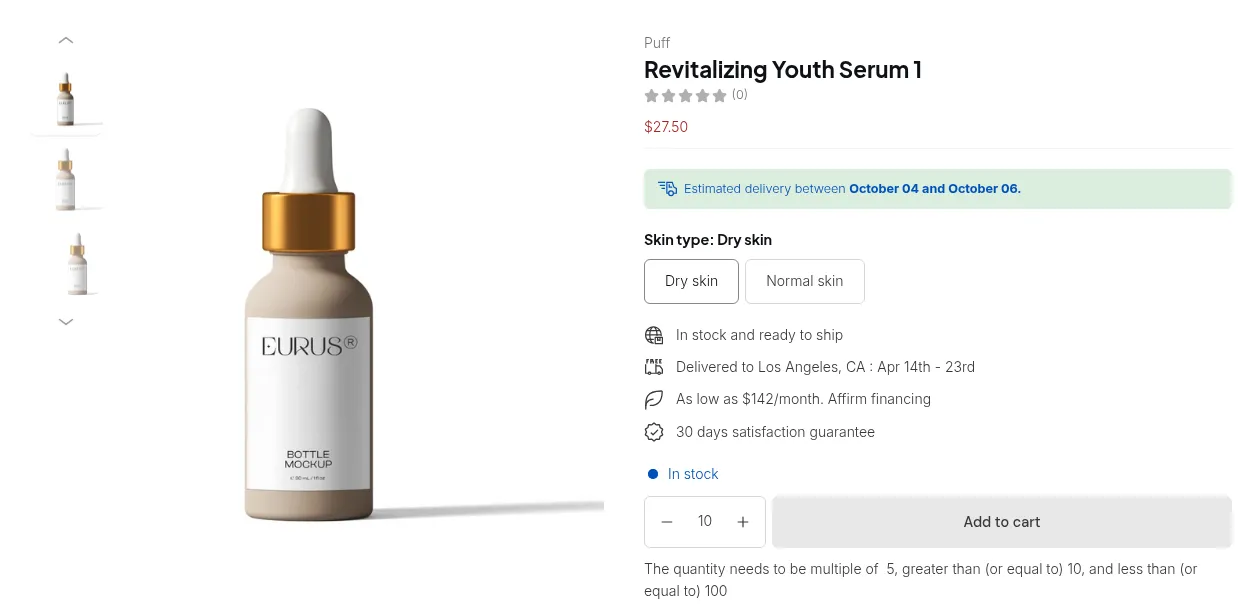
What your customers see on the storefront.
This article provides a detailed explanation of Quantity Increment Calculation and Quantity Limit, helping you apply them correctly to your Shopify store.
Setting Up Quantity Increment Rules
Section titled “Setting Up Quantity Increment Rules”In the Quantity Increment Calculation section, you can select one of three rule types:
- Variant Quantity
- Product Quantity
- Order Quantity
Let’s explore each with examples below 👇
Variant Quantity
Section titled “Variant Quantity”Your customers must purchase a variant in multiples of the set quantity.
Example:
You set the Quantity Increment to 5 for products in the Necklace collection.
- Product A has 2 variants: Black and White.
- Customers must buy 5x Black A and/or 5x White A to check out.
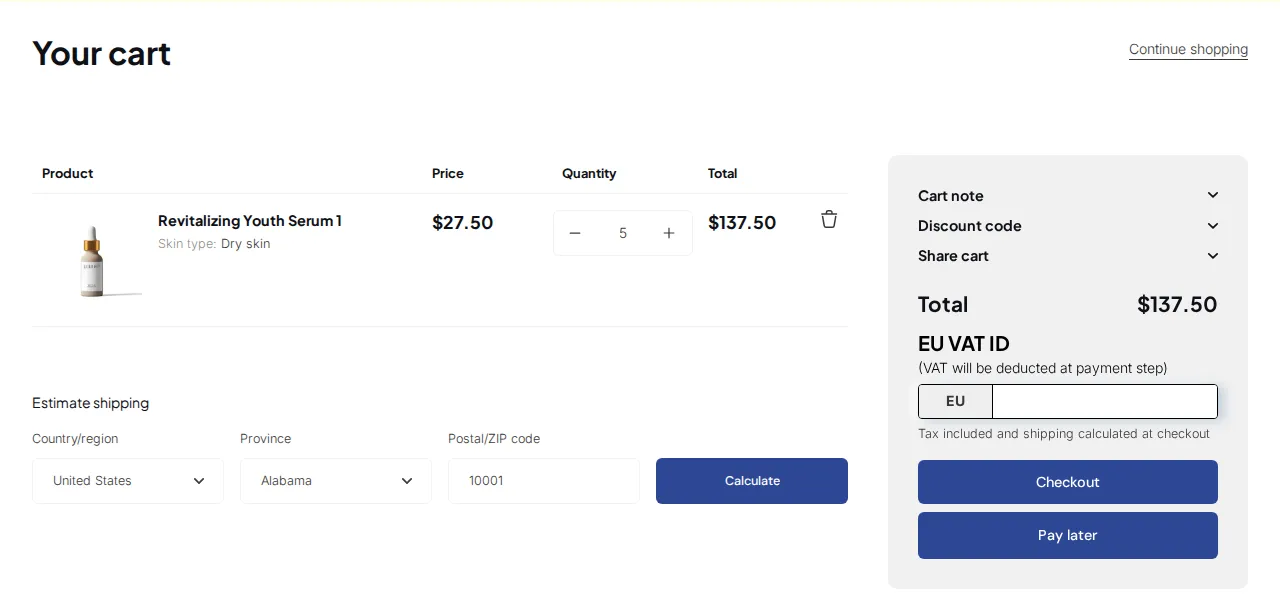
🛒 On Cart Page:
Each variant must meet the increment requirement separately.
Product Quantity
Section titled “Product Quantity”Your customers must buy a product’s total quantity (regardless of variant) in multiples of the increment number.
Example:
- The Quantity Increment is 5 for the Necklace collection.
- Product A’s total quantity (across all variants) must be 5, 10, 15… etc.
🛒 On Cart Page:
The total item count of Product A must satisfy the rule: color or variant doesn’t matter.
Order Quantity
Section titled “Order Quantity”Your customers’ total order quantity must be a multiple of the increment number.
Example:
- The Quantity Increment is 5 for the Necklace collection.
- On checkout, Product A = 6 items and Product B = 4 items → Total 10, which satisfies the rule.
🧾 On Checkout Page:
The system checks the total number of qualified products in the order.
💡 If the cart includes both Necklace collection products and other items, the rule applies only to products from the Necklace collection.
Example:
Rule: Order Quantity – 5
- Total order = 11 items
- Necklace collection = 10 items
✅ The order satisfies the rule because 10 is a multiple of 5.
Quantity Limit
Section titled “Quantity Limit”The Quantity Limit feature lets you define the minimum and maximum quantity that customers can order: at the variant, product, or order level.
Example:
Rule: Necklace Collection – Order Quantity – 5
- Minimum: 15
- Maximum: 30
This means customers must buy at least 15 but no more than 30 items from the Necklace collection.
Scenario 1: Below Minimum
Section titled “Scenario 1: Below Minimum”- The total order quantity is under 15 → ❌ Checkout blocked
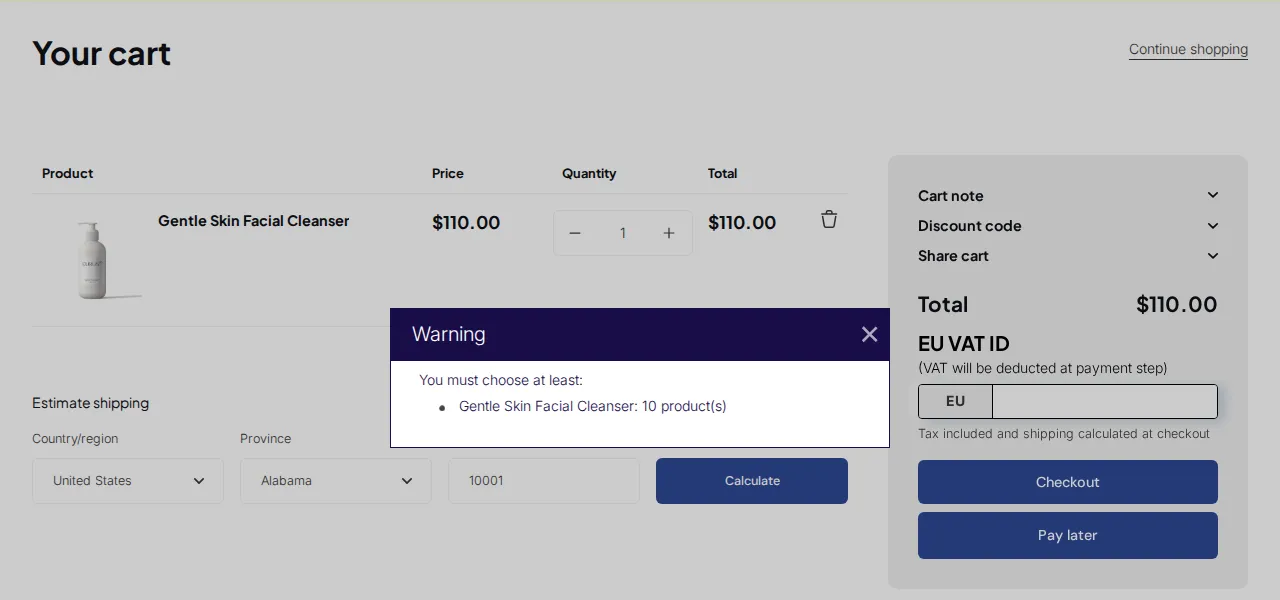
🛒 On Cart Page:
Customers will see a notice requiring more items.
Scenario 2: Total Satisfied
Section titled “Scenario 2: Total Satisfied”- Even if each product’s quantity is below 15, as long as the combined total of Necklace products meets the rule, ✅ checkout is allowed.
🧾 On Checkout Page:
The order passes validation successfully.
In Summary
Section titled “In Summary”- Quantity Increment → Controls purchase steps (multiples).
- Quantity Limit → Defines purchase boundaries (min/max).
Together, they give you precise control over order sizes, inventory flow, and wholesale pricing strategy.