
How Do I Charge Handling Fees and Custom Shipping Rates?
You want to add an automatic surcharge (e.g. a $5 handling fee for fragile items) and replace Shopify’s default shipping rates with custom B2B tiers (e.g. free shipping on orders over 10 items). Extra Fee handles the surcharge line item, while Shipping Rate delivers the custom shipping rate. When a rule from either feature sets “free shipping”, that setting overrides the other shipping rates.
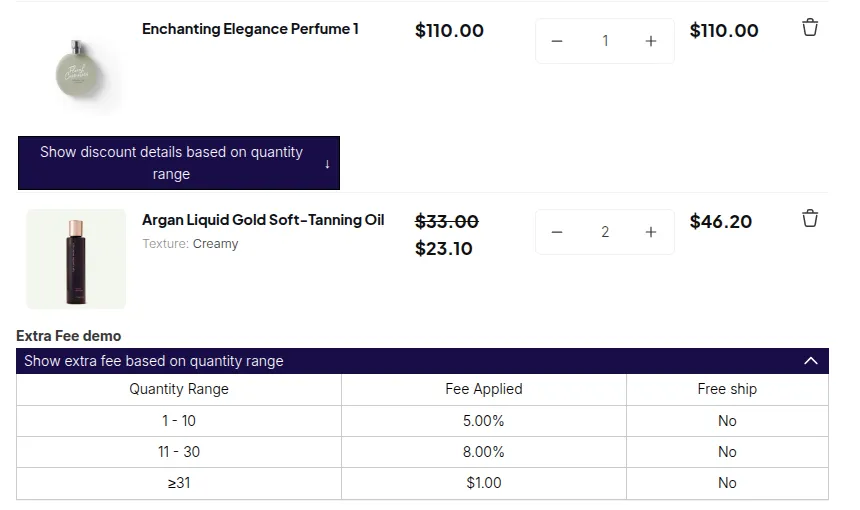
What your customers see on the storefront.
Step 1: Set up an Extra Fee rule for the handling charge
Section titled “Step 1: Set up an Extra Fee rule for the handling charge”Extra Fee adds a custom line item to the draft order at checkout - named by your rule and visible in both the cart and the merchant’s Shopify admin.
- Go to B2B Pricing > Extra Fee, toggle the module on, and click Add rule.
- Step 1 - Basics:
- Rule name: “Fragile Item Handling Fee” (this appears as the checkout line-item title).
- Priority:
0. - Status: Enable.
- Step 2 - Targeting:
- Customer: All customers (or scope to
wholesaletag). - Products: Product collections > “Fragile Glassware”.
- Step 3 - Fee Settings:
- Extra Fee calculation: All applied items (quantity and subtotal pooled across all matched items in the cart).
- Rule Settings: Quantity.
- Tier table:
| From | To | Fee Type | Fee | Free Shipping |
|---|---|---|---|---|
| 1 | 9 | Fixed fee | $5.00 | No |
| 10 | - | Fixed fee | $2.00 | Yes |
- In Settings > Free Shipping Calculation, leave the default (AND logic) unless you want any Extra Fee rule to trigger free shipping.
- In Settings > Show Extra Fee Table, ensure Cart page and Product pages are checked so buyers can preview the fee schedule before adding to cart.
- Save.
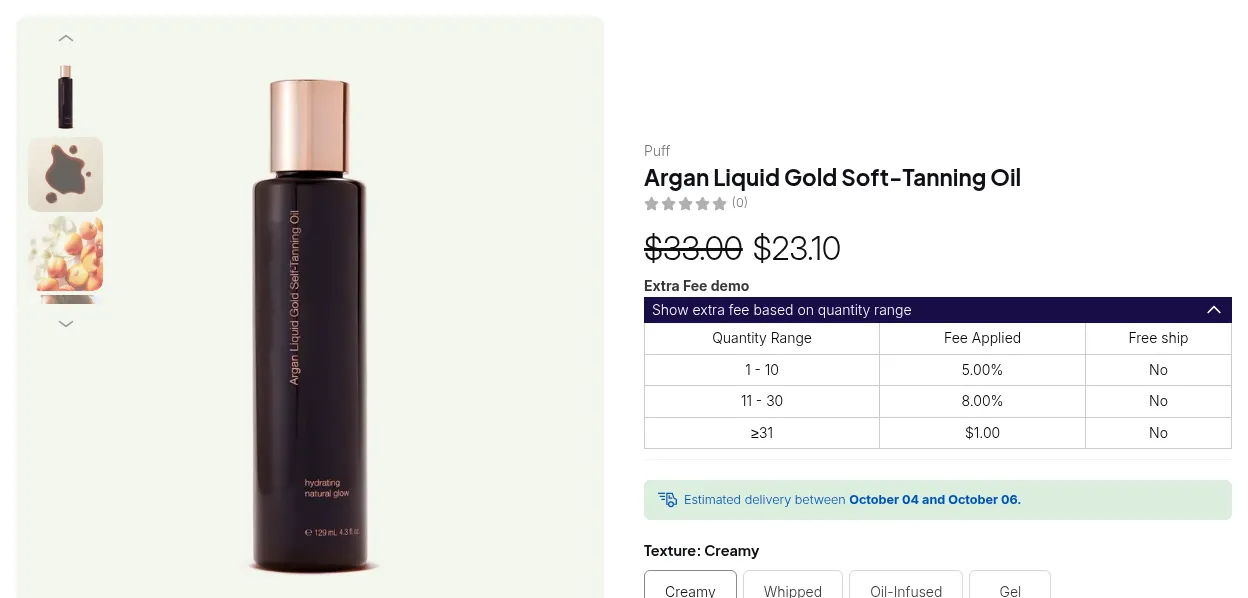
The fee appears as a separate line item (“Fragile Item Handling Fee: $5.00” or “$2.00”) at checkout. If the 10+ tier fires and Free Shipping is checked, the shipping line is forced to $0 at checkout.
See Set Up Extra Fee for all fee-type options and global settings.
Step 2: Set up a Shipping Rate for B2B shipping tiers
Section titled “Step 2: Set up a Shipping Rate for B2B shipping tiers”Shipping Rate replaces Shopify’s default rates with custom rates based on quantity, cart value, or weight - and surfaces them as a named shipping option in the cart.
- Go to B2B Pricing > Shipping Rate, toggle on, and click Add rule.
- Step 1: Rule name “Wholesale Shipping Tiers”, status Enable.
- Step 2 - Targeting:
- Customer: Customer tags >
wholesale. - Products: All products.
- Market: All markets.
- Step 3 - Rate setting:
- Rate basis: Quantity range.
- Tier rows:
| From | To | Type | Value |
|---|---|---|---|
| 1 | 9 | Flat Rate | $15.00 |
| 10 | 49 | Flat Rate | $8.00 |
| 50 | - | Flat Rate | $0.00 (free) |
- Settings page: Apply plan > Lowest rate. Calculate > Entire order.
- Save.
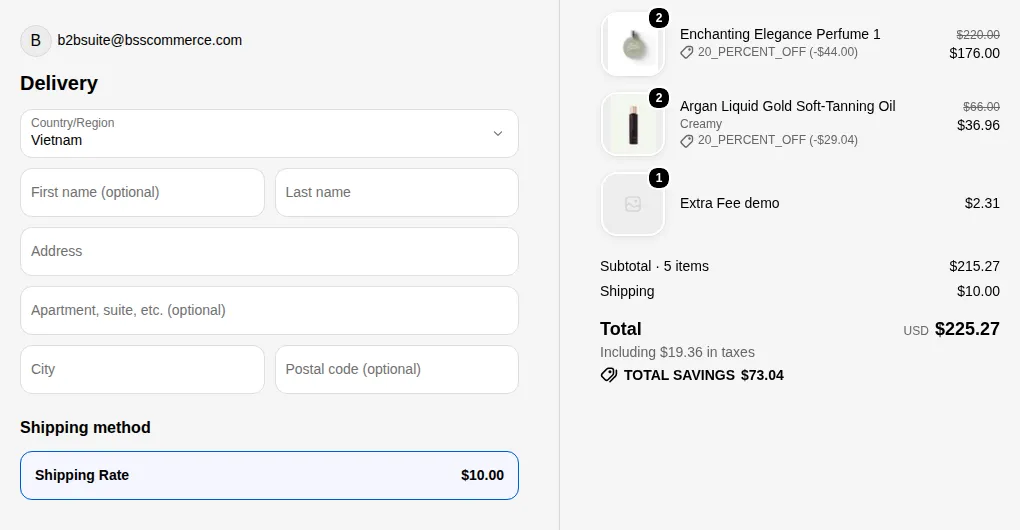
wholesale-tagged customers see the “Wholesale Shipping Tiers” rate (not Shopify’s default rates) in the cart summary area.
See Set Up Shipping Rate for amount-range and weight-range options.
Step 3: Verify the App Embed is on
Section titled “Step 3: Verify the App Embed is on”Both Extra Fee and Shipping Rate render through the BSS B2B Solution app embed.
In Online Store > Themes > Customize > App embeds, confirm BSS B2B Solution is on and saved.
# Example
Section titled “# Example”Merchant: Wholesale glassware supplier.
Extra Fee rule: Fragile Item Handling Fee - qty 1–9 = $5.00, qty 10+ = $2.00 with free shipping.
Shipping Rate rule: Wholesale Shipping Tiers for wholesale tag - qty 1–9 = $15, qty 10–49 = $8, qty 50+ = free.
Cart: wholesale buyer, 12 glassware items |
Extra Fee fires | Shipping Rate fires | Checkout |
|---|---|---|---|
| 12 items in “Fragile Glassware” collection | Qty 10+ tier: fee $2.00, Free Shipping = Yes | Qty 10–49 tier: $8.00 | Extra Fee’s free-shipping flag (AND logic, only Extra Fee rule active) overrides > shipping $0. Cart shows: items + “Handling Fee: $2.00” + shipping $0. |
Same cart, buyer is NOT tagged wholesale |
Qty 10+ tier: fee $2.00, Free Shipping = Yes | Shipping Rate rule does not match (no wholesale tag) |
Shopify’s default shipping rates appear. Extra Fee free-shipping flag still fires > shipping forced to $0 via Extra Fee’s checkout service call. |
# Summary
Section titled “# Summary”| Feature | Role in this scenario | Notes |
|---|---|---|
| Extra Fee | ✅ Adds a named handling-fee line item; optionally triggers free shipping when quantity threshold is met | Fee tiers based on quantity or amount; appears as line item at checkout in Shopify admin |
| Shipping Rate | ✅ Replaces Shopify default rates with custom tiered rates for wholesale customers |
Flat rate, percentage, or weight-based; “Lowest rate” setting used when multiple Shipping Rate rules match |
| App Embed | ✅ Required for both Extra Fee and Shipping Rate | Enable in Online Store > Themes > Customize > App embeds |