
EasyCSV
You can integrate the EasyCSV app with the BSS B2B Solution app to import orders or product data while maintaining your custom B2B pricing rules.
Requirements
Section titled “Requirements”To enable this integration, you’ll need:
- The BSS B2B Solution app on the Platinum plan (which includes the Public API feature).
- The EasyCSV app on the Business plan or higher.
Step 1: Get the Public API Access Key
Section titled “Step 1: Get the Public API Access Key”- Open the BSS B2B Solution app.
- Navigate to the Public API page.
- Click Copy to get your Access Key.
Step 2: Enter the Access Key in EasyCSV
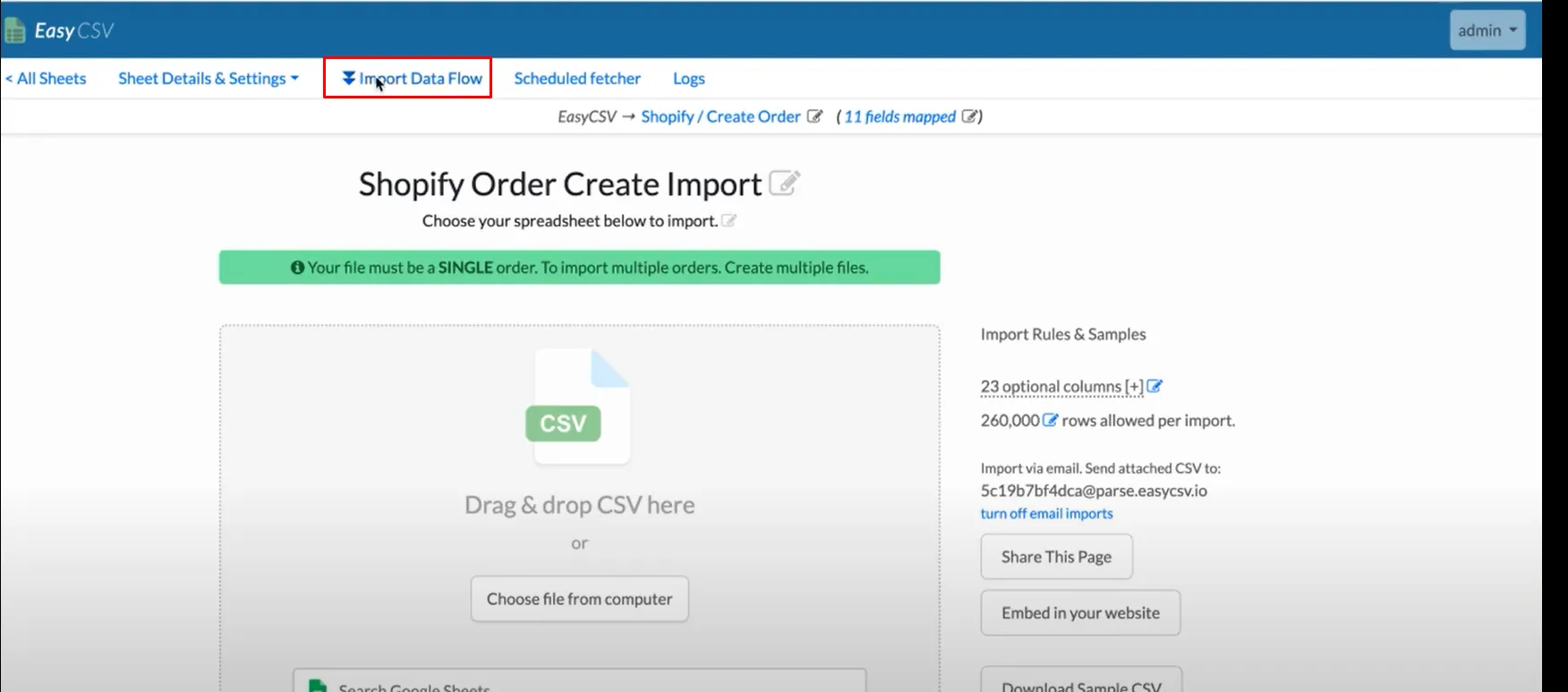
Section titled “Step 2: Enter the Access Key in EasyCSV”- Open the EasyCSV app and go to Import Data Flow.
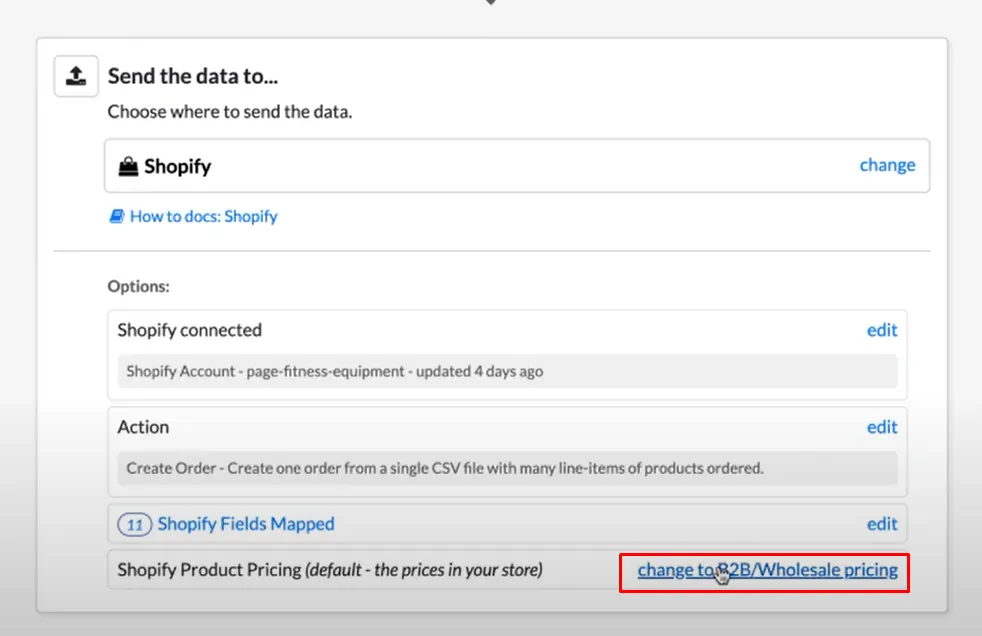
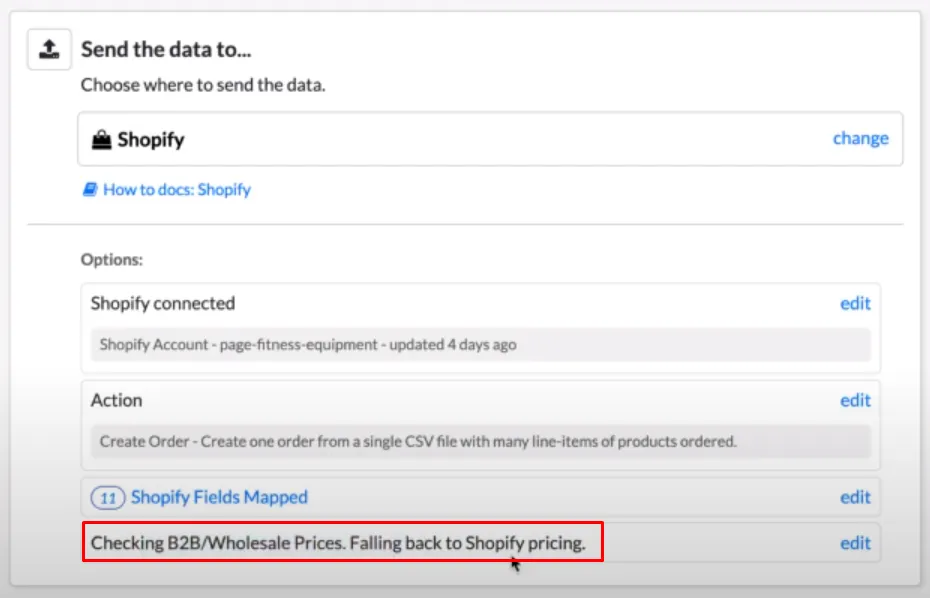
- Scroll down and click Change to B2B/Wholesale Pricing.
- Choose BSS B2B Solution – Shopify app by BSS Commerce.
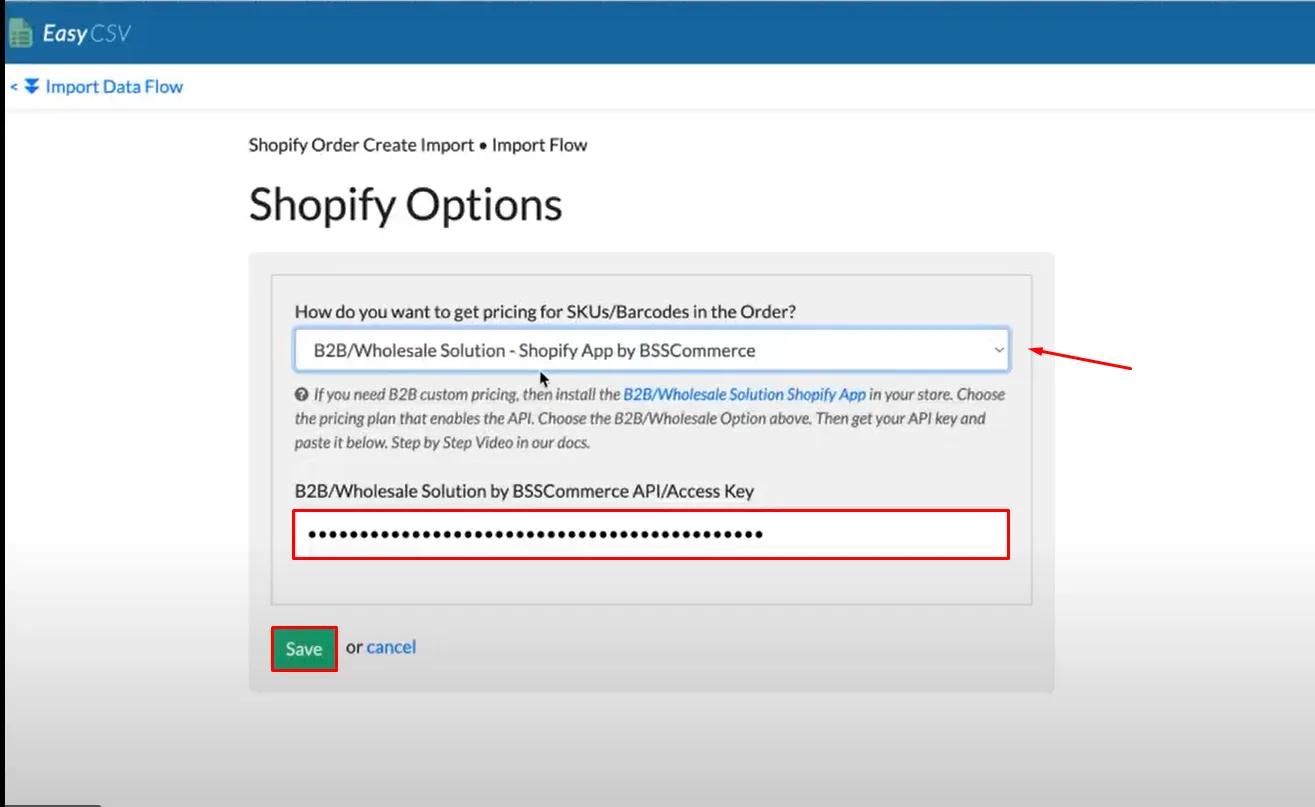
- Paste the Access Key copied from the BSS B2B Solution app.
- Click Save.
How It Works
Section titled “How It Works”Once integrated, EasyCSV will automatically check if products have B2B pricing rules applied in your BSS B2B Solution app.
- If rules are applied → EasyCSV uses the custom B2B prices.
- If not → It falls back to the default Shopify prices.
EasyCSV guide: Create Shopify orders with BSS B2B Solution custom prices from CSV / XLSX files