
How Do I Give Tagged Wholesale Customers Special Prices?
You have customers tagged wholesale in Shopify (applied by Registration Form approval, Auto Tags, or manually) and you want to show them a discounted unit price - plus an automatic bulk discount when they order in quantity. This walkthrough combines Auto Tags (or Registration Form), Custom Pricing, and Volume Pricing.
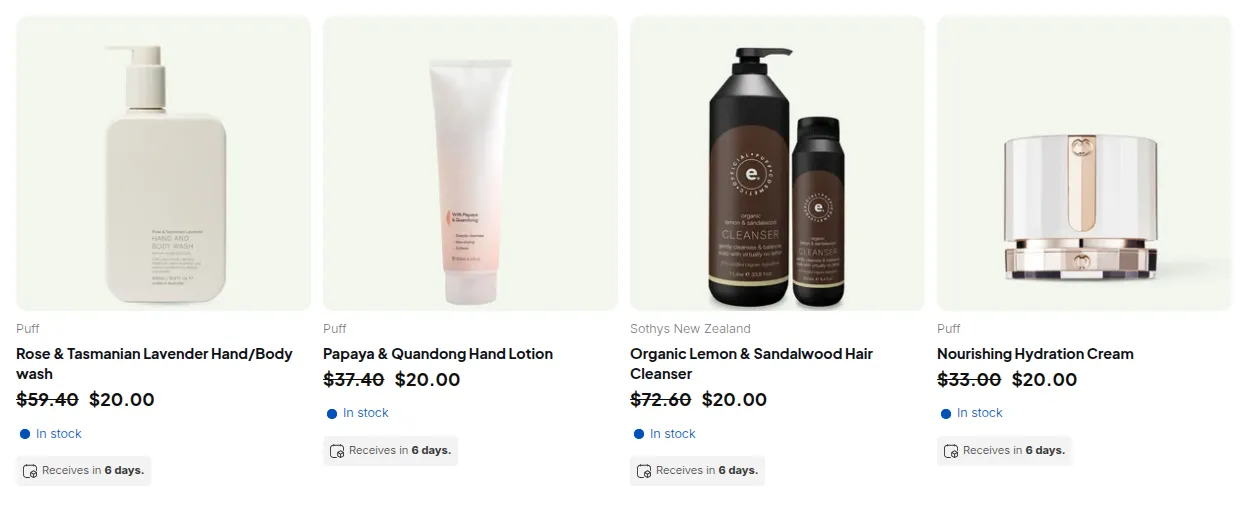
What your customers see on the storefront.
Step 1: Ensure customers have the right tag
Section titled “Step 1: Ensure customers have the right tag”BSS B2B Solution’s pricing rules target Shopify customer tags. There are two common ways to get the tag onto a customer’s record:
Option A - Registration Form approval (recommended for new accounts)
Configure the form’s Assign tag when customer is approved field with wholesale. Any applicant you approve automatically receives the tag. See Set Up Registration Form and Approval Workflow.
Option B - Auto Tags rule (for accounts created by other means)
- Go to B2B Customers > Auto Tags and click Add rule.
- Set Event to Customer Created, add a condition matching your wholesale accounts (e.g. Company field “Contains” any value, or Email “Contains”
@bulk-buyer.com). - Set Action to Add customer tag >
wholesale. - Save. The rule fires on every new customer creation going forward. Use Apply to previous customer & orders to retroactively tag existing customers.
See Auto Tags for the full list of condition fields and operators.
Step 2: Set a base wholesale price with Custom Pricing
Section titled “Step 2: Set a base wholesale price with Custom Pricing”Create a rule that gives every wholesale customer a fixed discount off the list price.
- Go to B2B Pricing > Custom Pricing, toggle on, and click Add rule.
- Step 1: Name “Wholesale base price”, priority
5, enabled. - Step 2: Customer condition > Customer tags >
wholesale. Product condition > All products. - Step 3: Discount type > Decrease in percentage, value >
20. - Save. Customers with the
wholesaletag now see every product at 80% of the list price.
Step 3: Add volume tiers with Volume Pricing
Section titled “Step 3: Add volume tiers with Volume Pricing”Layer a quantity-break rule on top so buyers who order in larger quantities unlock additional savings. Volume Pricing uses the Custom Pricing price as its baseline.
- Go to B2B Pricing > Volume Pricing, toggle on, and click Add rule.
- Step 1: Name “Wholesale volume breaks”, priority
5, enabled. - Step 2: Customer condition > Customer tags >
wholesale. Product condition > All products (or a specific collection). - Step 3: Break type > Quantity-based pricing, Apply to > All eligible products in the order.
- Add tier rows (see worked example below).
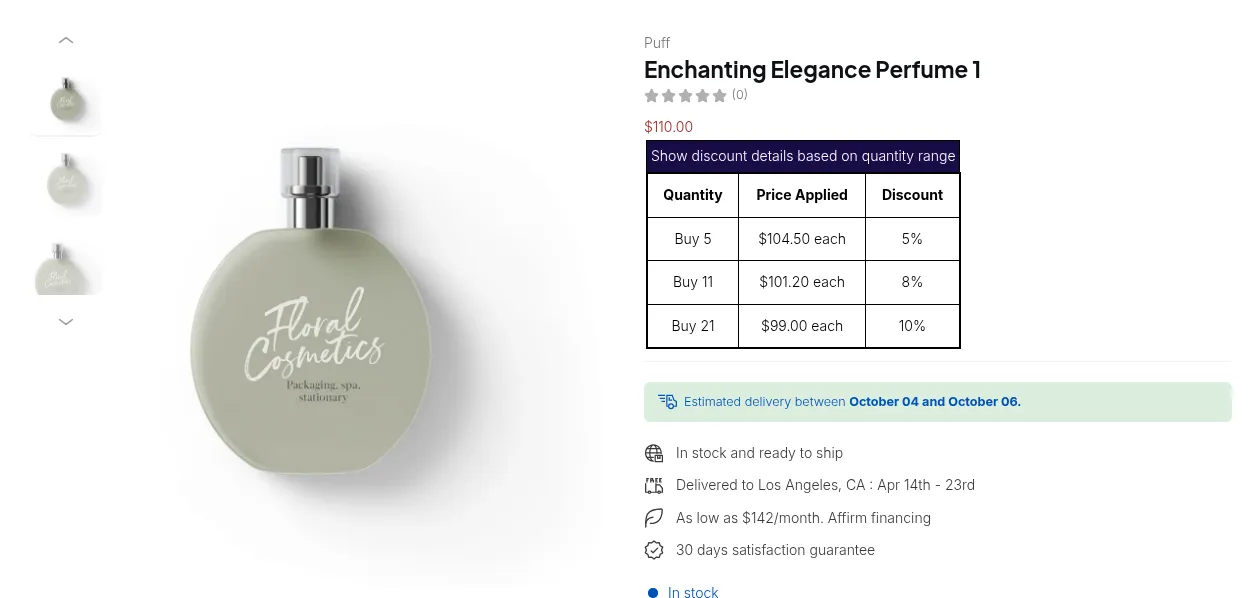
- Save. The price-break table appears on product pages and in the cart for
wholesalecustomers.
Step 4: Verify the App Embed is on
Section titled “Step 4: Verify the App Embed is on”Both Custom Pricing and Volume Pricing render through the BSS B2B Solution app embed.
In Online Store > Themes > Customize > App embeds, confirm BSS B2B Solution is toggled on and saved.
# Example
Section titled “# Example”List price: $50.00 per unit (public).
Custom Pricing rule: 20% off for wholesale tag > base wholesale price = $40.00.
Volume Pricing rule (targeting wholesale, all products):
| Quantity | Tier discount | Price per unit |
|---|---|---|
| 1–4 | No additional discount | $40.00 |
| 5–19 | Decrease by 5% | $38.00 ($40 × 0.95) |
| 20+ | Fixed price | $35.00 |
A wholesale customer adds 22 units to their cart. Volume Pricing detects the 20+ tier applies, sets the unit price to $35.00 flat, and updates the cart. The price-break table on the product page highlights the 20+ row.
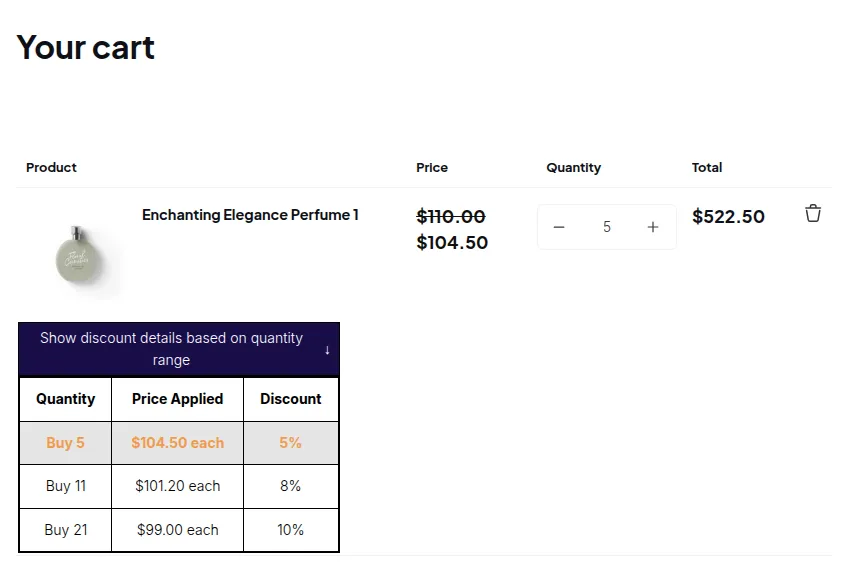
Cart total: 22 × $35.00 = $770.00 (vs. $1,100.00 at list price - a 30% overall saving).
# Summary
Section titled “# Summary”| Feature | Role in this scenario | Notes |
|---|---|---|
| Registration Form | ✅ Tags customers on approval | Alternative to Auto Tags for new account sign-ups |
| Auto Tags | ✅ Tags existing or event-triggered customers | Runs automatically, nothing to add to your theme |
| Custom Pricing | ✅ Delivers the base wholesale discount | 20% off all products for wholesale tag |
| Volume Pricing | ✅ Adds tiered bulk discounts on top of Custom Pricing | Uses Custom Pricing price as its baseline; |
| App Embed | ✅ Required for both Custom Pricing and Volume Pricing storefront display | Enable in Online Store > Themes > Customize > App embeds |