
How to Onboard Tax-Exempt Wholesale Buyers with Net Terms
Some wholesale buyers are tax-exempt and pay on terms instead of upfront. You can combine Registration Form, Tax Exempt, and Net Terms so a buyer’s tax exemption, verified once during signup, carries all the way through to their Net Terms orders, with no re-entry needed.
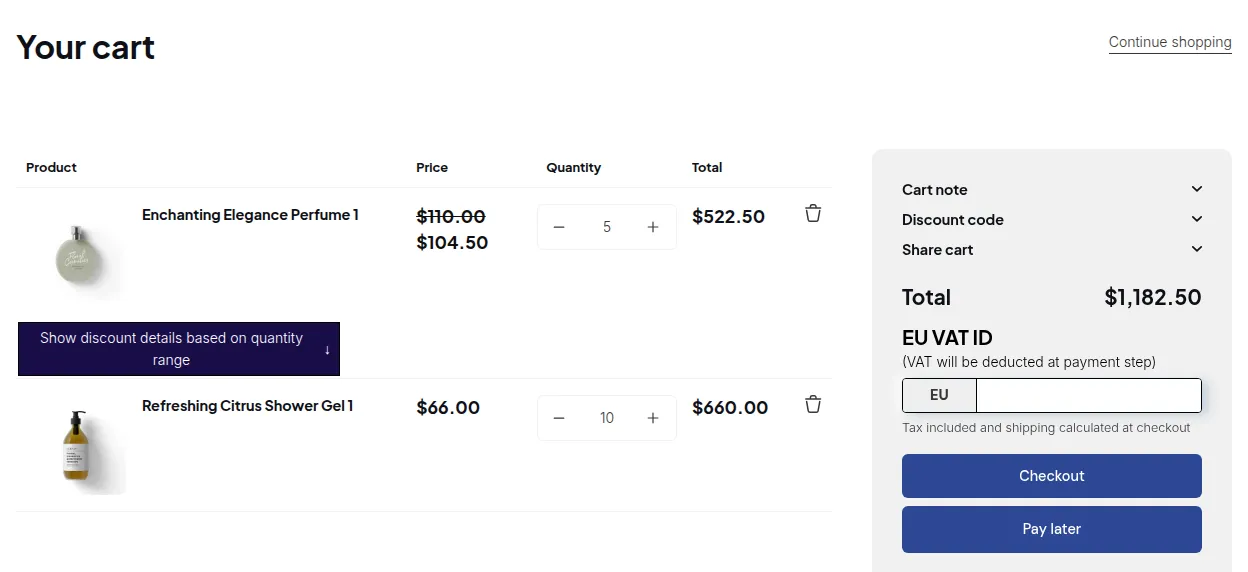
What your customers see on the storefront.
Step 1: Collect a Tax ID on Your Registration Form
Section titled “Step 1: Collect a Tax ID on Your Registration Form”- Go to Registration Forms and add a Tax ID field (EU VAT, UK VAT, ABN, India GST, etc.) to your application form.
- Publish the form to your storefront so wholesale applicants can submit their tax ID along with their application.
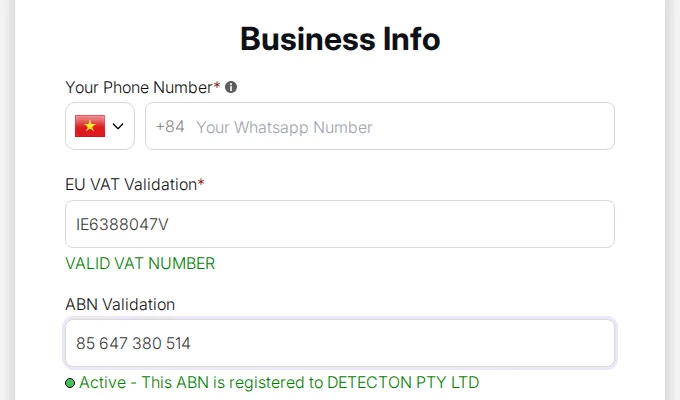
For the full setup, see Build a Powerful Wholesale Registration Form.
Step 2: Approve the Applicant: Their Tax ID Syncs Automatically
Section titled “Step 2: Approve the Applicant: Their Tax ID Syncs Automatically”- Go to Registration Forms → Registration Management and review the application.
- Click Approve.
Once approved, the verified tax ID is saved to the customer’s profile automatically: the buyer never has to type it in again on future visits.
For details, see Tax ID pre-filled from the registration form.
Step 3: Tax Exemption Applies Automatically on Their Cart
Section titled “Step 3: Tax Exemption Applies Automatically on Their Cart”With Tax Exempt configured (see Tax Exempt for Eligible Customers & Orders), the buyer’s synced tax ID pre-fills the tax validation box on the cart page and their tax is deducted before they check out: no manual entry required.
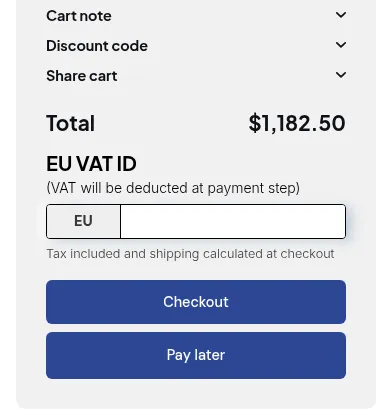
Step 4: The Same Exemption Carries Over to Net Terms
Section titled “Step 4: The Same Exemption Carries Over to Net Terms”When this buyer clicks Checkout with Net Terms instead of paying immediately, the order they place keeps the same tax exemption applied on their cart: tax is excluded from their Net Terms order the same way it would be on a regular checkout.
For Net Terms setup, see Set Up Net Terms for Your B2B Customers.
Putting It All Together
Section titled “Putting It All Together”- Buyer applies through your Registration Form with a tax ID → you approve them → the tax ID is saved to their profile.
- On their next visit, Tax Exempt picks up the saved tax ID automatically and removes tax on their cart.
- When they choose to pay later with Net Terms, their order keeps that same tax exemption: one verification covers both how they pay and how they’re taxed.