
How to Exempt Tax for Non-Registered VAT Customers
There are three approaches to exempt tax for customers who are not registered for VAT. Depending on your workflow, you can apply it manually for individual customers or automatically for all approved customers.
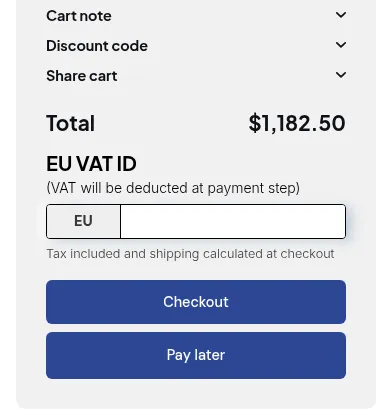
What your customers see on the storefront.
Approach 1: Manually Exempt via App Admin
Section titled “Approach 1: Manually Exempt via App Admin”- From the app’s admin page, go to Wholesaler Registration Form.
- Click Registration Management and edit the customer you want to update.
- In the Approve/Reject Customer Account section, locate the Tax Exempt checkbox.
- ✅ Tick this checkbox.
- Click Save to apply the change.
Approach 2: Manually Exempt via Shopify Admin
Section titled “Approach 2: Manually Exempt via Shopify Admin”- Go to Shopify Admin → Customers.
- Edit the customer record.
- Under Manage Tax, uncheck Collecting tax.
- Click Save to apply the update.
Approach 3: Automatically Exempt via Registration Form
Section titled “Approach 3: Automatically Exempt via Registration Form”- From the app’s admin page, go to Wholesaler Registration Form.
- Select Form and edit the form you want to update.
- In the Auto Tax-Exempt setting, select Yes.
- Click Save to apply.
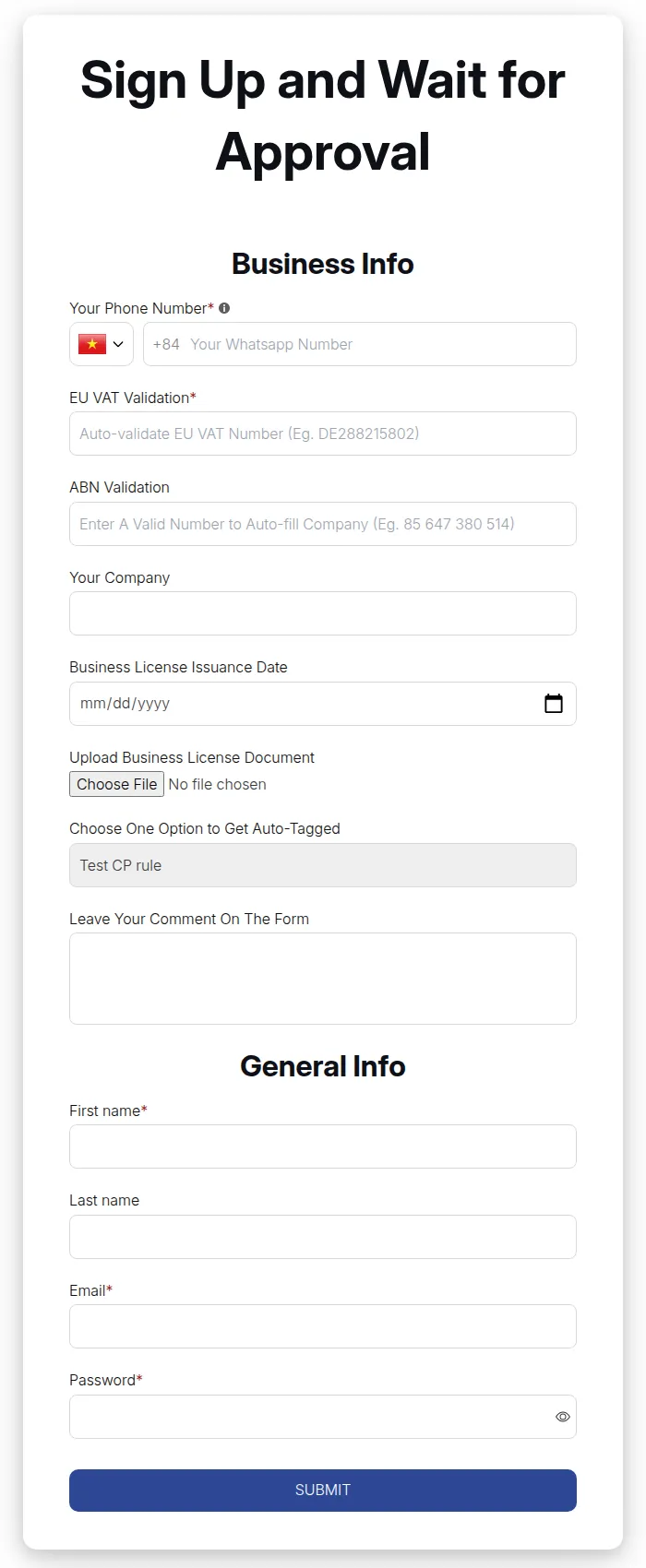
- Approach #1 and #2 → Apply tax exemption manually for specific customers.
- Approach #3 → Applies tax exemption automatically to all approved customers.