
Translate Your Registration Form for Cross-Border Wholesalers
When your business reaches beyond borders, speaking your customer’s language matters. This feature helps you make your wholesale registration form accessible to customers in many countries, so they feel at home, understand everything clearly, and complete registration without confusion.
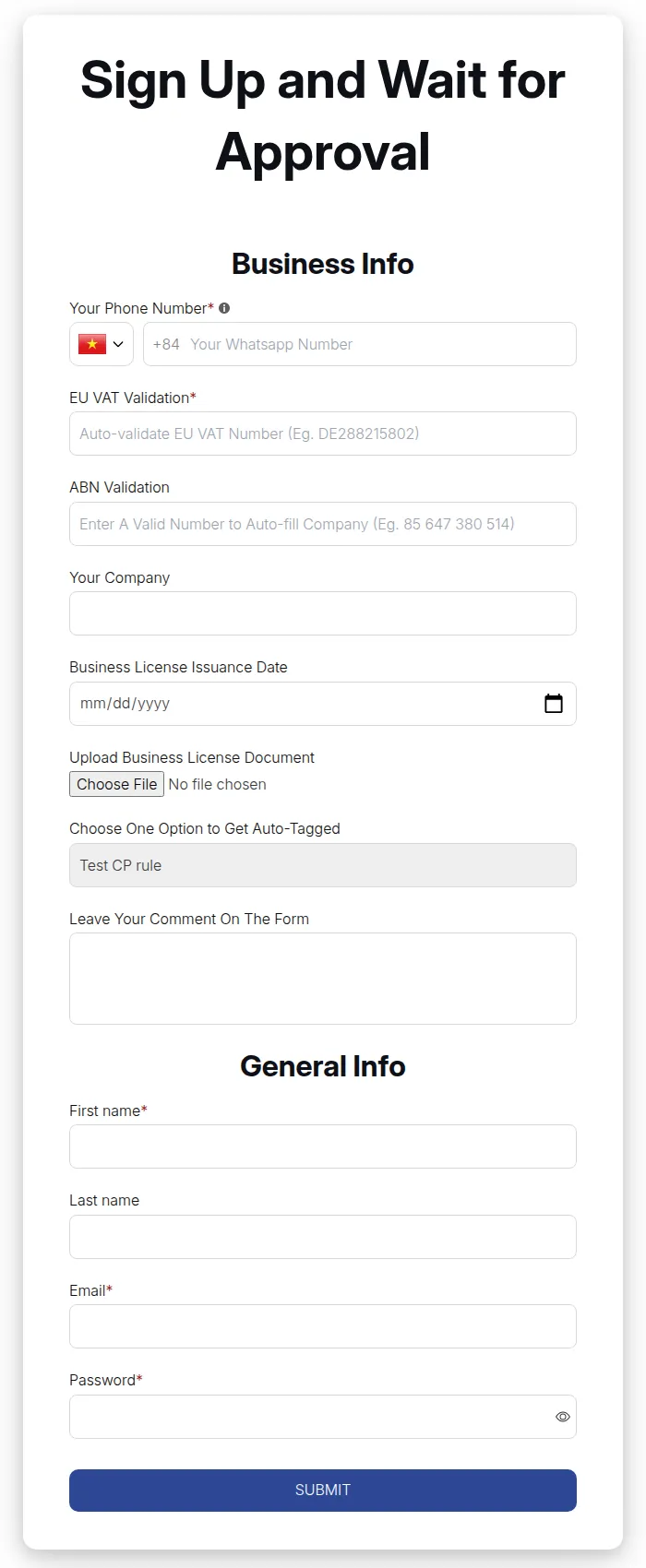
What your customers see on the storefront.
How to Translate Your Form
Section titled “How to Translate Your Form”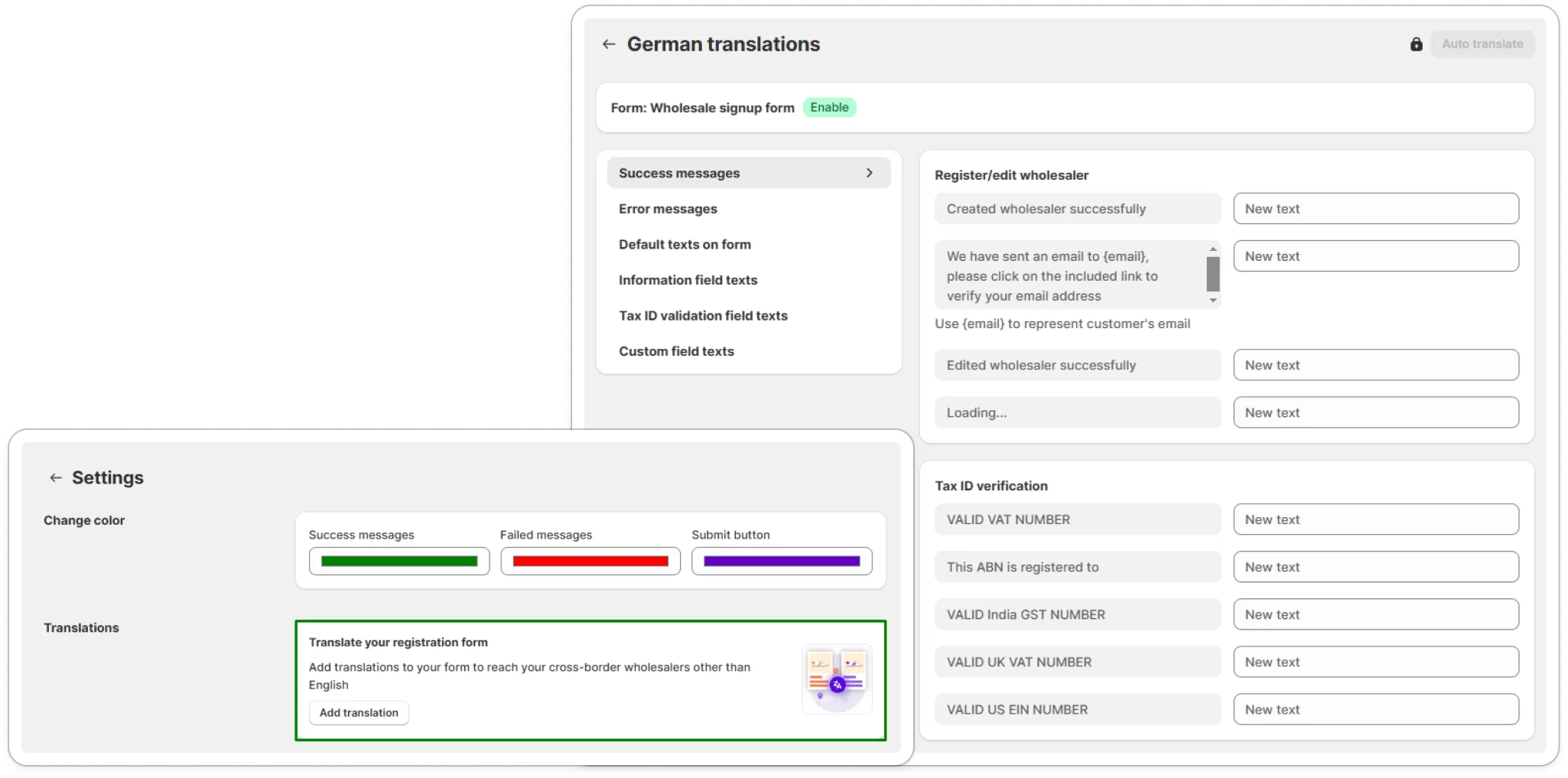
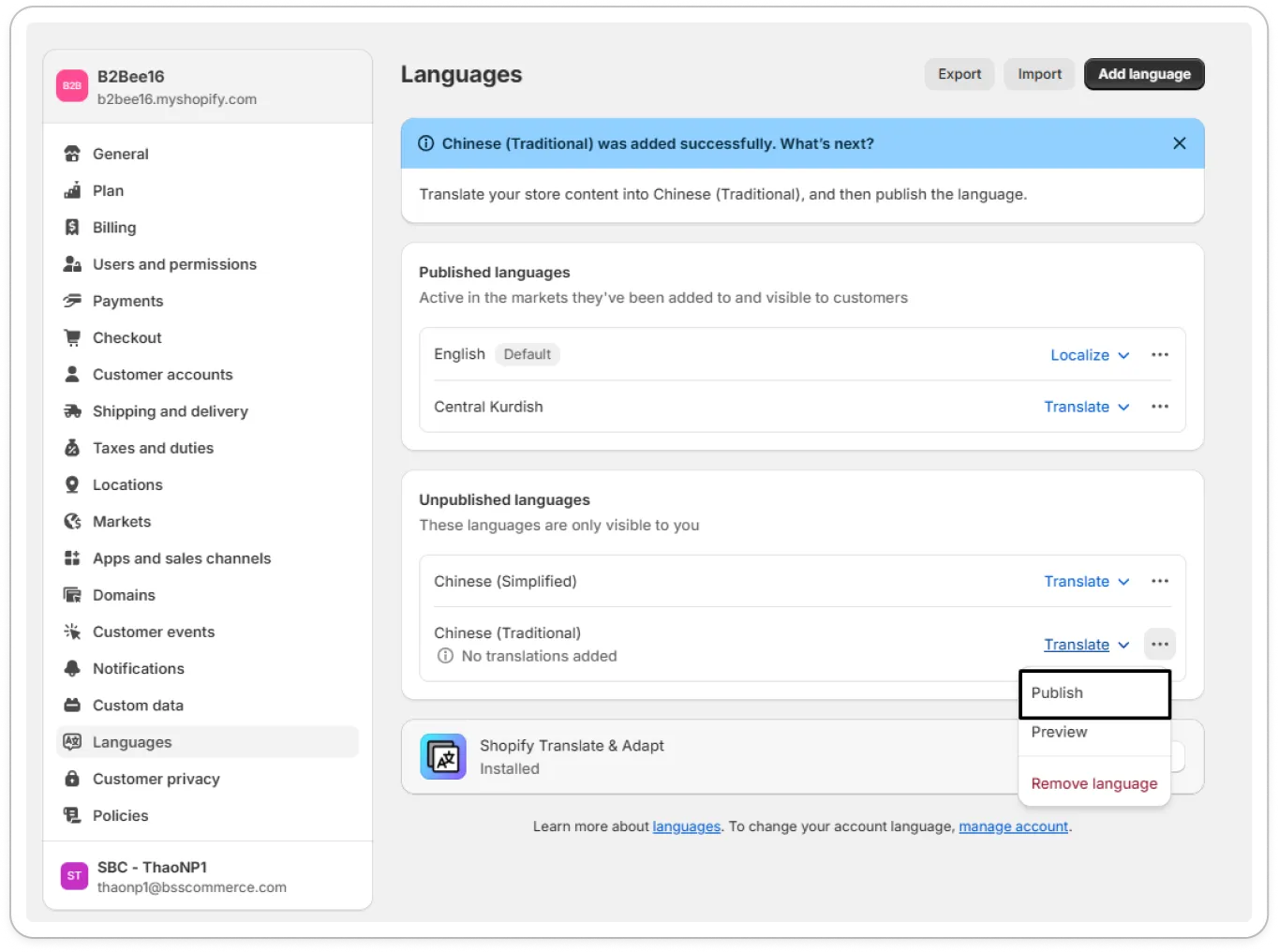
1. Publish Languages in Shopify
Section titled “1. Publish Languages in Shopify”Add and publish whatever new languages you want on your storefront first. This sets the foundation so the system recognizes the languages you’ll translate into.
2. Open the Translation Tool in the App
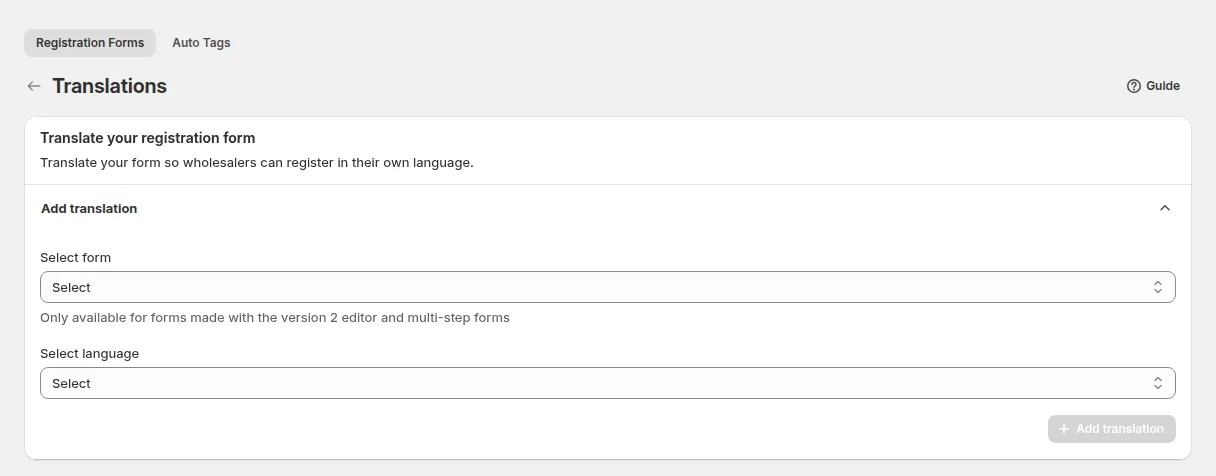
Section titled “2. Open the Translation Tool in the App”Within the BSS B2B Solution app: go to B2B customers > Registration Forms, open More actions > Translations, then choose the form and the language and click Add translation.
3. Select the Form & Target Language
Section titled “3. Select the Form & Target Language”Choose which registration form you want to translate, and then select from your list of published storefront languages. Translations work for wholesale forms version 2 and multi-step forms. Each form can have one translation per language.
4. Input Your Translations
Section titled “4. Input Your Translations”For each field in the form (like labels, placeholder text, button text, instructions), add the text in the new language so your non-native speakers see everything clearly.
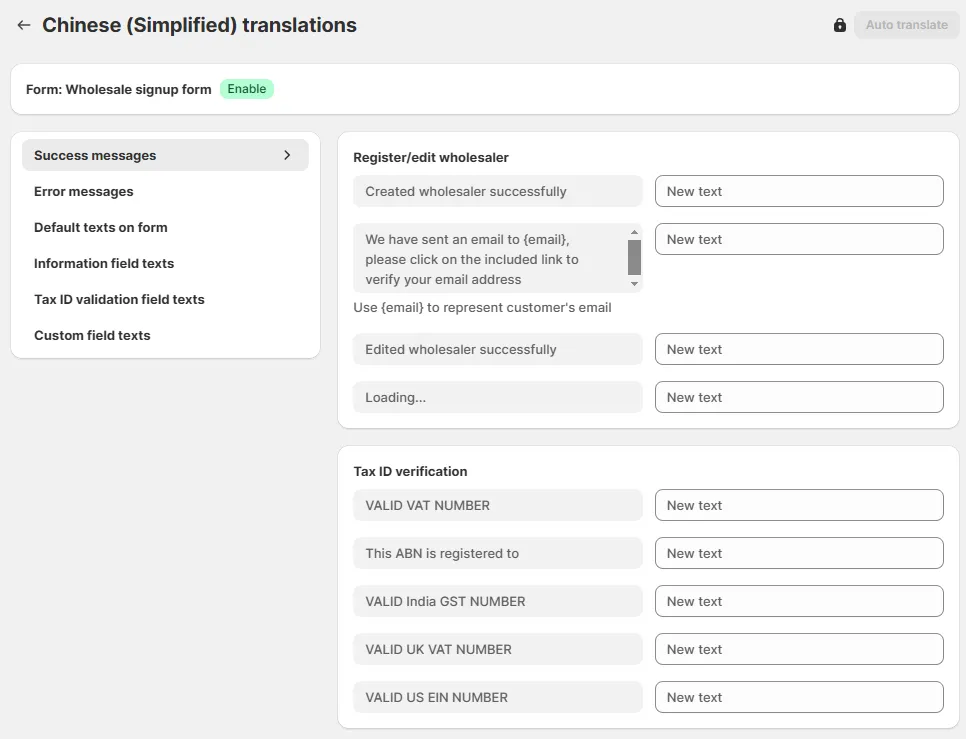
5. Save & Publish
Section titled “5. Save & Publish”After entering the translated text, hit Save. Now, when customers visit your site in their language, the registration form shows up translated and feels natural.
Why Translation Makes a Big Difference
Section titled “Why Translation Makes a Big Difference”- Reduces Friction: Users are more likely to complete registration when they read instructions in their language: fewer mistakes, fewer drop-offs.
- Builds Trust: Showing that you care about localization signals professionalism and respect for your global customers.
- Expands Reach: Makes it easier for wholesalers in new regions to understand your terms, fields, and expectations without guessing.
- Better Customer Experience: Small details (like translated placeholders or button text) help make the experience smooth and clear.