
Sales Reps Add-on: Plans, Price, Free Trial and Extra Reps
The Sales Reps add-on costs $29 per 30 days and includes 3 active reps. From the fourth rep, each extra rep costs $9 per 30 days. Each store gets a 14-day free trial once. It works on stores whose plan includes Net Terms. Start it from Pricing plans > Add-ons, or tick it when you choose or change your plan. For what the add-on does, read the Sales Reps overview.
Key takeaways
Section titled “Key takeaways”- Sales Reps is an optional add-on for stores on a plan with Net Terms.
- It costs $29 per 30 days with 3 active reps included. Each extra rep costs $9 per 30 days.
- Yearly billing is $313.20 per year with 3 reps, plus $97.20 per year for each extra rep.
- The 14-day free trial is available once per store, and nothing is charged during it.
- Nothing changes in your store until you turn on Sales Reps and your reps sign in.
- If the add-on ends, your reps lose access at once and your data is kept.
What do I need before I add Sales Reps?
Section titled “What do I need before I add Sales Reps?”You need a plan with Net Terms. To keep the add-on after the trial, someone who can approve charges in your Shopify store must approve the new total.
| Requirement | Where to check | If it is missing |
|---|---|---|
| A plan that includes Net Terms (Advanced or Platinum) | Pricing plans | The Sales rep card names the plans you need and shows Compare plans |
| A person who approves charges for your Shopify store | Your Shopify admin users | The trial needs no approval. To keep the add-on after the trial, ask the store owner to approve the new total |
How much does Sales Reps cost?
Section titled “How much does Sales Reps cost?”Sales Reps costs $29 per 30 days with 3 active reps included. Shopify bills it together with your plan in one charge, after you approve the new total.
| Billing | Add-on with 3 reps | Each extra rep, from the 4th |
|---|---|---|
| Every 30 days | $29 | $9 |
| Yearly | $313.20 per year | $97.20 per year |
How the yearly price is worked out: $29 x 12 = $348.00. 10% of $348.00 is $34.80. $348.00 - $34.80 = $313.20. The same 10% applies to the extra rep price: $9 x 12 = $108.00, minus $10.80 is $97.20.
Example: a store with 5 active reps on 30-day billing pays $29 + 2 x $9 = $47 per 30 days for the add-on, on top of the plan price.
Which plans can add Sales Reps?
Section titled “Which plans can add Sales Reps?”Stores on the Advanced or Platinum plan can add Sales Reps, because both plans include Net Terms. What the Sales rep card shows depends on your plan and price.
| Your store | What the Sales rep card shows |
|---|---|
| Advanced or Platinum at the current plan price | Start 14-day free trial. After the trial is used, Add to plan |
| A plan without Net Terms | A note with the plans you need and Compare plans |
| A plan with a custom price, a discount or module pricing | A note to talk to us about adding it |
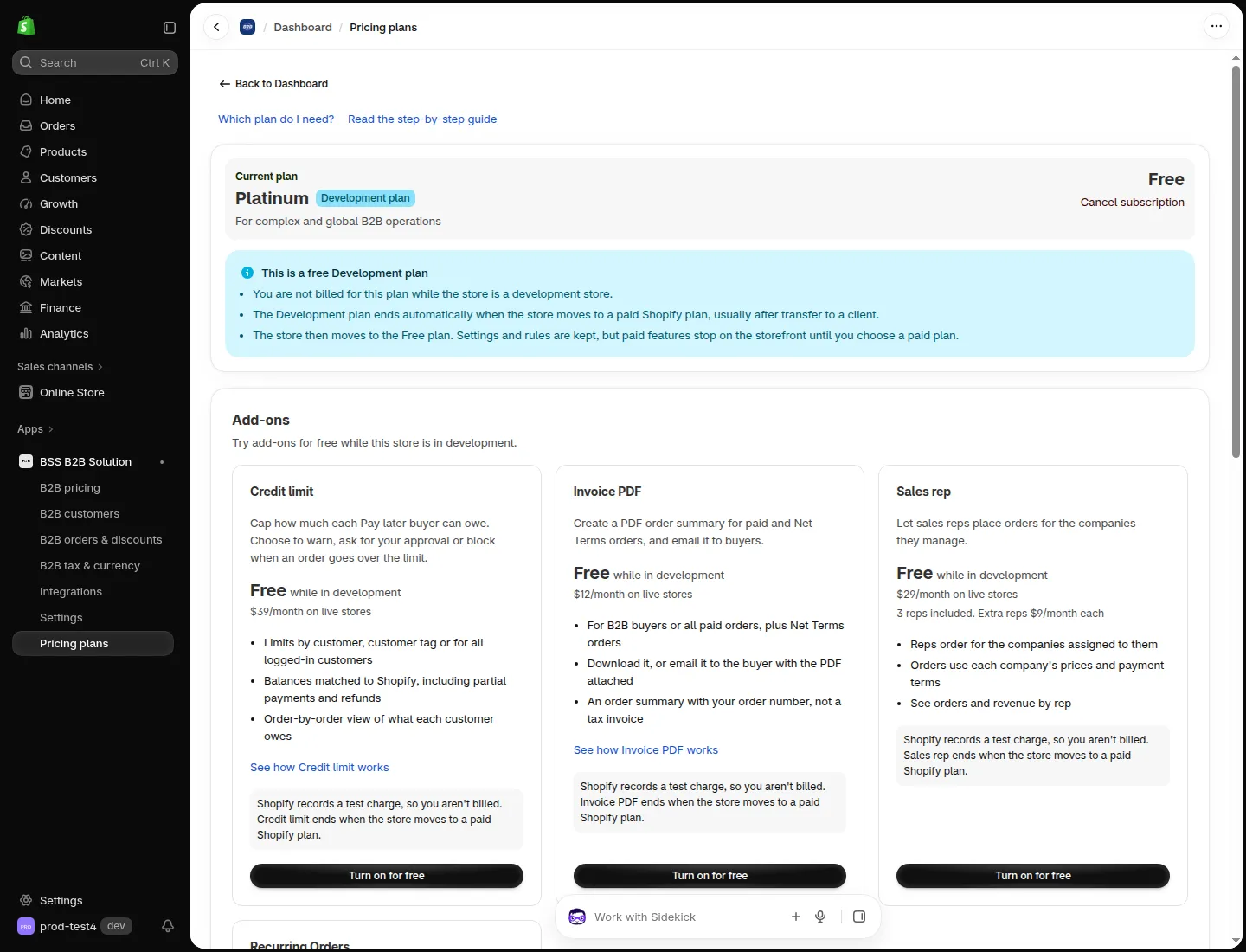
The Sales rep card in Pricing plans, under Add-ons.
After you add it, Sales rep shows under Add-ons on the app Home page with the status Active and a Manage button.
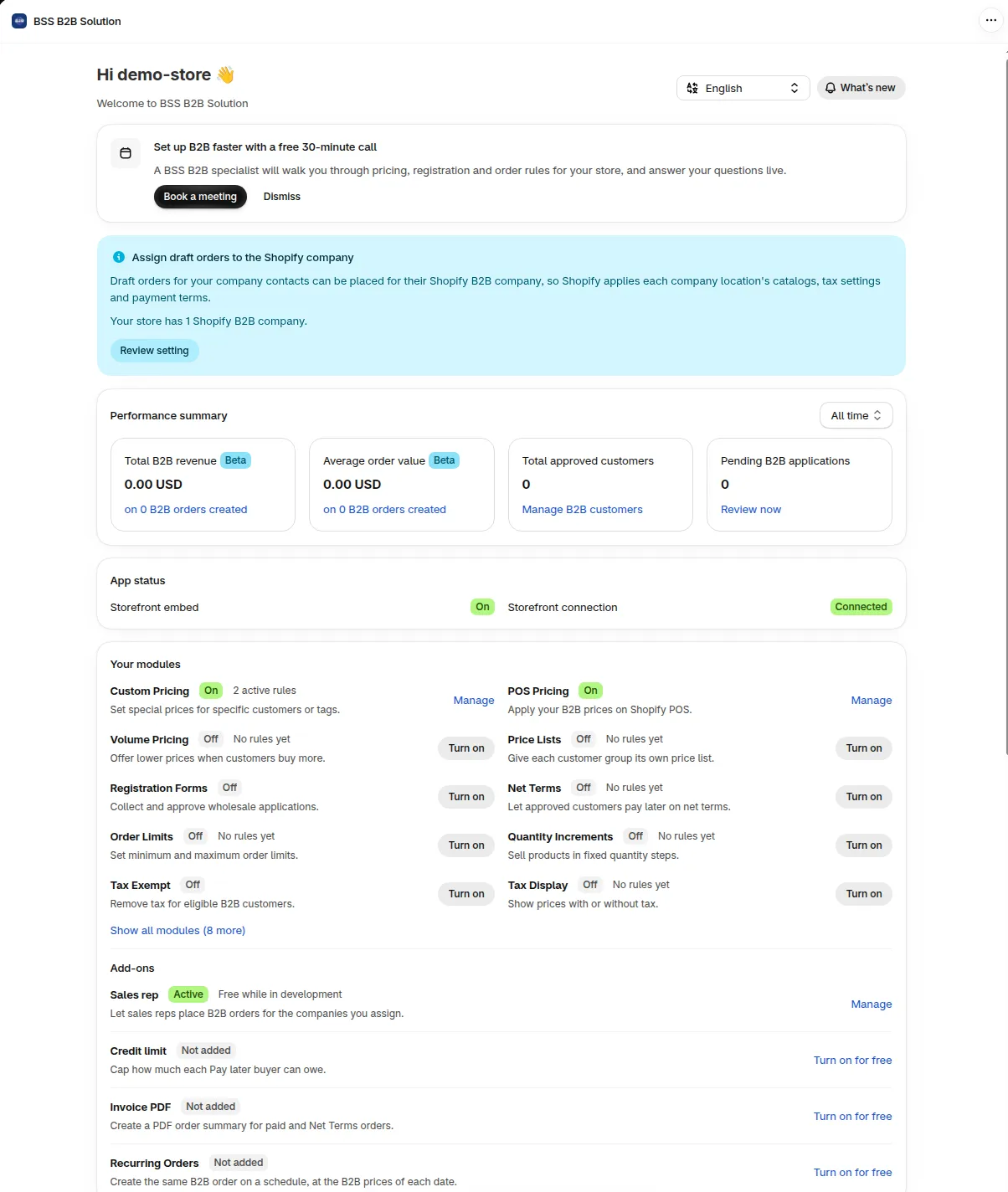
The Sales rep row on Home, under Add-ons.
How do I start the 14-day free trial?
Section titled “How do I start the 14-day free trial?”Click Start 14-day free trial on the Sales rep card in Pricing plans > Add-ons. The trial starts at once, nothing is charged, and it runs for 14 days. The trial includes the 3 reps that come with the add-on. To have more than 3 active reps, add the add-on to your plan with the number of extra reps you need.
-
Open Pricing plans and scroll to Add-ons
Section titled “Open Pricing plans and scroll to Add-ons”In the Shopify admin, open BSS B2B Solution > Pricing plans and scroll to Add-ons.
-
Click Start 14-day free trial
Section titled “Click Start 14-day free trial”The dialog Start your free Sales rep trial shows your plan price, the add-on price and the New total. It also shows the date the trial ends. Click Start free trial.
-
Check the card
Section titled “Check the card”The card now shows the Free trial badge, the days left and the end date. Cancel trial is available until the trial ends.
-
Set up your reps
Section titled “Set up your reps”Follow add reps.
Expected result: the Sales Reps page opens in B2B orders & discounts, with the Reps tab and the Add rep button.
When the trial ends on the date shown, Sales Reps turns off unless you approve the new total in Shopify. Your plan stays at its price. To continue, click Add to plan on the card, then Continue to Shopify and approve the new total.
How do I add more reps?
Section titled “How do I add more reps?”The add-on includes 3 active reps. To add more, click Add more reps on the Sales rep card, or on the Reps page when all your seats are in use. Enter the number in Extra reps. The dialog shows the total number of active reps and the price per extra rep. Shopify then shows the new charge and asks you to approve it. The new number applies after you approve.
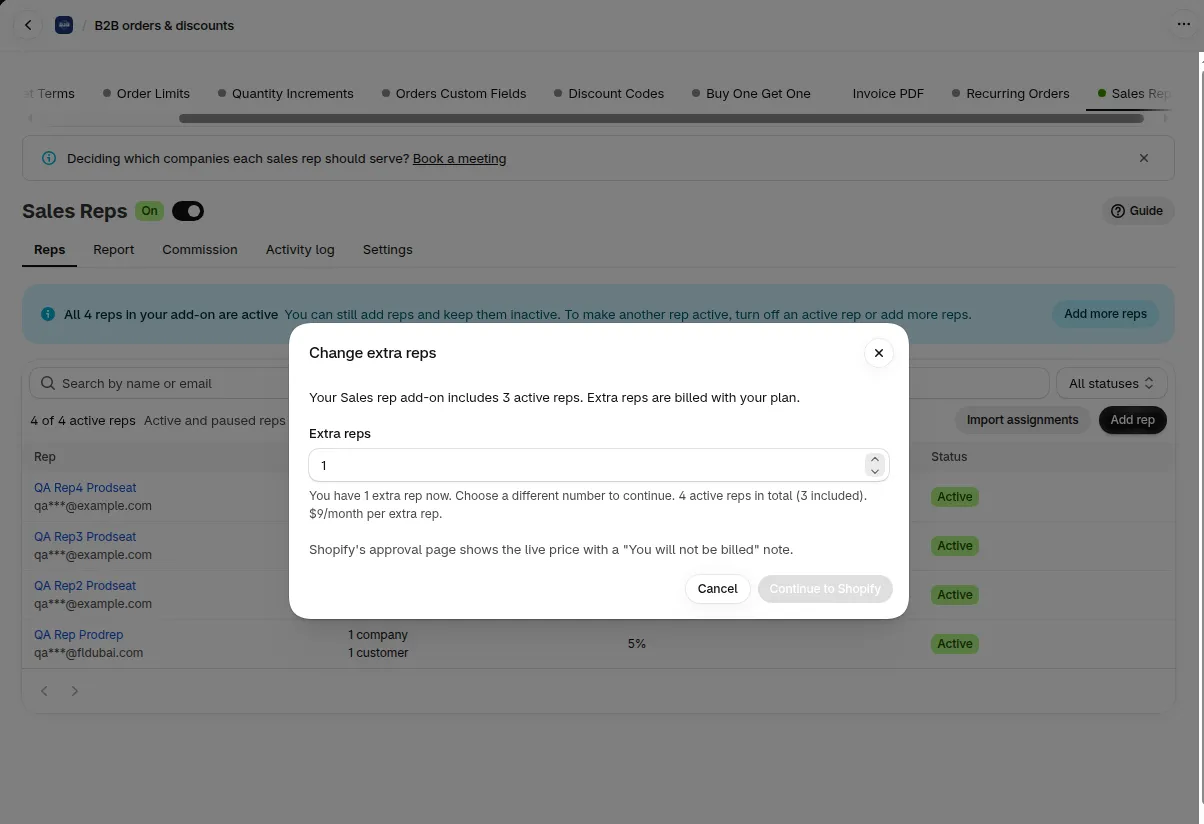
Choose how many extra reps you need.
A rep needs a paid seat to use the portal. If you have more active reps than paid seats, only the oldest active reps can place orders. The others are blocked, and no rep is turned off for you. To fix it, add more reps or turn off some active reps.
To lower the number of extra reps, turn off active reps first. The dialog Turn off reps first tells you how many.
What happens when the add-on ends?
Section titled “What happens when the add-on ends?”When the add-on ends, your reps lose access to the rep portal at once. Your reps, assignments, orders and commission records are kept.
| What | After the add-on ends |
|---|---|
| Rep portal | Closed for all reps |
| Buy the add-on again within 90 days | Your old records continue as before |
Commission records stay open for 90 days. See commission.
The Sales Reps pages show a banner with the date until which commission records stay available. The banner text is in commission.
The Sales Reps page then shows the badge Ended. In Settings > B2B Portal > Modules, the Sales Reps row shows Off, with a link to View add-ons.
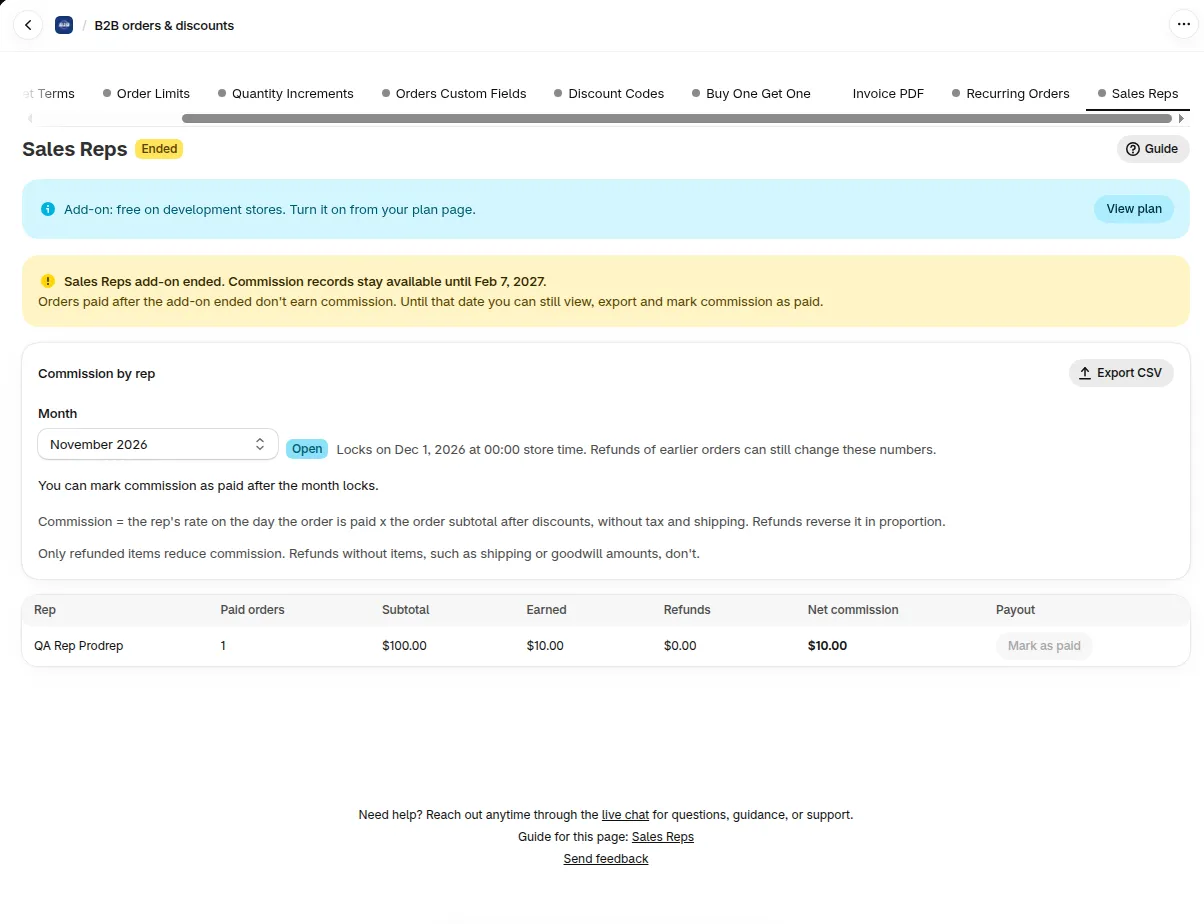
After the add-on ends, the tab shows Ended and the date records stay available.
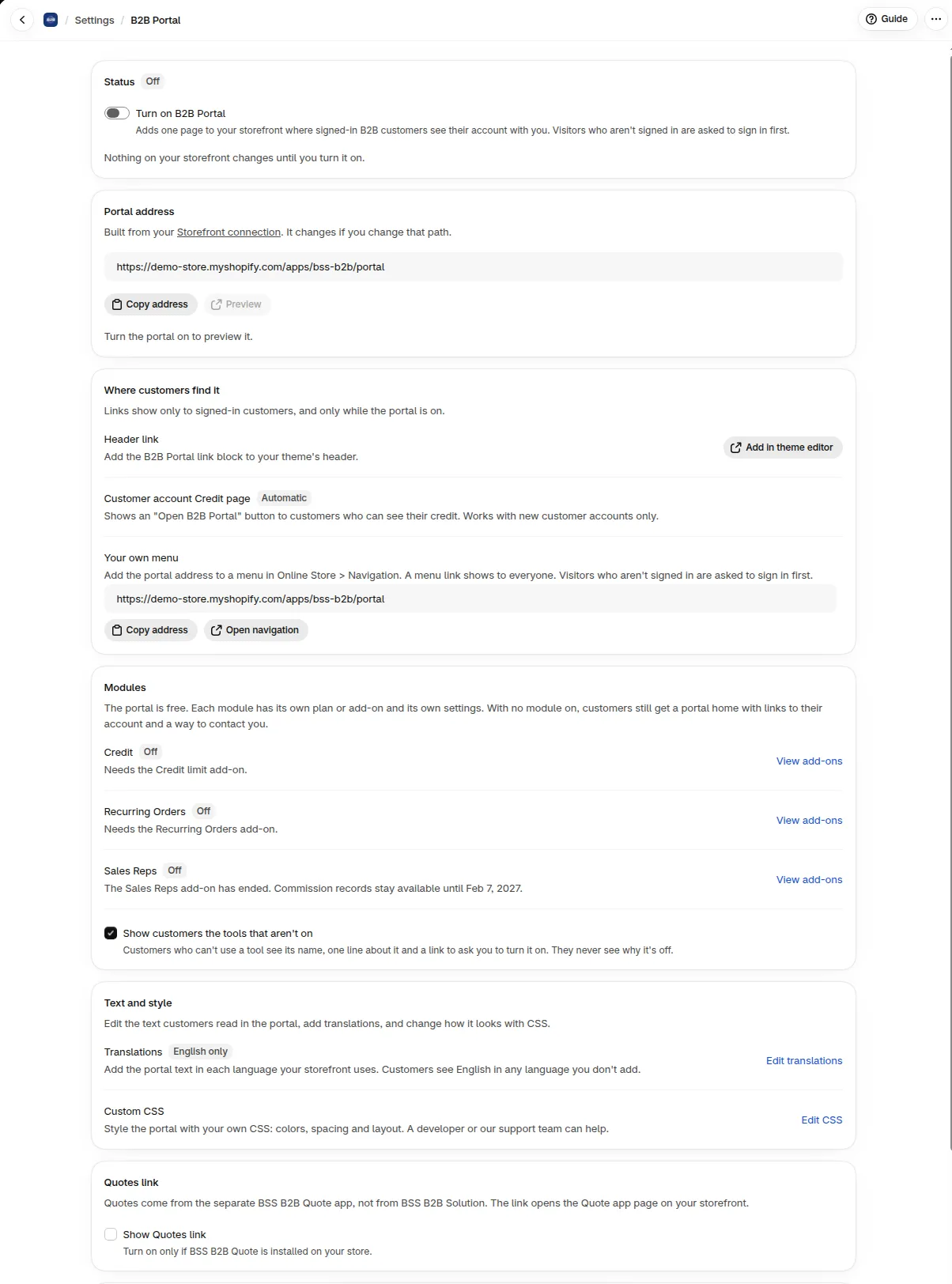
The Sales Reps row in Modules says the add-on has ended.
The add-on ends when the trial runs out without your approval, or when you cancel the trial or remove the add-on. A paid add-on that you remove keeps working until the end of your billing period.
How do I remove the add-on?
Section titled “How do I remove the add-on?”On the Sales rep card in Pricing plans > Add-ons, click Cancel trial during a trial, or Remove on a paid add-on.
- Cancel trial ends the add-on at once and you are not charged. The free trial can’t be started again on this store.
- Remove opens the dialog Remove Sales rep?. Click Remove add-on and approve the new total in Shopify. The add-on keeps working until the end of your billing period.
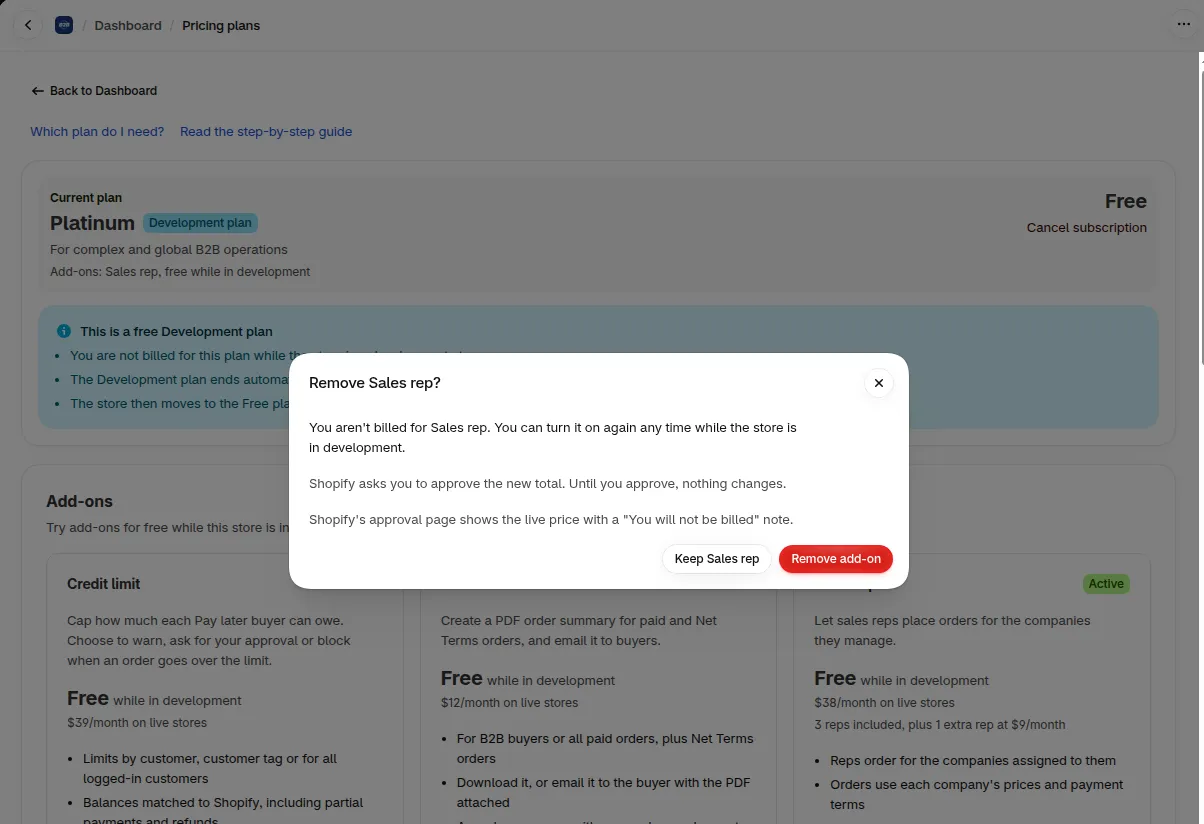
The dialog asks you to confirm before the add-on is removed.
Will Sales Reps change my store if I only add it?
Section titled “Will Sales Reps change my store if I only add it?”No. Reps cannot sign in to the portal until you turn on Sales Reps, add a rep and turn on the portal in your theme. Your storefront looks the same to everyone who is not a rep.
Do I pay twice if I add it in the middle of the month?
Section titled “Do I pay twice if I add it in the middle of the month?”No. Sales Reps is billed with your plan in one Shopify charge, not as a second charge. Shopify shows you the new total and asks you to approve it before the add-on turns on. Nothing is charged during the 14-day trial.
Why does the card say it needs a plan?
Section titled “Why does the card say it needs a plan?”Sales Reps needs Net Terms. The card names the plans that include it. Click Compare plans to see them.
Can I try Sales Reps on a development store?
Section titled “Can I try Sales Reps on a development store?”Free trials are not used on development stores. On a development store with the Development plan, you turn the add-on on directly. Shopify records a test charge and nobody is billed.
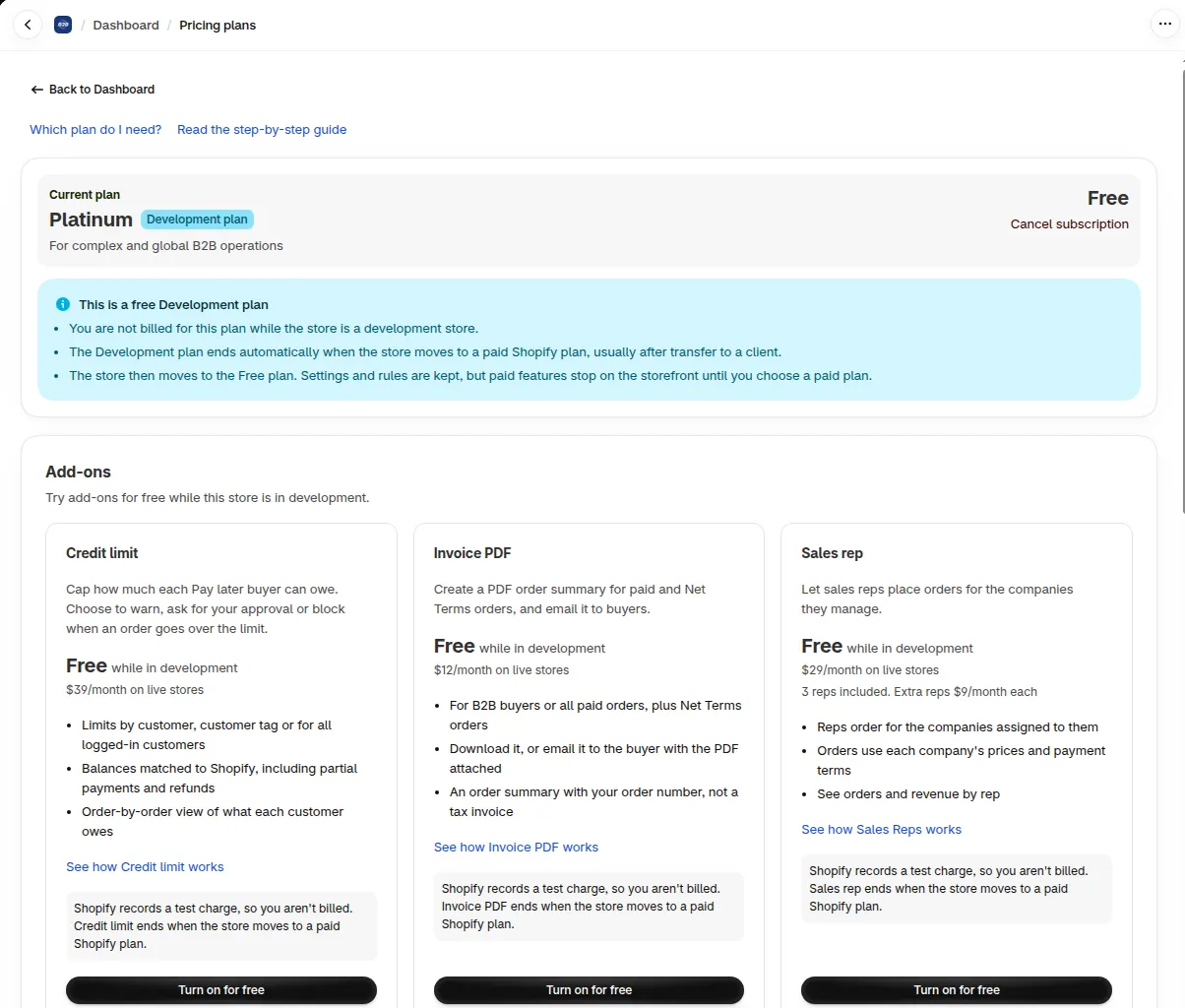
On a development store the Sales rep card says Free while in development and shows Turn on for free.
Click Turn on for free on the card. The dialog Add more reps opens. Leave Extra reps at 0 or enter the number you need, then click Continue to Shopify.
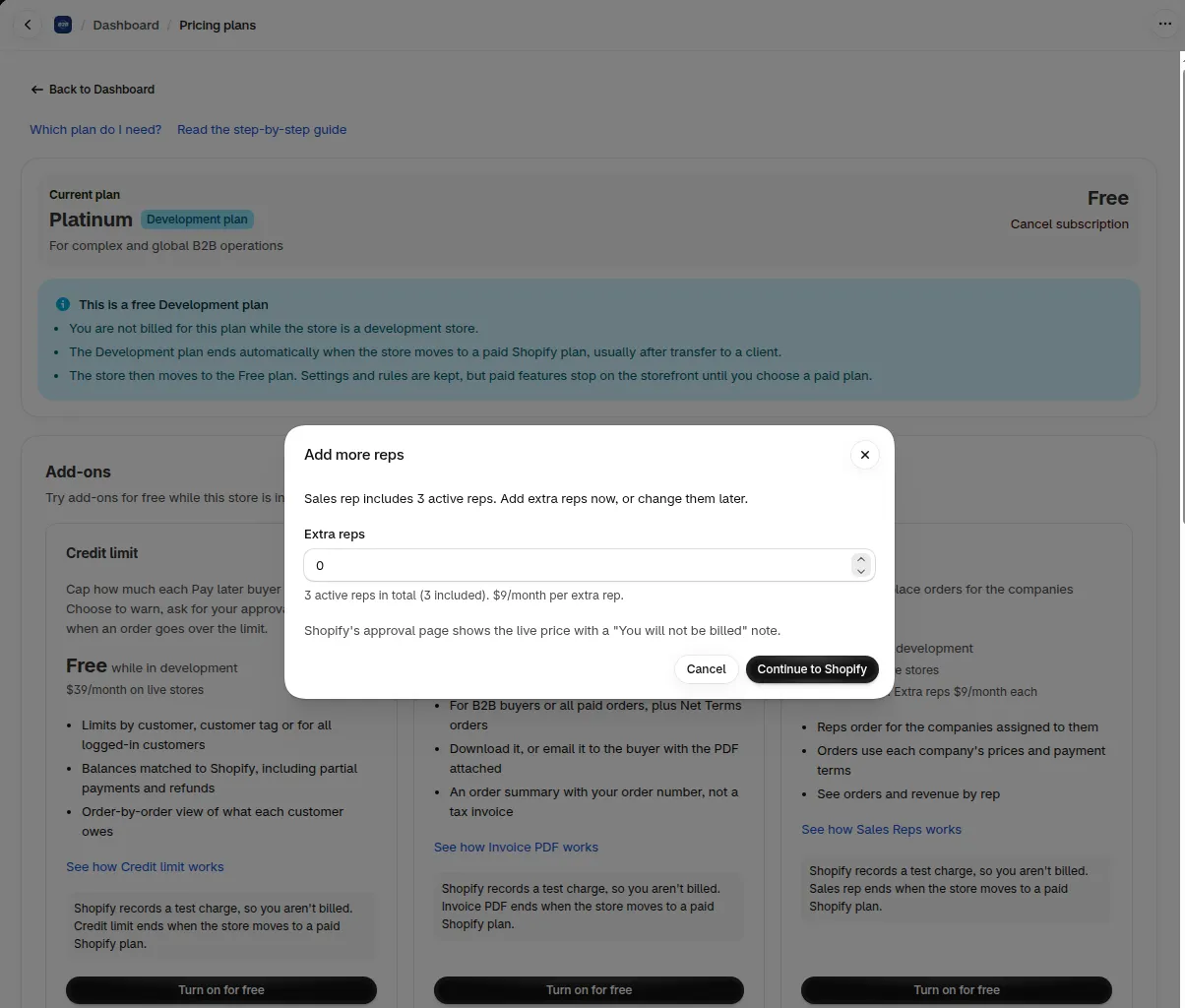
The dialog shows 3 included reps and the price of each extra rep.
See Can I test BSS B2B Solution on a Shopify development store?
More answers are in the Sales Reps FAQ.