
Can I Apply Additional Discounts with Custom Pricing or Volume Pricing?
The short answer is: It depends.
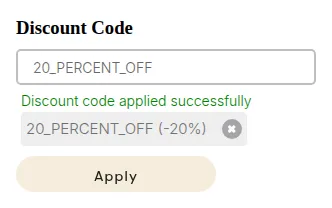
What your customers see on the storefront.
While automatic discounts are still incompatible, you can now allow your customers to use Shopify Discount Codes alongside our pricing rules by adjusting your settings.
1. Manual Discount Codes (Yes)
Section titled “1. Manual Discount Codes (Yes)”You can apply native Shopify discount codes or those generated by third-party apps. However, this is not enabled by default. To allow this:
- Navigate to BSS B2B Solution > Advanced Settings.
- Enable the Shopify Discount option.
- Click Save.
2. Automatic Discounts (No)
Section titled “2. Automatic Discounts (No)”Currently, automatic discounts (whether created within Shopify or via a third-party app) will not work while Custom Pricing or Volume Pricing rules are active on a draft order or checkout.
Alternative: Use the Discount Code Function in Our App
Section titled “Alternative: Use the Discount Code Function in Our App”Instead of applying external discounts, you can create discount programs directly within the BSS B2B Solution app using the Discount Code feature.
This feature displays a discount box on the Cart page, allowing customers to enter the code before checkout.
🛒 Example:
A discount code box will appear on the cart page instead of the checkout page.
How to Enable the Discount Code Function
Section titled “How to Enable the Discount Code Function”Step 1: Enable the Function
Section titled “Step 1: Enable the Function”- From the app Dashboard, toggle Discount Code to enable it.
- Once enabled, the Discount Code box will automatically appear on your Cart page.
💬 If you don’t see the box, please contact us at [email protected], or refer to the Manual Installation Guide for setup instructions.
Step 2: Create a Discount Rule
Section titled “Step 2: Create a Discount Rule”- Go to DC Rules → Create New Rule.
- Fill out:
- DC Name
- Status
- Add your Discount Code and define the discount value (amount or percentage).
- Choose the customer groups eligible for this discount.
- Select the products that the discount applies to.
- Set the Start Date/Time and End Date (optional).
- Click Save to apply your settings.
Example Calculation
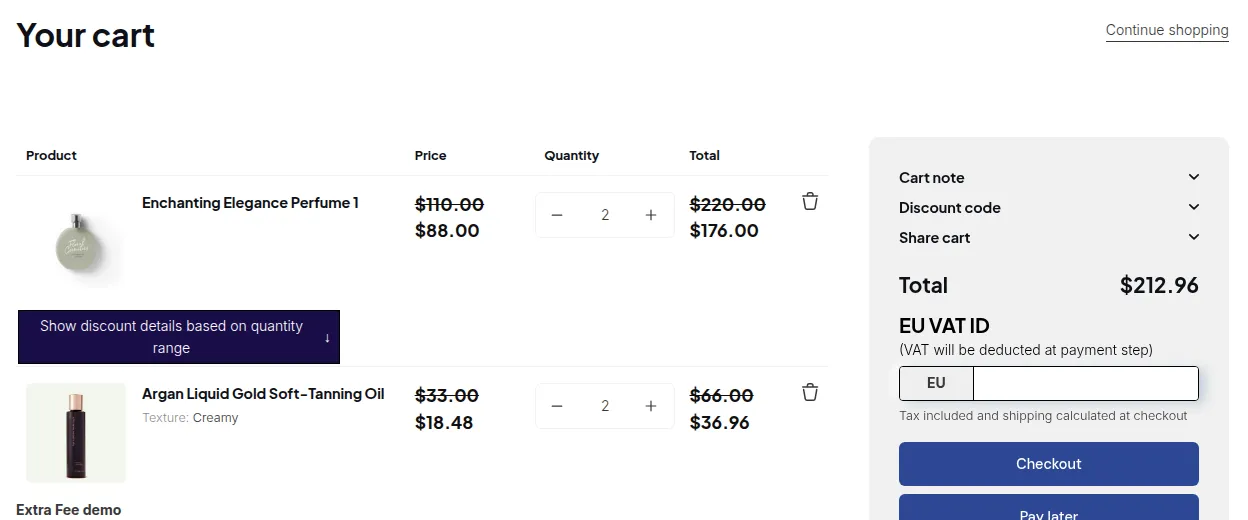
Section titled “Example Calculation”In this example, two discounts are applied together:
- ✅ Discount from a Custom Pricing rule
- ✅ Discount from the Discount Code entered on the Cart page
The system automatically calculates the total based on both discounts, ensuring customers receive the correct final price.
Summary
Section titled “Summary”| Function | Applies with Other Discounts? | Notes |
|---|---|---|
| Custom Pricing | ❌ No | External discounts disabled |
| Volume Pricing | ❌ No | External discounts disabled |
| In-App Discount Code | ✅ Yes | Applies within cart page |
Give It a Try
Section titled “Give It a Try”Enable the Discount Code function in your app and test how it works alongside your Custom Pricing rules.