
Discounts show in the cart but disappear at checkout
Short answer: the customer probably reached checkout without using the cart page checkout button, for example with Buy it now, an express checkout button (Shop Pay, Apple Pay, Google Pay) or a direct checkout link.
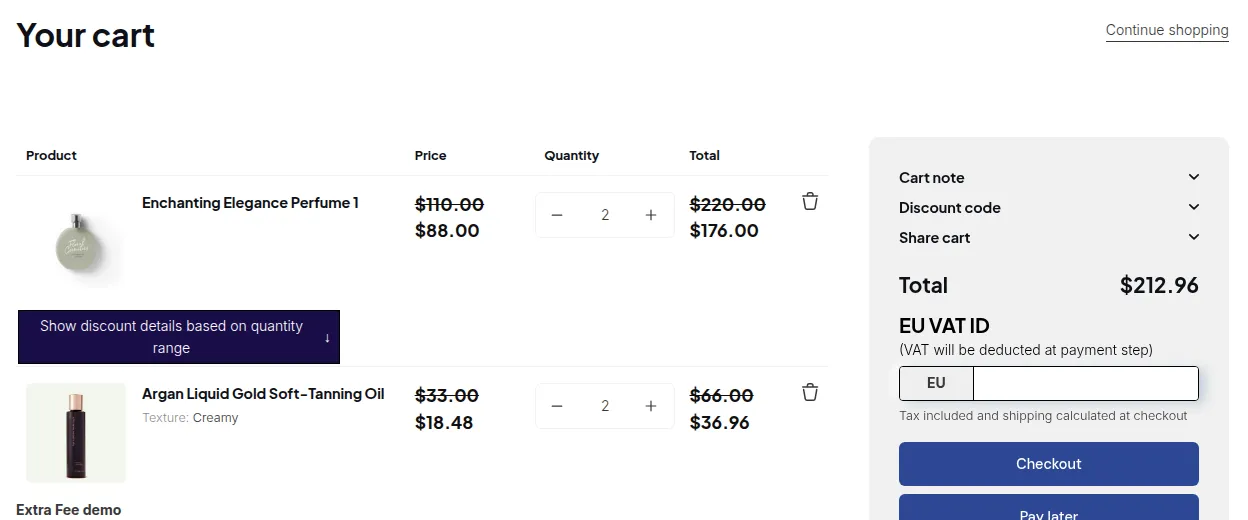
What your customers see on the storefront.
BSS B2B Solution shows B2B prices and discounts in the cart, then applies them when the customer clicks Checkout on the cart page. Paths that skip the cart can skip the modules below.
| Module | Shown in cart | Applied when checking out from the cart page | When checkout skips the cart page |
|---|---|---|---|
| Custom Pricing, Price List, Volume Pricing | Yes | Yes | Designed to hold at checkout. Test on your theme. |
| Buy One Get One | Yes | Yes | Can be missing |
| Discount Code | Yes | Yes | Can be missing |
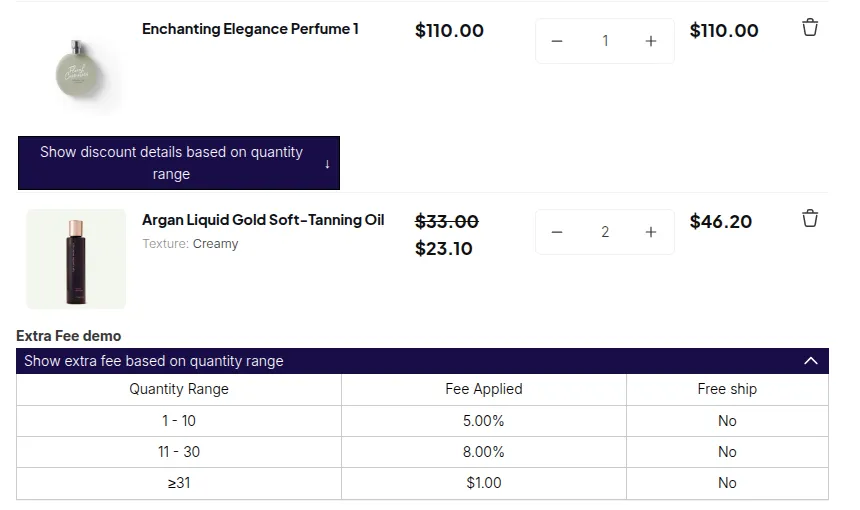
| Extra Fee | Yes | Yes | Can be missing |
What to do
Section titled “What to do”- Make sure the app embed is on. When rules are active, the app hides Buy it now on the product page, but only if the embed is loaded.
- Test the full path as a customer: add to cart, open the cart page, click Checkout.
- If your theme adds its own express checkout buttons to the cart or cart drawer, consider hiding them for B2B customers.
See also: I don’t see the app on my storefront