
How Do I Offer Volume Discounts and Automatically Add a Free Gift?
You want to reward buyers who purchase larger quantities with a tiered price break and give them a free product (a sample, a branded item, or a bonus unit) when they hit a spend or quantity threshold. This walkthrough combines Volume Pricing for the quantity tiers and BOGO for the free-gift reward.
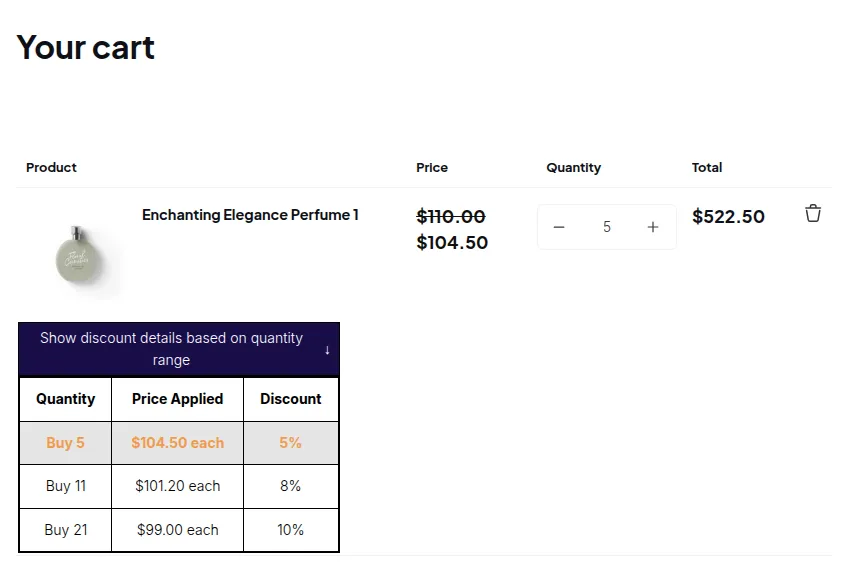
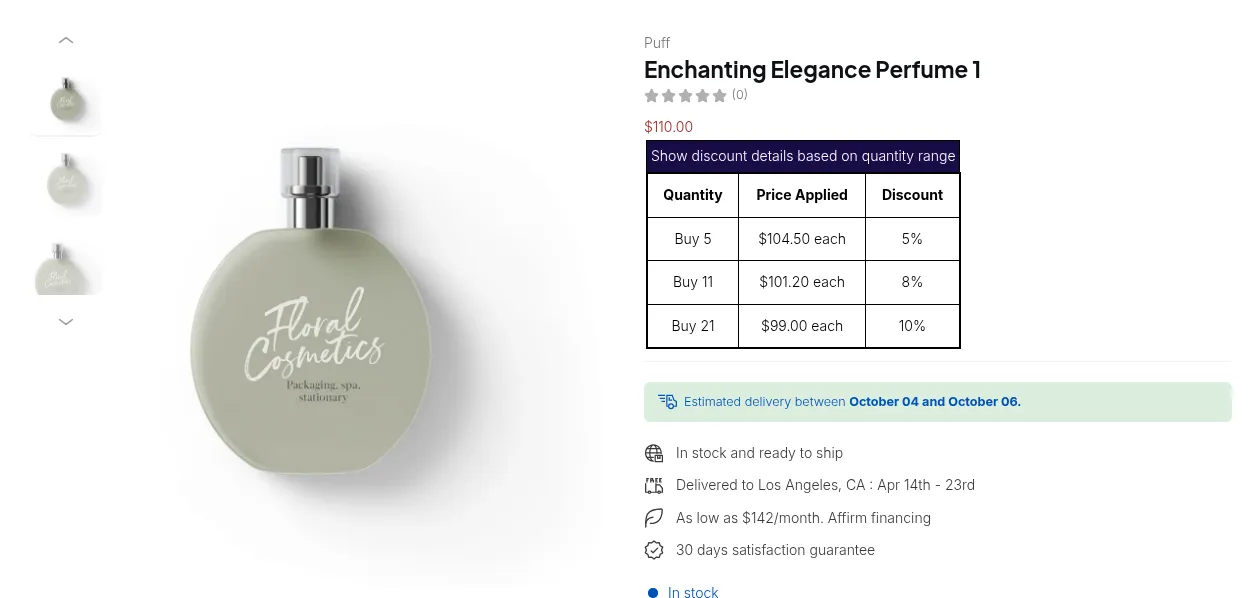
What your customers see on the storefront.
Step 1: Set up Volume Pricing tiers
Section titled “Step 1: Set up Volume Pricing tiers”Volume Pricing automatically reduces the unit price when a customer’s cart quantity (or spend) crosses your defined thresholds. It displays a price-break table on the product page so customers can see the deal before adding to cart.
- Go to B2B Pricing > Volume Pricing, toggle the module on, and click Add rule.
- Step 1: Name the rule (e.g. “Apparel quantity breaks”), priority
5, enabled. - Step 2: Customer condition > All customers (or scope to a tag if you want the deal wholesale-only). Product condition > Product collections > “Apparel”.
- Step 3:
- Break type > Quantity-based pricing. Apply to > All eligible products in the order (quantity pooled across all matching items in the cart).
- Add tier rows:
| From | To | Discount type | Value |
|---|---|---|---|
| 1 | 4 | Fixed price | 30.00 |
| 5 | 14 | Decrease percentage | 10 |
| 15 | - | Decrease percentage | 20 |
- Save.
See Set Up Volume Pricing for all discount types and tier options.
Step 2: Set up a BOGO free-gift rule
Section titled “Step 2: Set up a BOGO free-gift rule”BOGO evaluates the cart in real time and discounts the reward product to $0 (or a custom percentage) when the trigger condition is met.
- Go to Buy One Get One and enable the module. Click New buy one get one rule.
- General information: Name “Free Gift Bag with 15+ Apparel”, priority
0, status Active. - Apply to customers: All customers (or a specific tag if gift is wholesale-only).
- Customer buys: Minimum threshold type > Minimum quantity of items, quantity >
15. Any item from > Product collections > “Apparel”. - Customer gets: Quantity >
1. Any item from > Specific products > select your “Branded Tote Bag” product. Discount type > Free (100%). - Advanced: Check Set a maximum number of uses per order >
3(optional cap; 3 bags max per order). - Save.
See Set Up BOGO for the full trigger/reward scope options.
Step 3: Verify the App Embed is on
Section titled “Step 3: Verify the App Embed is on”Both Volume Pricing and Buy One Get One render through the BSS B2B Solution app embed.
In Online Store > Themes > Customize > App embeds, confirm BSS B2B Solution is on and saved.
# Example
Section titled “# Example”Product: Apparel T-shirt, list price $30.00 each. Volume Pricing rule: tiers as above. BOGO rule: buy 15+ Apparel items > get 1 free “Branded Tote Bag” (list price $12.00).
| Cart contents | Volume Pricing applied | BOGO applied | Final cart |
|---|---|---|---|
| 3 T-shirts | No tier (price stays $30.00 × 3 = $90.00) | No - threshold not met | $90.00 |
| 7 T-shirts | 5–14 tier: −10% > $27.00 × 7 = $189.00 | No - threshold not met | $189.00 |
| 20 T-shirts | 15+ tier: −20% > $24.00 × 20 = $480.00 | Yes - 1 Tote Bag added at $0 | $480.00 (+ $0 Tote Bag) |
| 30 T-shirts | 15+ tier: $24.00 × 30 = $720.00 | Yes - 2 Tote Bags added at $0 (floor(30/15) = 2) | $720.00 (+ $0 × 2 Tote Bags) |
Pricing order in the storefront:
- Custom Pricing (if active) adjusts the base price.
- Volume Pricing computes the tier price from the Volume Pricing base.
- BOGO evaluates the trigger using the Volume Pricing quantity and applies the gift discount.
- Discount Code (if used, priority 60) stacks on top of any Volume Pricing price.
# Summary
Section titled “# Summary”| Feature | Role in this scenario | Notes |
|---|---|---|
| Volume Pricing | ✅ Tiered price breaks by quantity | Priority 20 in the price flow; price-break table shown on product page and cart |
| BOGO | ✅ Automatic free gift when buy threshold is met | runs after Volume Pricing; uses post-Volume Pricing price and quantity to evaluate trigger |
| App Embed | ✅ Required for both Volume Pricing and Buy One Get One | Enable in Online Store > Themes > Customize > App embeds |