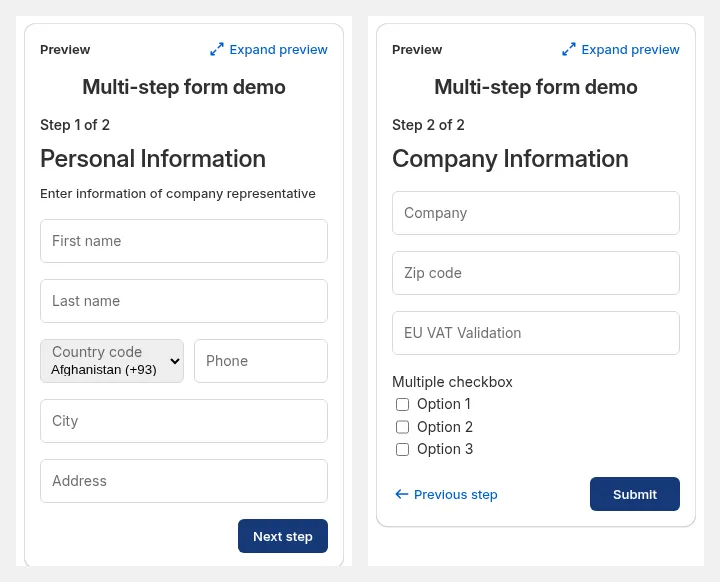
Set Up a Multi-Step Registration Form
Split your wholesale registration into steps. Works only with Shopify’s new customer accounts.
Want a smoother, more professional experience for your wholesale customers? The Multi-Step Form breaks your registration process into manageable stages, so collecting business info feels easier and more trustworthy.
How to Create Your Multi-Step Form
Section titled “How to Create Your Multi-Step Form”- Enable Registration Form & Open the Editor
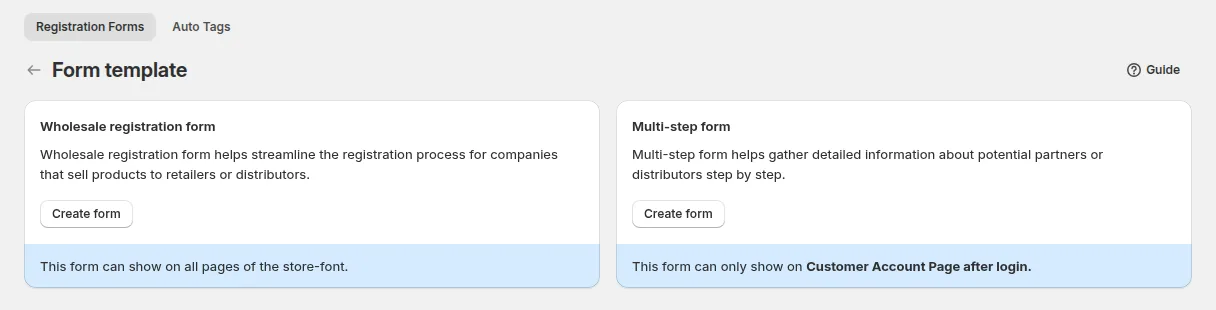
- In the app, go to B2B customers > Registration Forms and switch the module on.
- Click Create form.
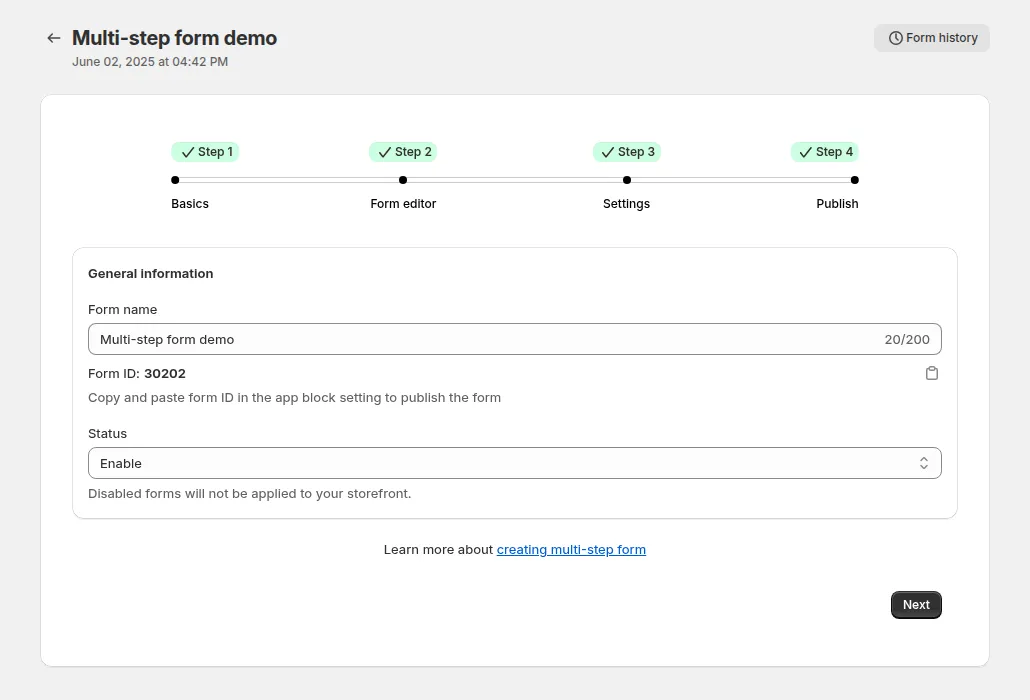

- Choose Multi-step form. The editor has four steps: Basics, Form Editor, Settings and Publish.
- Organize Your Form into Steps
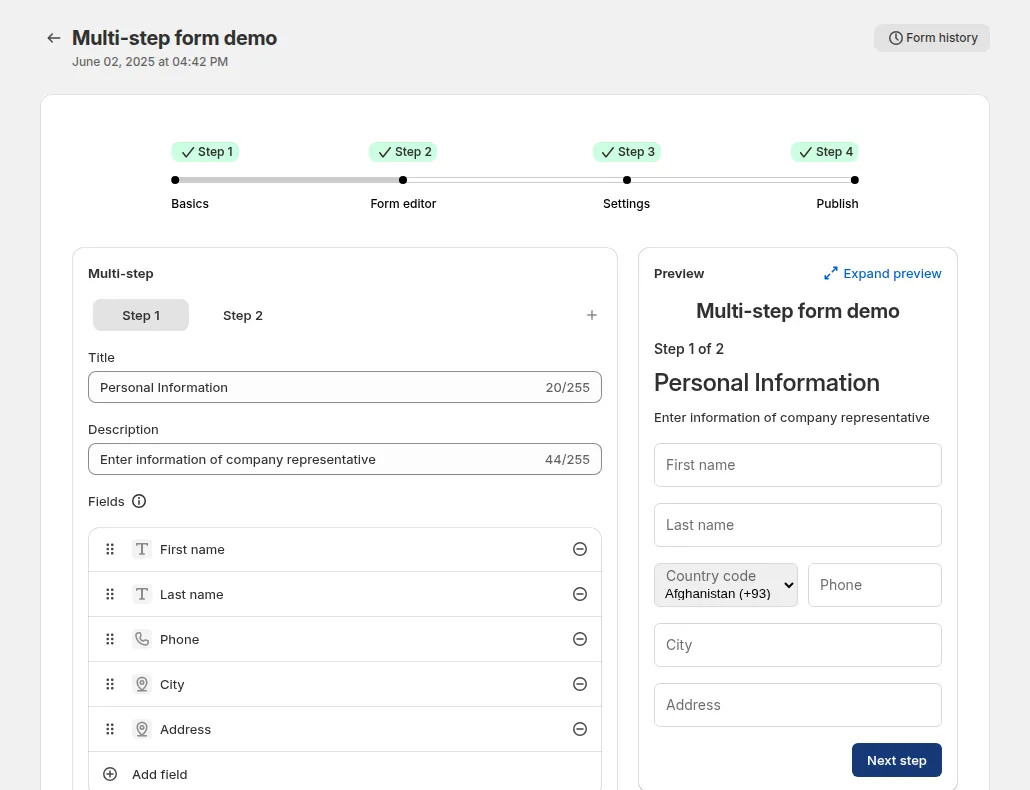
- A multi-step form divides the registration process into multiple sections (or “steps”). Click Add step to add one.
- You can add as many fields as needed in each step, such as company details, contact info, or tax documents.
- Give each step a clear title and description to guide customers through the process smoothly.
- Preview While You Build
- Use the Preview Panel on the right to see exactly how your form will look and function as users progress through each step.
- Advanced Options & Controls
- Auto Tagging: Assign tag when customer is approved, for example
wholesale.
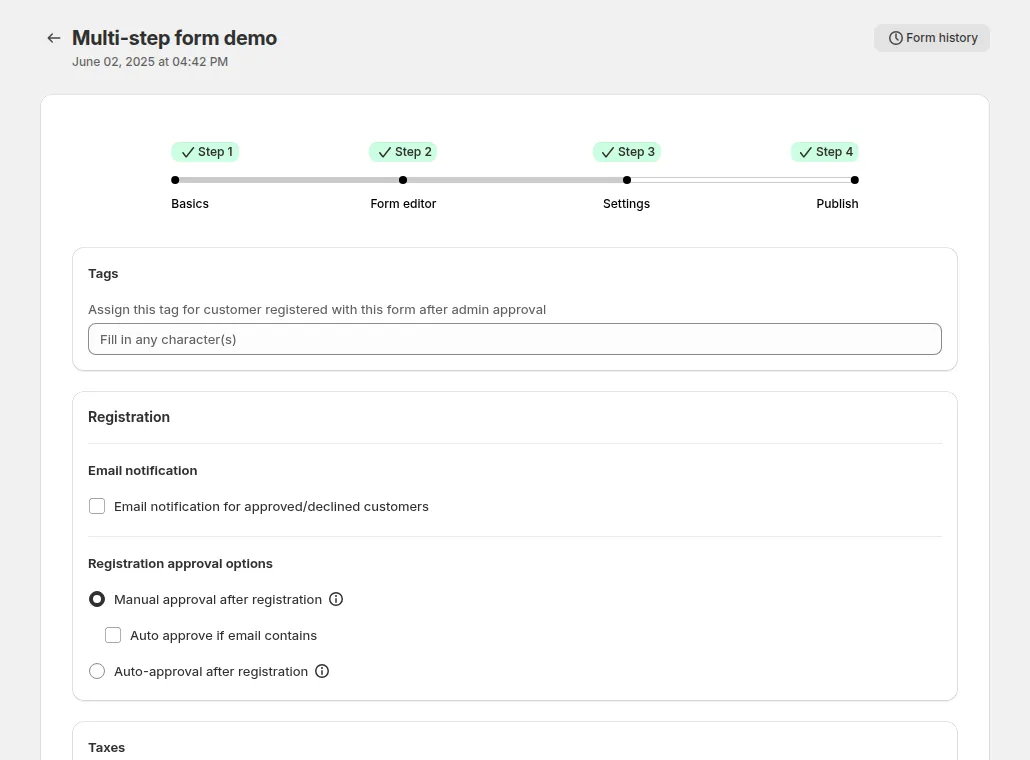
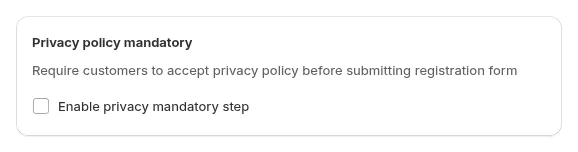
- Privacy Policy: add a required consent checkbox with a link to your policy. It is added to the last step by default.
-
Email Notifications: Configure email alerts so both you and your customers get registration confirmations, head to Email configuration
-
Approval Rules:
- Auto-approval after registration: instantly approve new customers upon submission.
- Manual approval after registration: review each application in Registration management before granting access.
- Auto approve if email contains: with manual approval, automatically approve applicants whose email matches, for example your partners’ domain.
Publish Your Form
Section titled “Publish Your Form”Before your form goes live, make sure:
The B2B Solution app embed is enabled in your Shopify theme to ensure proper display.
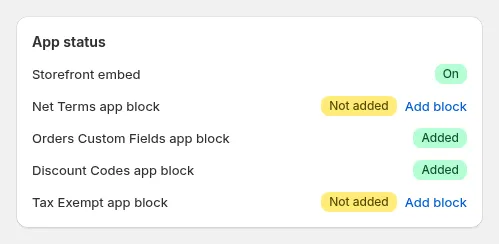
Add the registration form to your storefront using the theme editor or app block.
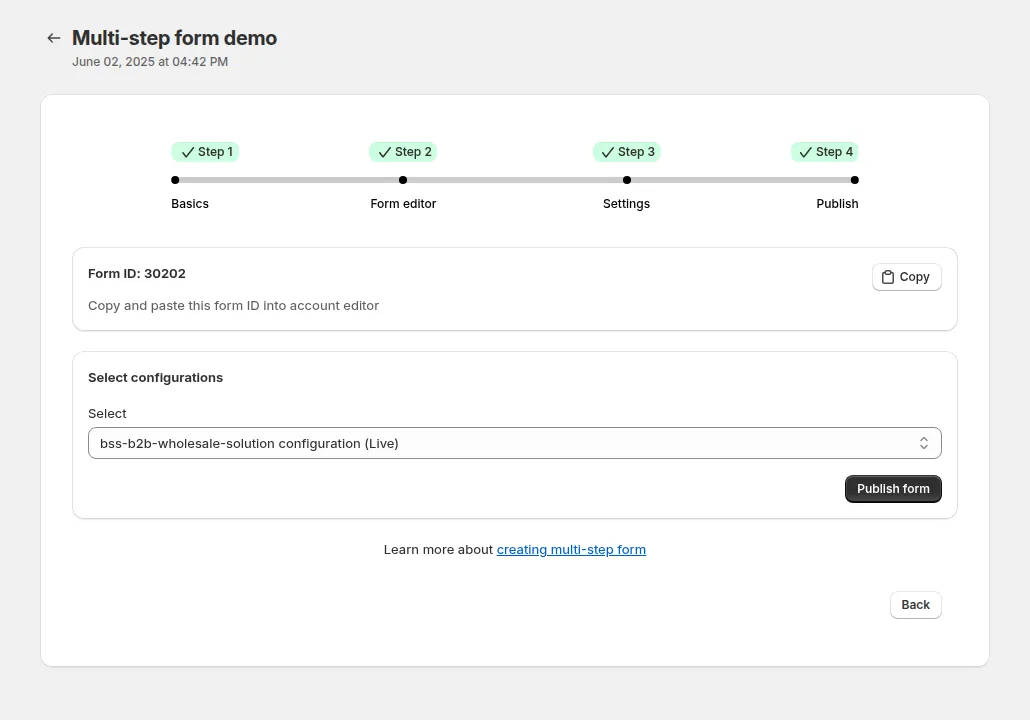
Once published, your customers can easily register through your multi-step form, and you’ll receive their submissions directly in the dashboard.
Customers see one step at a time, with Next step, Previous step and Submit buttons: