
Why doesn't the Net Terms button appear for my customer?
Short answer: Net Terms is for logged-in customers only. The button shows when the customer matches a rule and the Net terms app block is on your cart page.
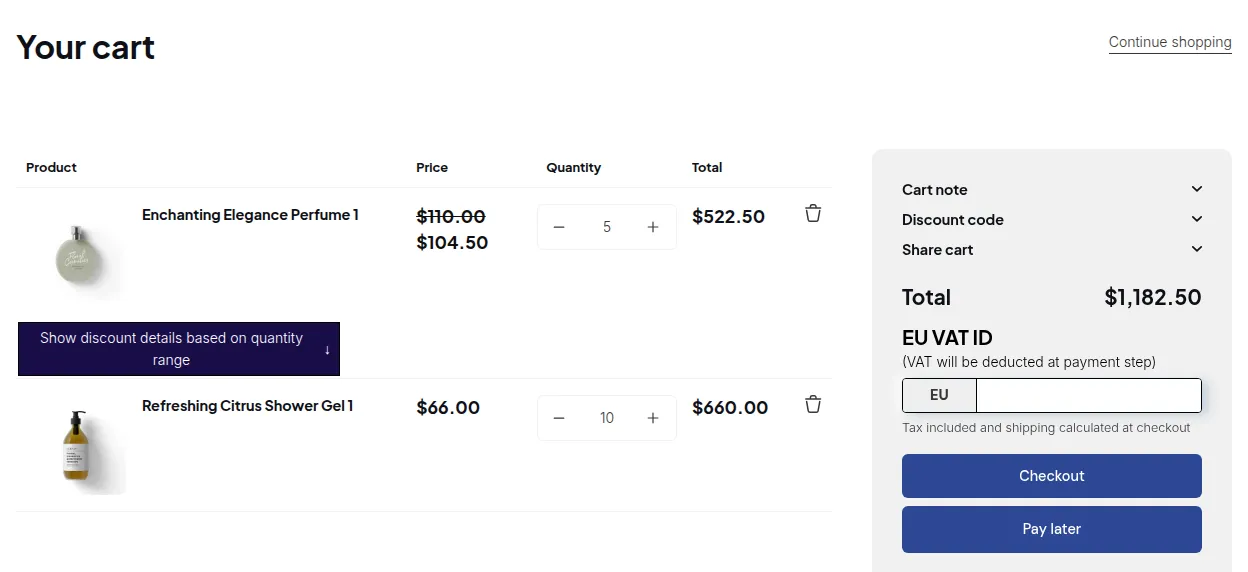
What your customers see on the storefront.
Checklist
Section titled “Checklist”- The customer is logged in. Net Terms rules only offer Logged-in customers, Specific customers and Customer tags. Guests never see the button.
- The customer matches a rule. Check the rule’s customer condition and the customer’s tags in Shopify admin.
- The app block is on the cart page. Go to B2B Orders > Net Terms > Installation and click Enable button on Cart page. This opens the theme editor with the Net terms block. Save the theme.
- Settings were saved at least once. Open B2B Orders > Net Terms > Settings and click Save.
- Your plan includes Net Terms. Net Terms needs the Advanced or Platinum plan.
- The app embed is on.
What the customer sees
Section titled “What the customer sees”The button text defaults to Pay later. You can change the text, colors, size and alignment in the block settings in the theme editor.