
Sufio

Introduction
Section titled “Introduction”Sufio: Professional Invoices is a powerful invoicing solution that automatically creates and sends professional invoices, credit notes, and other accounting documents.
All invoices are validated by certified accountants, ensuring full compliance with global tax and accounting standards for both B2C and B2B transactions.
Learn more about Sufio in the Shopify App Store
The Sufio integration for the BSS B2B Solution app allows Shopify merchants who already use Sufio to download invoices for B2B orders directly from the app.
To utilize the integration, please follow the below steps:
How to Use the Integration
Section titled “How to Use the Integration”Step 1: Enable the Integration
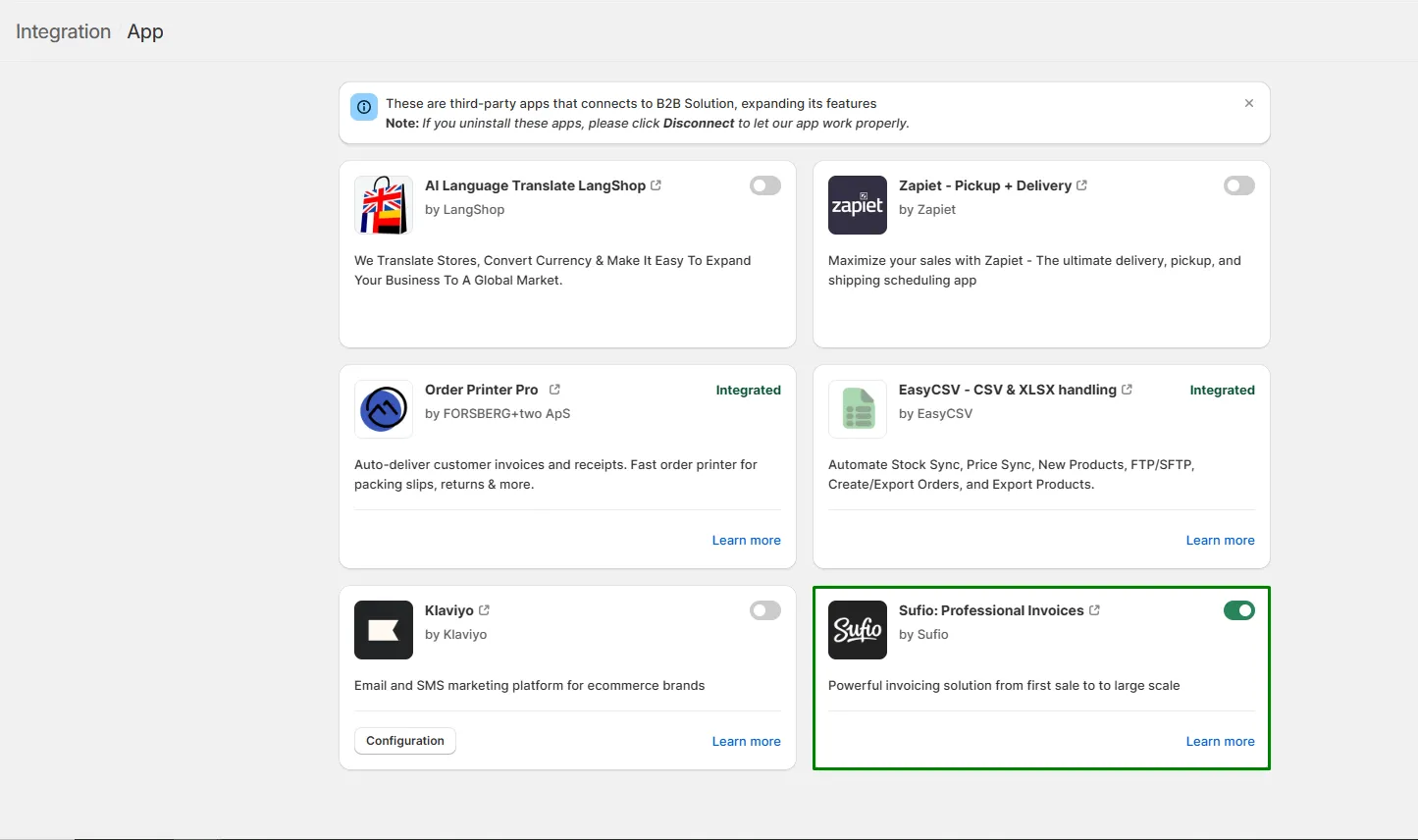
Section titled “Step 1: Enable the Integration”- Go to API and Integration in your BSS B2B Solution app.
- Open the App Integration tab.
- Turn on the toggle under the Sufio: Professional Invoices card to activate the integration.
⚠️ Your Shopify store must already have the Sufio app installed before enabling this feature.
Step 2: View Completed Order Details
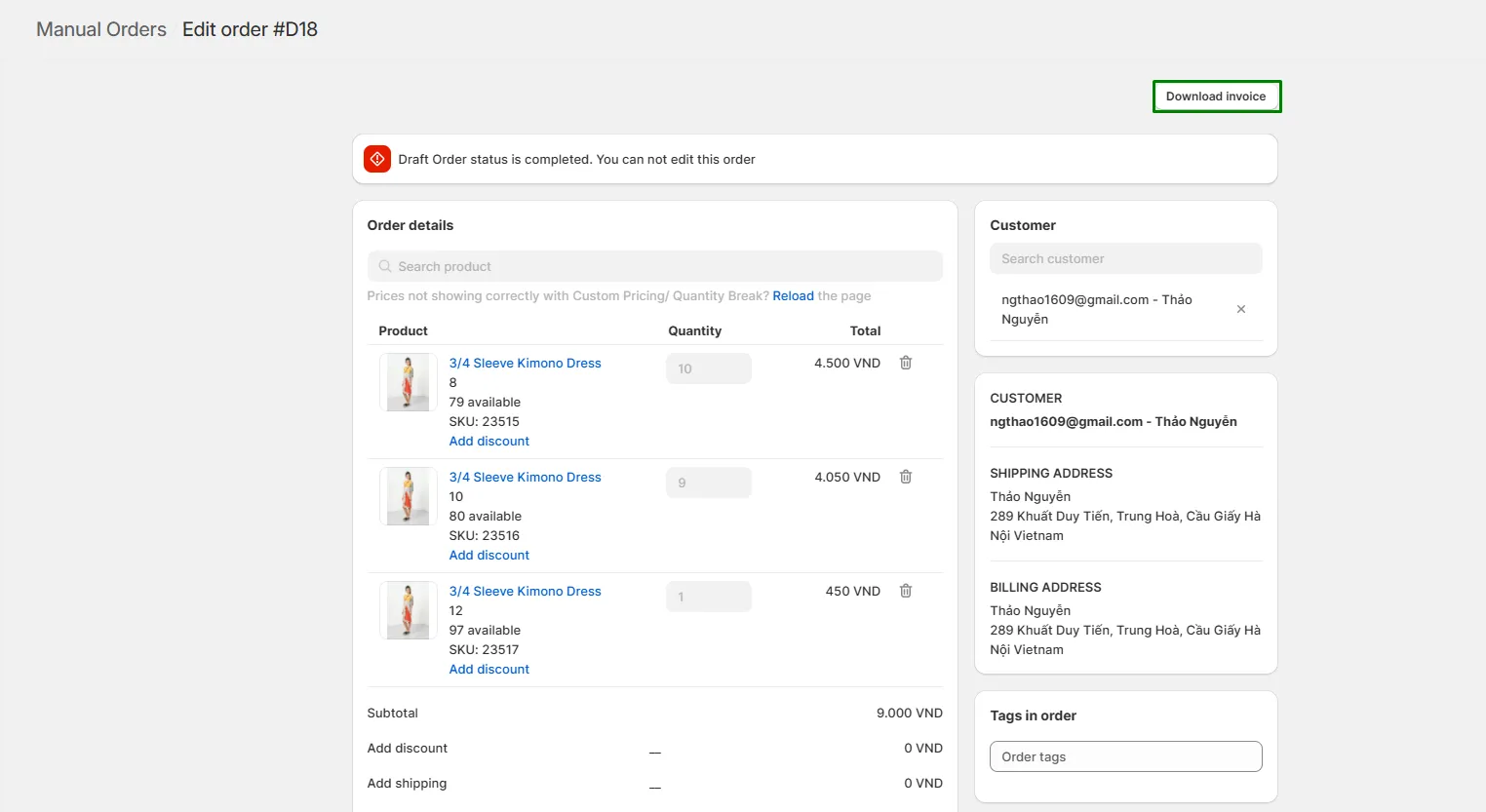
Section titled “Step 2: View Completed Order Details”- Go to Manual Order > Order History.
- Select an order with the Completed status to view its details.
- You will see a Download Invoice button at the top right of the page.
Step 3: Download the Invoice
Section titled “Step 3: Download the Invoice”Click Download Invoice, and the invoice will be automatically downloaded to your device in PDF format.