
Order Printer Pro

Order Printer Pro helps store owners generate and print documents such as orders, draft orders, or invoices directly from the Shopify Admin. It also allows exporting documents as PDF files for record-keeping or sharing.
The BSS B2B Solution app is designed to work seamlessly with Shopify stores. Thanks to this compatibility, Order Printer Pro and BSS B2B Solution are automatically integrated: no additional setup required.
All B2B-related information, including custom pricing and quantity/amount break rules, will automatically appear on invoices printed through Order Printer Pro.
Example 1: Custom Pricing Module with Order Printer Pro
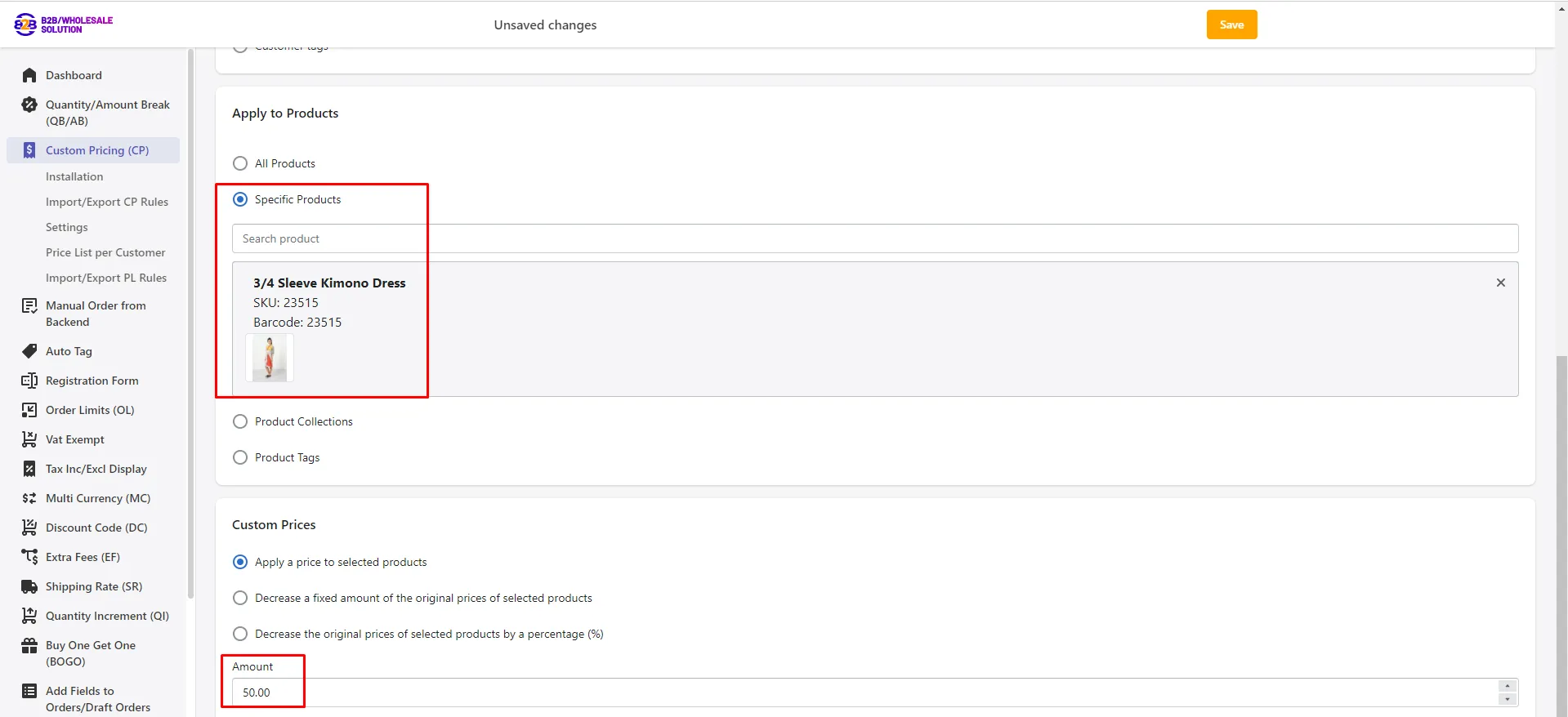
Section titled “Example 1: Custom Pricing Module with Order Printer Pro”Step 1: Enable the Custom Pricing (CP) module and create a pricing rule.
- Applied product: 3/4 Sleeve Kimono Dress
- Applied price: 50đ
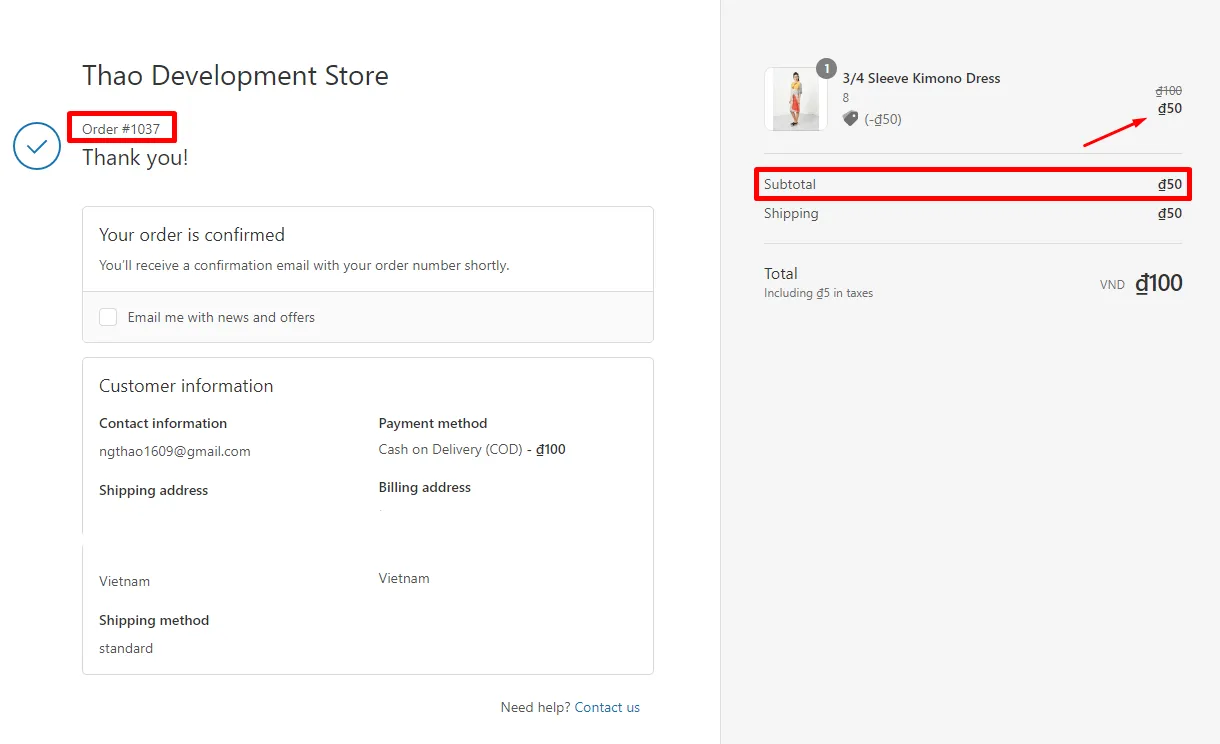
Step 2: A customer places an order containing the product above.
Step 3: Print the order using Order Printer Pro.
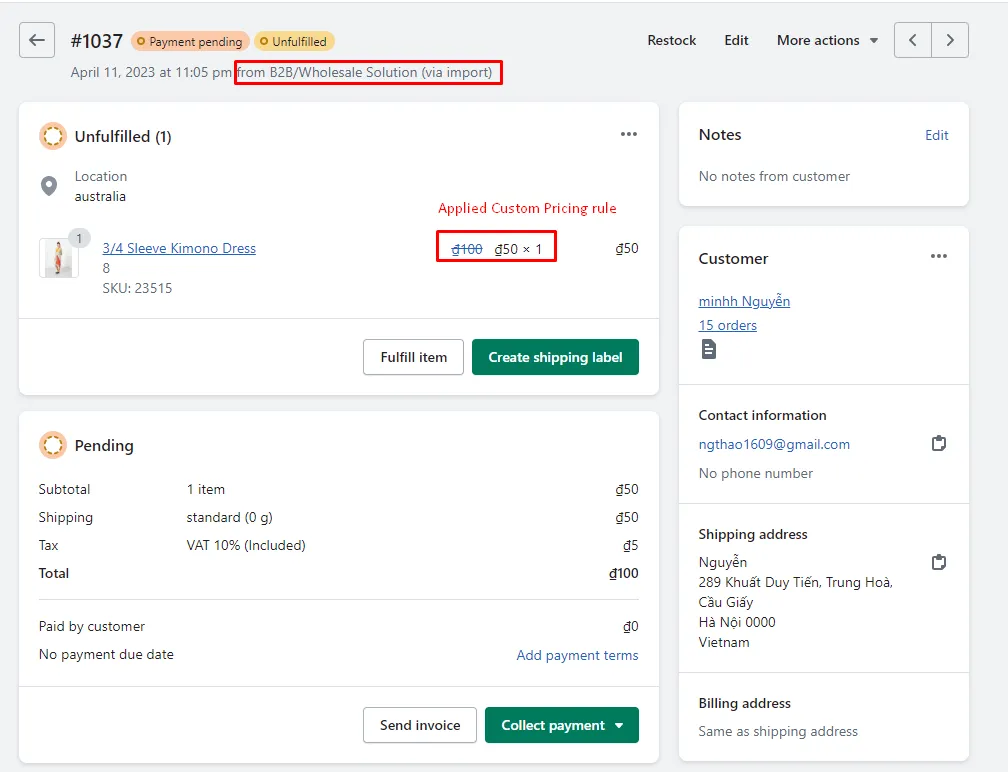
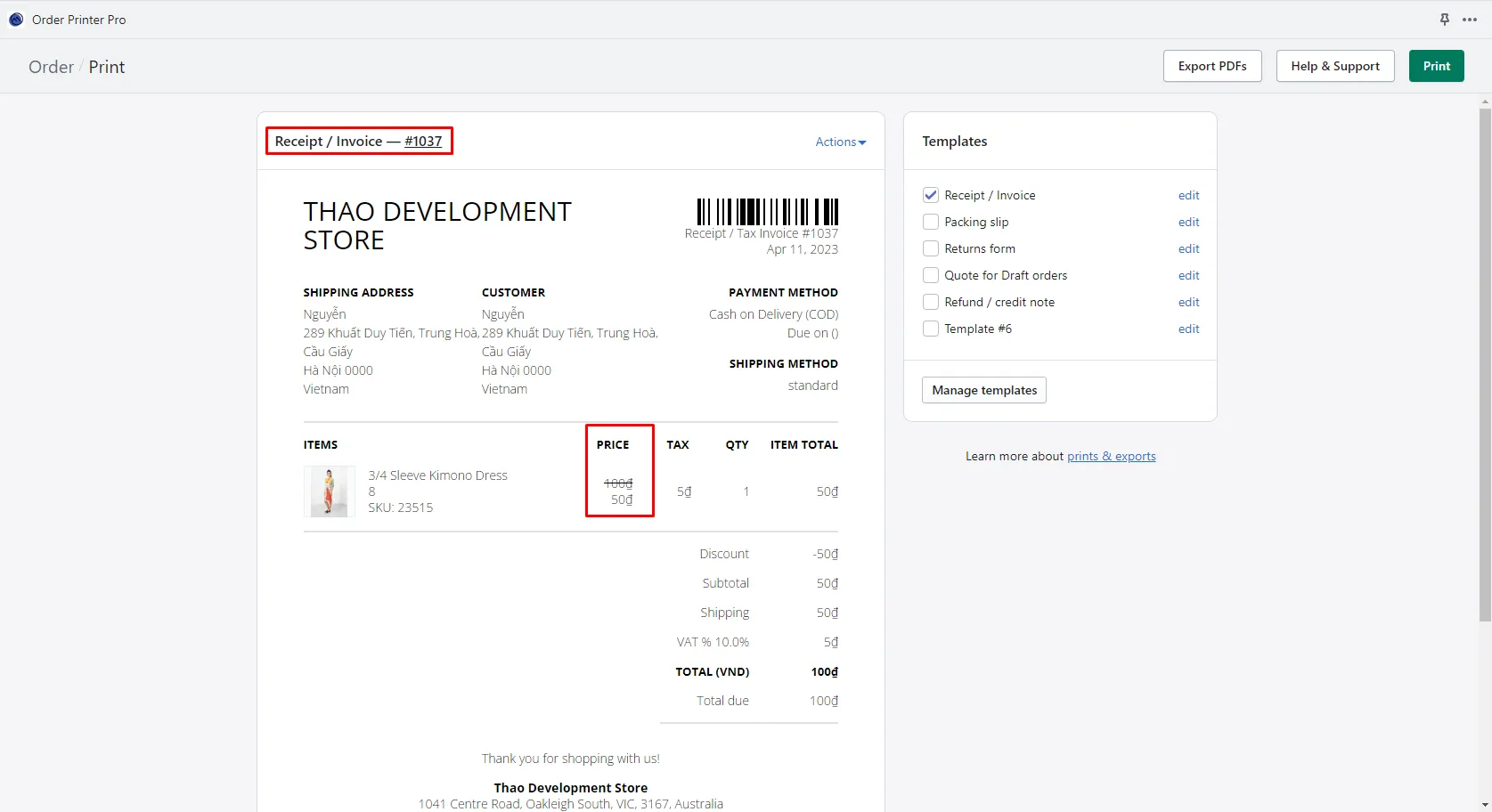
✅ The product price defined by the Custom Pricing rule will be displayed correctly in the Order Printer Pro receipt or invoice template.
Example 2: Quantity/Amount Break Module with Order Printer Pro
Section titled “Example 2: Quantity/Amount Break Module with Order Printer Pro”Step 1: Enable the Quantity/Amount Break (QB/AB) module and set up a quantity-based pricing rule.
- Applied product: 3/4 Sleeve Kimono Dress
- Rule type: Quantity Break
- Rule setting: Buy 11 or more – Apply fixed price 100đ
Step 2: A customer places an order that meets the rule condition.
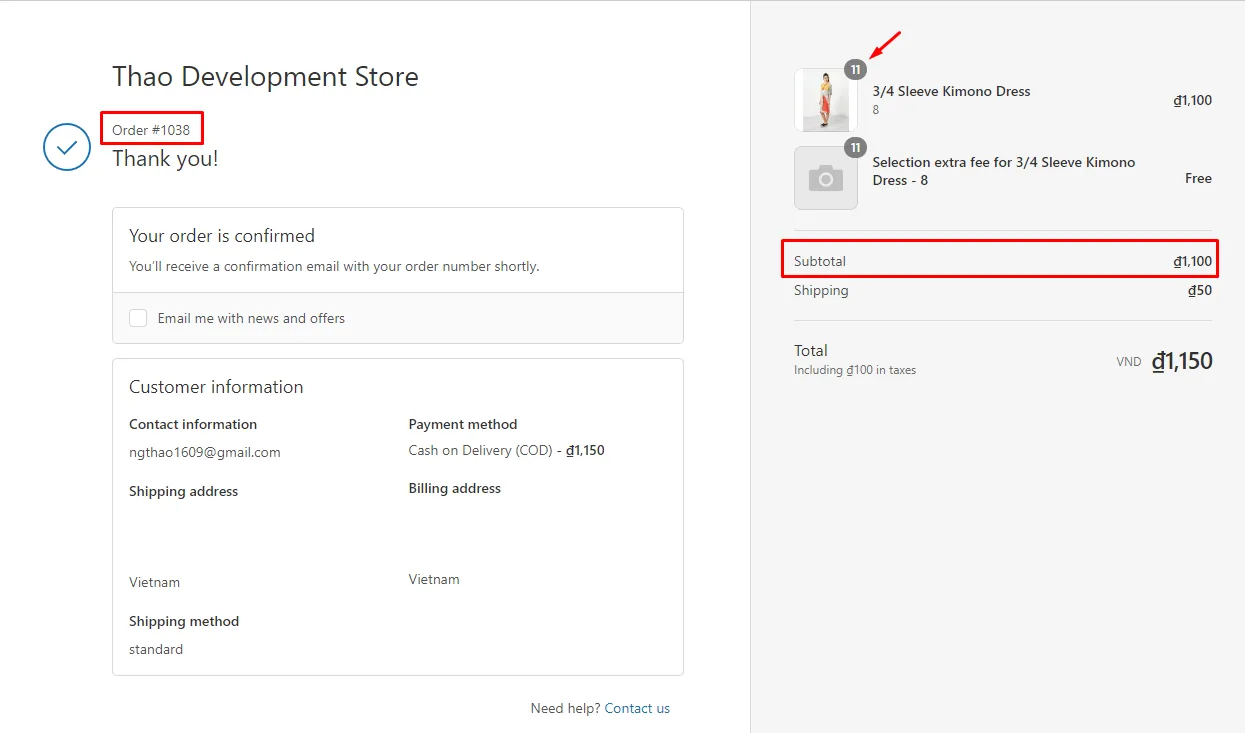
Step 3: Print the order using Order Printer Pro.
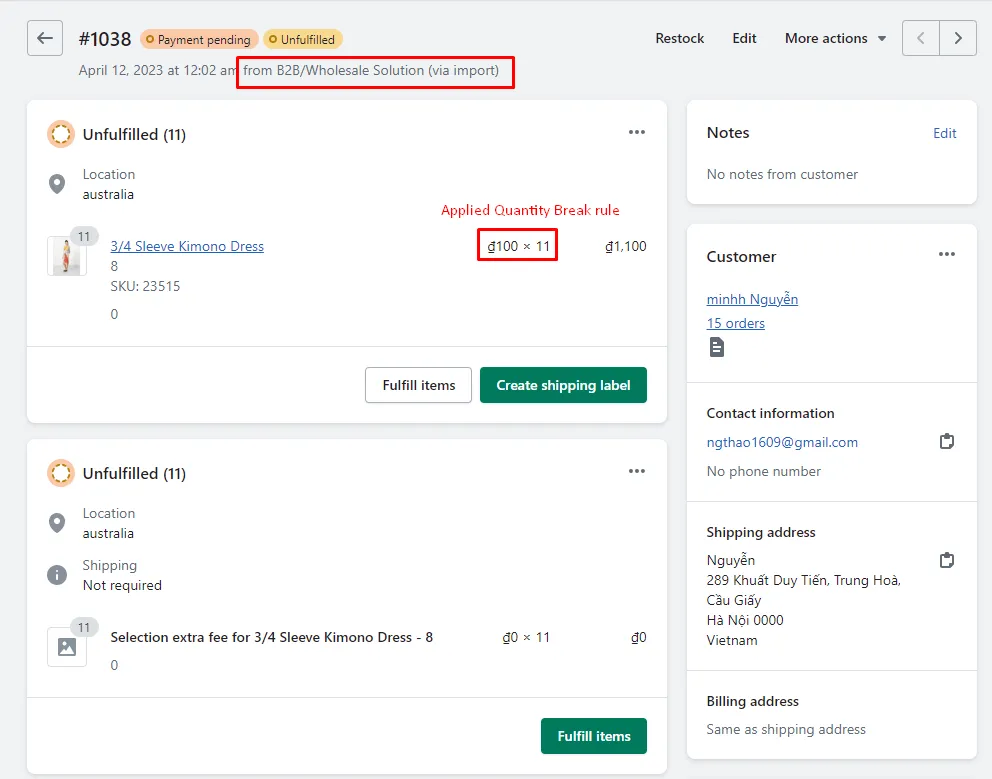
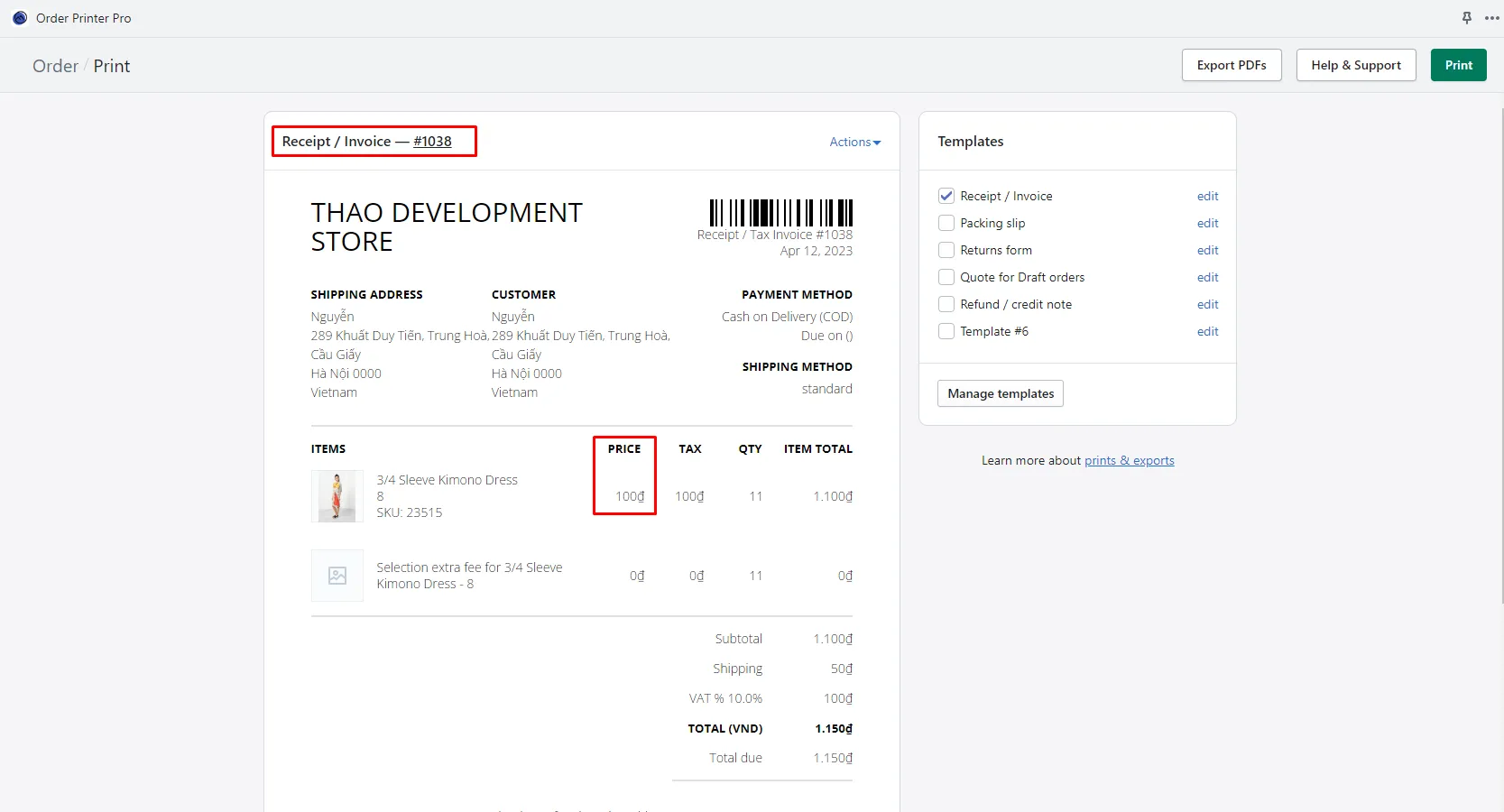
✅ The adjusted price under the Quantity Break rule will appear in the Order Printer Pro receipt or invoice template.
More Information
Section titled “More Information”Order Printer Pro guide: Walkthrough - Order Printer Pro