
Price List per Customer
Price List per Customer gives you SKU-level pricing control for individual customers.
While Custom Pricing applies a rule across groups using a discount percentage or fixed reduction, Price List lets you define a specific dollar amount for each product, per customer: the ultimate fine-grained pricing tool.
Think of Custom Pricing as a broad brush and Price List as the detail work.
What It Does
Section titled “What It Does”- Set exact prices per product and variant for individual customers
- Combine with Custom Pricing and Volume Pricing rules
- Target high-value accounts, long-term partners, or customers with negotiated contracts
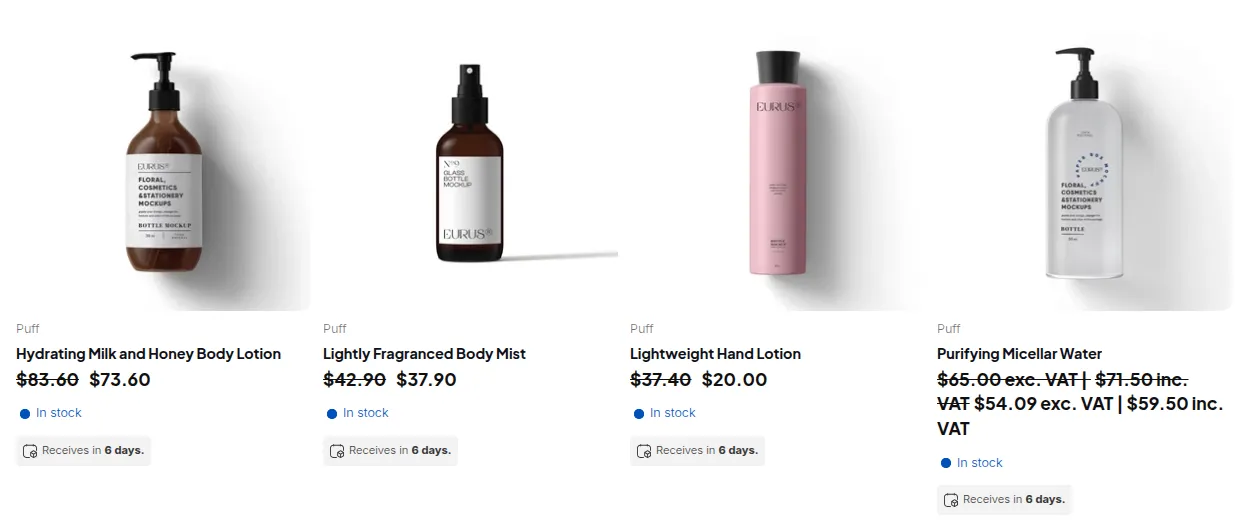
A logged-in customer covered by a price list sees each product at its own negotiated price:
How Price List Interacts with Other Rules
Section titled “How Price List Interacts with Other Rules”Price List per Customer is the first rule applied in the pricing calculation chain:
| Order | Module | Role |
|---|---|---|
| 1st | Price List per Customer | Sets the base price if a Price List rule matches this customer + product |
| 2nd | Custom Pricing | Used only if no Price List rule applies |
| 3rd | Volume Pricing | Applied on top of the Price List result |
This means Volume Pricing tiers are calculated against the Price List price: a customer on a $45 price list who qualifies for a 10% volume tier pays the 10% off $45, not off the original retail price.
Think of CP as broad brush strokes: PL lets you fine-tune every detail.
Key Strengths & Use Cases
Section titled “Key Strengths & Use Cases”- Per-product pricing: Instead of applying a uniform discount, you can set custom rates on a granular level (SKU by SKU) for each wholesale client.
- Flexible for special clients: Great for high-value customers, long-term partners, or accounts that require bespoke pricing structures.
- Blends with other pricing rules: PL works alongside CP and Volume Pricing rules.
How It Works (at a High Level)
Section titled “How It Works (at a High Level)”- Enable Price List per Customer: Turn on the module via the B2B Pricing section in your app dashboard.
- Create Price Lists for Customers: Assign products (or variants) and define their custom pricing per client.
- Apply & Display: Once configured, customers see these tailored prices when they log in and browse your store.
- Override Logic: If multiple pricing rules apply (e.g. CP, VP, PL), the system applies them sequentially in this order: Price List per Customer (The highest priority) → Custom Pricing (Applied only if Price List per Customer is not eligible or absent) → Volume Pricing (Calculated on resulting price)