Use Loyalty Apps with Wholesale Prices
In our Smile.io test, a draft order with a discount earned points on the discounted price. To stop wholesale buyers from earning, exclude your wholesale customer tag.
If your store runs a loyalty app such as Smile.io next to BSS B2B Solution, your wholesale buyers can end up in the rewards program too. This page shows what happens by default and the settings that let you keep wholesale buyers in or out.
What Happens by Default
Section titled “What Happens by Default”An order built from a draft order in Shopify can earn loyalty points like any other order. In our test with Smile.io, an admin-built draft with a per-line discount earned points on the discounted price, not the list price.
Example (test store, Smile default of 5% back in points):
| Order | Order subtotal | Points earned |
|---|---|---|
| Wholesale order, 10% line discount | $52.52 | 263 |
| Retail order at list price | $58.35 | 292 |
So in this test, the buyer earned on what they paid.
Keep Wholesale Buyers Out of the Program
Section titled “Keep Wholesale Buyers Out of the Program”If you want wholesale buyers to skip the loyalty program, exclude them by the customer tag that you already use in your pricing rules. In Smile.io this works on the Free plan.
- In Smile.io, go to Settings > Platform > Exclude customers.
- Under Exclude customers with any of the following tags, add your wholesale tag, for example
b2b. - Click Save.
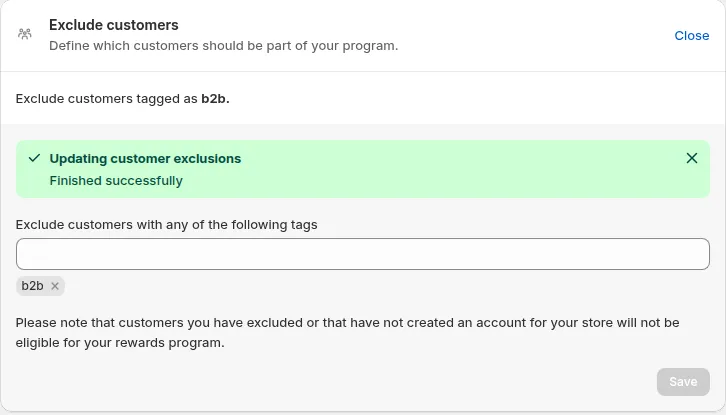
Exclude customers in Smile.io with the tag b2b.
Excluded buyers get status Excluded in Smile.io and earn no new points on their orders. Points they earned before the exclusion stay on their account.
To check, open Smile.io > Customers. A customer with the b2b tag shows the status Excluded.
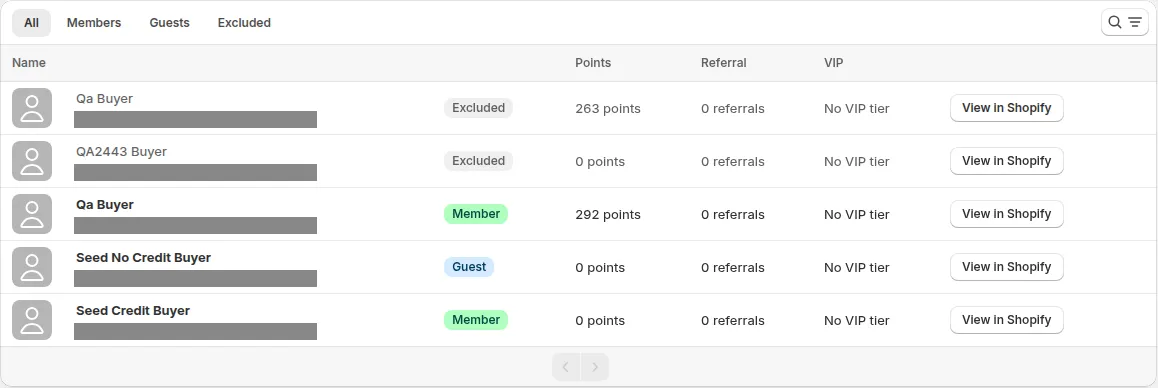
Smile.io Customers page. The wholesale test buyer, with the b2b tag, shows as Excluded and is greyed out.
The Rewards button can still show on the storefront for an excluded buyer. If you want to hide it, check your theme or the loyalty app’s help.
The Rewards button, still visible when logged in as the excluded buyer.
Other loyalty apps usually have a similar setting. Look in your loyalty app’s settings for a way to exclude customers by tag.
Limit Discount Codes for Wholesale Buyers
Section titled “Limit Discount Codes for Wholesale Buyers”If your loyalty app turns points into Shopify discount codes, you can decide which buyers can use codes at checkout. Use the Shopify discounts card in BSS B2B Solution.
- Go to Settings > Shopify checkout settings.
- In Shopify discounts, turn on Discount codes, or keep it off to hide the code box for everyone.
- Under Who can use codes, choose All customers except selected tags and add your wholesale tag under Selected tags.
- Click Save.
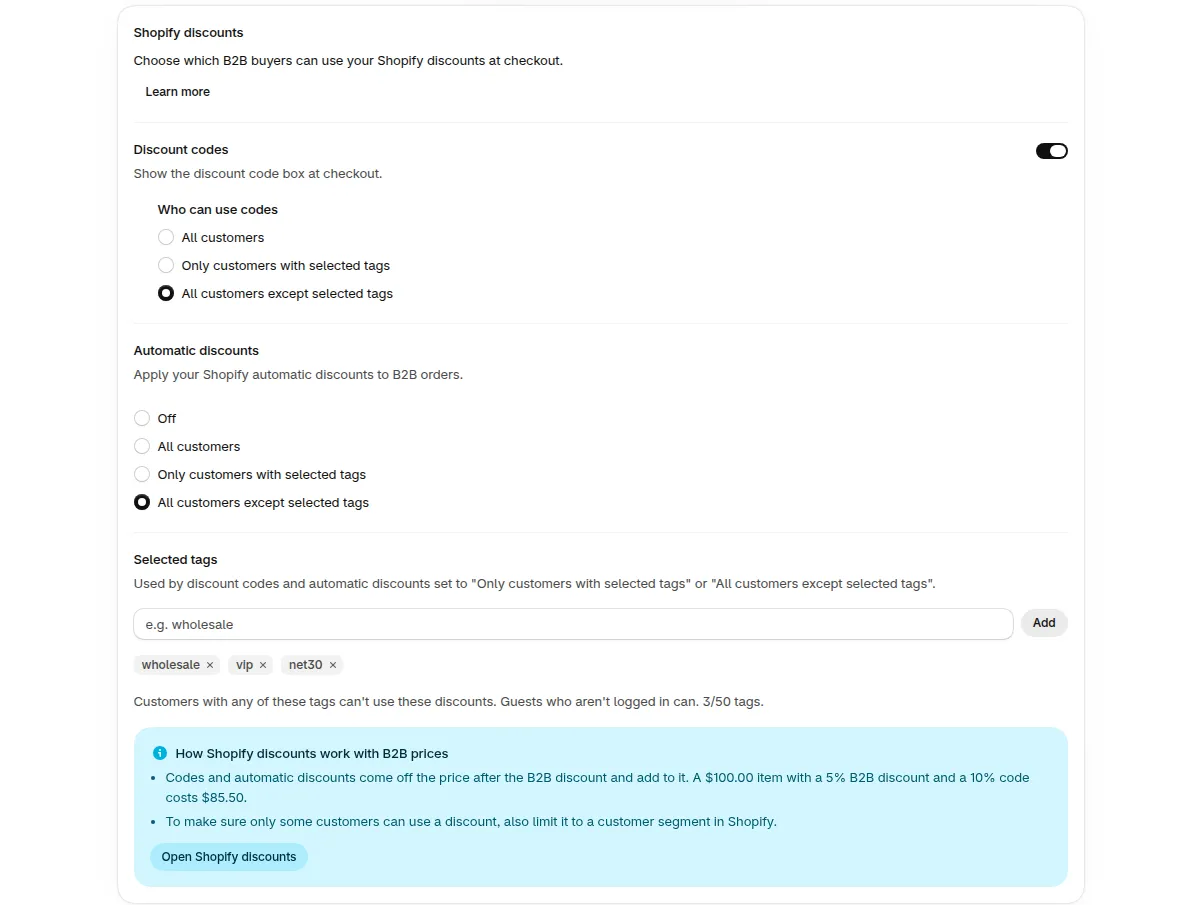
Shopify discounts card in Shopify checkout settings.
The tag choices are available on checkout versions 1 and 3. For all the choices and a worked example, see Shopify discounts. Not sure which version you use? See Checkout version and checkout method.
To check, place a test order as a customer with your wholesale tag. With All customers except selected tags, a customer with that tag is blocked from using codes.
Let a Loyalty App Skip Wholesale Orders by Order Tag
Section titled “Let a Loyalty App Skip Wholesale Orders by Order Tag”BSS B2B Solution can add a tag to every order and draft order it creates. A loyalty app that can exclude orders by tag can use it to skip wholesale orders. Smile.io excludes by customer tag, so for Smile.io use the section above.
- Go to Settings > Shopify checkout settings.
- Turn on the Order tag card. Its description reads: “Add a tag to every order and draft order the app creates, so you can filter them in Shopify.”
- In Tag name, enter one tag, or leave it empty to use
bss-b2b-solution. - Click Save.
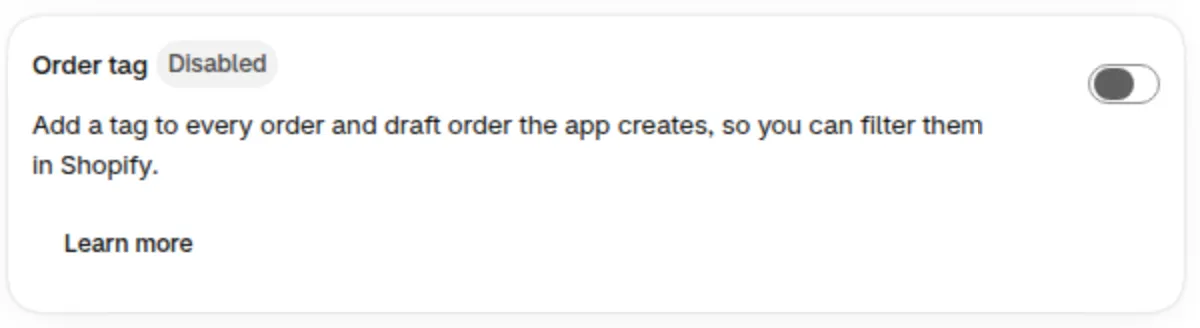
Order tag card in Shopify checkout settings, shown turned off. Turn it on in step 2.
Then set your loyalty app to skip orders with that tag, if it offers this option. To check, place a test order, then open it in Shopify admin. The tag shows under Tags.
Where Loyalty Rules Live
Section titled “Where Loyalty Rules Live”- Points rules live inside your loyalty app, so set them there.
- The Shopify discounts card controls who can use discount codes at checkout. It does not control loyalty points.
- To stop a B2C discount app from stacking on wholesale prices, see How to Avoid Duplicated Discounts When Using Another B2C Discount App.
- Smile.io has the option Exclude coupon discounts used under Settings > Platform > Order settings. It is on by default. We did not test it with a real discount code, so place a test order to see how your codes are counted.
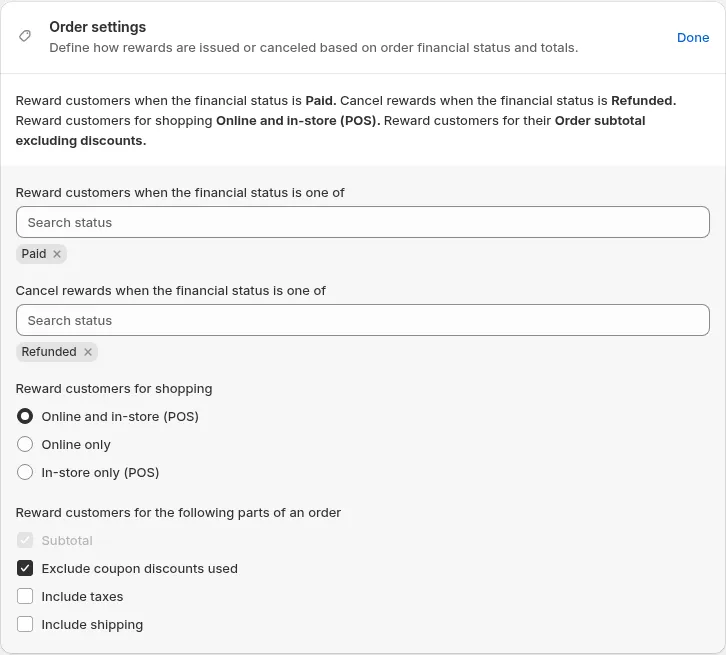
Order settings in Smile.io.