
My discount code usage count is wrong or not updating
Short answer: the count is updated when Shopify notifies the app that an order was created. That usually takes seconds, but it can lag, so the count may briefly be behind.
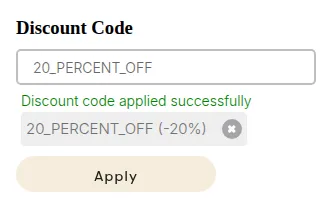
What your customers see on the storefront.
Why counts can look wrong
Section titled “Why counts can look wrong”| Situation | What you see | Why |
|---|---|---|
| Order just placed | Count not updated yet | The order notification from Shopify has not arrived |
| Shopify delivery failed | Count stays behind | Shopify retries for up to 48 hours |
| Per-customer limit, guest checkout | Guest orders not counted per customer | The limit needs a logged-in customer |
| No usage limit set | No counting | Nothing to count |
Check usage
Section titled “Check usage”Open B2B Discounts > Discount Codes > Usage history. It lists each use with the order and customer.