
Import & Export Registration Data
Managing a growing list of wholesale customers doesn’t have to be time-consuming. The Import & Export Registration Data feature lets you quickly back up, transfer, or sync customer data between stores, ensuring that every wholesale registration stays safe, organized, and up to date.
Export Registration Data
Section titled “Export Registration Data”You can export all registration submissions directly from your app dashboard to keep track of new signups or share data with your team.
To export data:
- Go to Registration Forms → Registration management.
- Click Export.
- Under Export, pick which records to include:
- All customers in this form
- Current page
- Selected customers in this form: the rows you ticked
- Matching your filters in this form: everything your current filter returns
- Under Export as, choose CSV or Excel.
- Click Export. The file downloads to your browser automatically once it’s ready, large lists can take a little longer.
The exported file includes customer details, approval status, registration answers, and tags, giving you a complete view of your wholesale sign-ups.
💡 Tip: Export regularly to back up your customer database or share data with your sales and marketing teams for follow-ups.
Import Registration Data
Section titled “Import Registration Data”Already have wholesale customers from another platform or store? You can import them easily into your BSS B2B Solution app.
To import data:
- Go to Registration Forms > Registration management and click Import.
- Choose the form the customers belong to, then click Download a sample CSV. The sample has one column per field of that form.
- Fill in the file and upload it (only
.csv). - The app checks every row first. If a row has a problem, you see messages such as “Row 3, column email: Email already exists”; fix the file and upload again.
- Valid rows are imported in the background. Imported customers appear in Registration management. If the form uses auto-approval, or the email matches Auto approve if email contains, their Shopify accounts are created right away; otherwise they wait for your approval.
💡 Notes:
- first_name and email are always required, and the email must not already exist in the list or twice in the file.
- password is required (at least 5 characters) when the form collects a password. When the form uses Hide password field on the form, leave it out: customers set a password after approval.
- Fields marked required in the form (for example company, phone, address, city, country code, state code, zip) must be filled in.
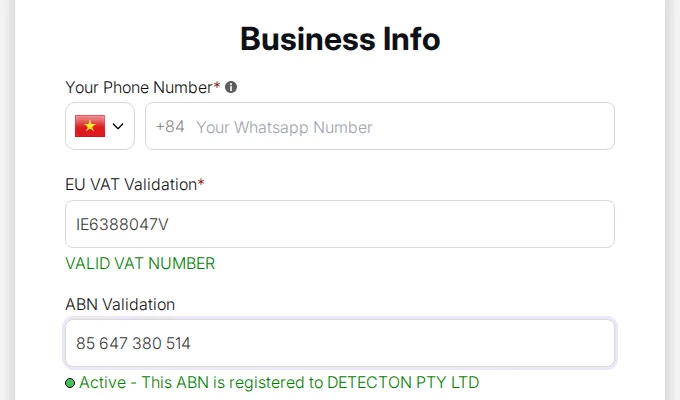
- Tax ID values (EU VAT, ABN, GST) are validated during import.
- You can still edit, review or tag imported customers after import.
File Format Reference
Section titled “File Format Reference”| Column Name | Description & Format |
|---|---|
| File Type | Must be .csv |
| First name | Required. Customer’s first name |
| Last name | Customer’s last name |
Required, unique, not already in the list. Format: [email protected] |
|
| Tags | Tags for the customer account (under 40 characters). Separate multiple tags with commas , |
| Tax exempt | yes: customer is tax-exempt; no: customer is taxable |
| Phone | Must follow E.164 format (e.g., +1XXXXXXXXXX) and be unique |
| Company | Customer’s company name |
| Address | Customer’s street address |
| City | Customer’s city |
| Country | ISO country code (e.g., VN for Viet Nam) |
| State/Province/Emirate/Region/Governorate | State or province code |
| Zip code | Customer’s ZIP or postal code |
| Apartment | Apartment or suite information |
| EU VAT Validation | Valid EU VAT ID |
| UK Validation | Valid UK VAT ID |
| US EIN Validation | Valid US EIN ID |
| ABN Validation | Valid ABN ID |
| India GST Validation | Valid GST ID |
| Subscribe to our newsletter | yes: subscribed; no: not subscribed |
| Dropdown selection(s) | Value of selected dropdown option(s) |
| Multiple checkbox | Selected checkbox options, separated by slashes / |
| Text field | Customer’s typed response (text field) |
| Text area | Customer’s typed response (text area) |
| File upload | Customer’s file |
| Password | Required, at least 5 characters, when the form collects a password; leave out otherwise |
Why This Matters
Section titled “Why This Matters”- Backup & Security: Keep a safe copy of all wholesale registrations.
- Migration Made Easy: Move your B2B customer list between stores or test environments.
- Team Collaboration: Share clean, structured data with sales or marketing teams.
- Scalability: Effortlessly manage hundreds or thousands of registrations.
With this simple import/export system, your wholesale customer management becomes faster, safer, and more scalable, giving you the flexibility to grow without losing track of valuable client data.