
General FAQs
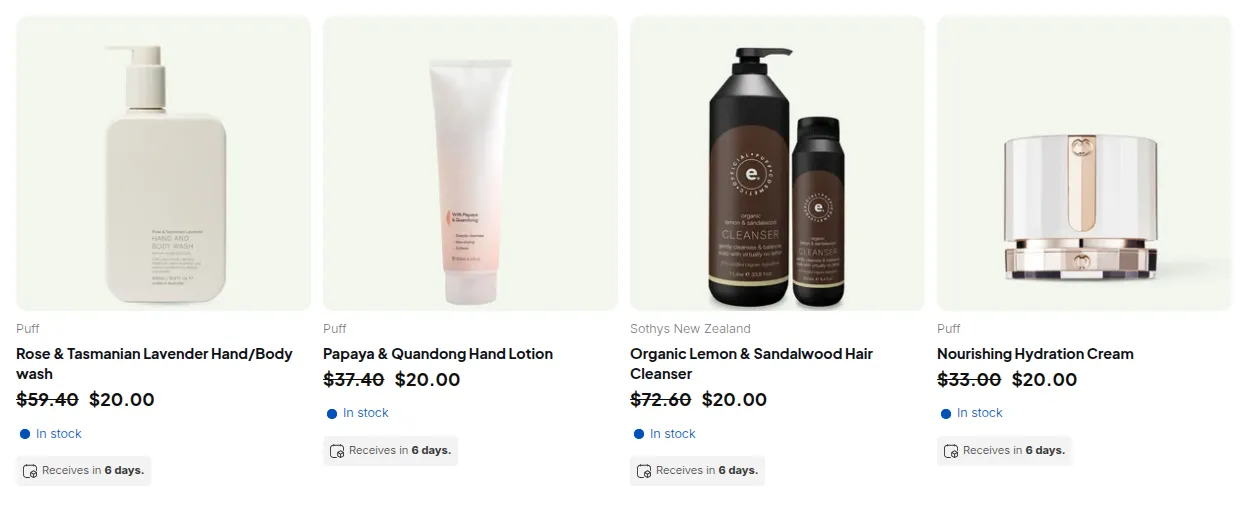
What your customers see on the storefront.
1. Can I get a discount on special cases?
Section titled “1. Can I get a discount on special cases?”Yes: we’re open to discussing special-case discounts depending on your situation. Reach out via support or Live Chat with your use case, and we’ll see what we can arrange.
2. Can I get a trial for the app?
Section titled “2. Can I get a trial for the app?”Yes: we offer a free trial so you can test all features before fully committing to a paid plan.
3. Can I subscribe to an annual plan?
Section titled “3. Can I subscribe to an annual plan?”Absolutely. We support both monthly and yearly billing options, with discounts available for annual subscriptions.
4. Can I cancel the app at any time?
Section titled “4. Can I cancel the app at any time?”Yes: you can uninstall or cancel anytime.
However, we recommend contacting us first via [email protected] or Live Chat: we might be able to resolve your issue without needing to cancel.
5. How do I uninstall the app and remove the code?
Section titled “5. How do I uninstall the app and remove the code?”We provide step-by-step guides to help you completely remove all app snippets and integration elements.
If any remnants remain, just reach out: our team will help clean them up for you.
6. Can I request a refund?
Section titled “6. Can I request a refund?”Please check our refund policy for detailed conditions and eligibility.
If you believe you meet the requirements, contact us and we’ll review your case promptly.
7. Can I change my plan?
Section titled “7. Can I change my plan?”Yes, you can upgrade or downgrade your plan anytime.
Go to BSS B2B Solution → Pricing Plans and select your new plan.
If you face any billing issues, contact Shopify Support or our team for assistance.
8. Do you offer free installation and support?
Section titled “8. Do you offer free installation and support?”Yes! Installation and standard feature support are completely free.
Only custom development or requests beyond the app’s standard features may incur extra costs.
9. What are your support hours?
Section titled “9. What are your support hours?”Our support team is available from 8:00 AM to 5:00 PM (GMT+7), Monday through Friday via email and Live Chat.
We usually respond quickly even outside working hours, but please note that replies may be slightly delayed during off-hours.
10. Does support cost extra?
Section titled “10. Does support cost extra?”No: all standard technical support and troubleshooting are included.
Only extensive customization or development work may involve additional fees.
11. Does your app support all Shopify themes?
Section titled “11. Does your app support all Shopify themes?”Yes: our app supports most Shopify themes, especially Online Store 2.0 and popular premium themes.
If your theme isn’t fully compatible, we’ll customize the integration for free to make it work perfectly for your store.
12. How can I request additional customization?
Section titled “12. How can I request additional customization?”Simply email us at [email protected] with your request and details (screenshots or mockups are helpful).
Our technical team will review and get back to you with the best solution.
13. How can I grant access to BSS Commerce?
Section titled “13. How can I grant access to BSS Commerce?”You can grant us collaborator access via Shopify’s admin panel under Settings → Users & Permissions → Collaborators.
We only use this access for technical support or troubleshooting purposes.
14. How can I fix display problems in the dashboard?
Section titled “14. How can I fix display problems in the dashboard?”Display issues are often caused by theme conflicts or outdated snippets.
Please share screenshots and your theme name: our team will help identify and fix the problem quickly.
15. How can I see the store’s collaborator code?
Section titled “15. How can I see the store’s collaborator code?”You can find your collaborator request code in Shopify Admin → Settings → Users & Permissions → Collaborators if your store requires one.
Provide this code when we request collaborator access.
16. Which languages is the app available in?
Section titled “16. Which languages is the app available in?”The app admin follows the language of your Shopify admin. It is available in 22 languages: English, Czech, Danish, Dutch, Finnish, French, German, Hungarian, Italian, Japanese, Korean, Norwegian (Bokmål), Polish, Portuguese (Portugal), Portuguese (Brazil), Romanian, Spanish, Swedish, Thai, Turkish, Chinese (Simplified) and Chinese (Traditional). Other languages fall back to English.
To change it, change your language in Shopify (your account Preferred language) and reopen the app.
What your customers see on the storefront is translated separately, in the Translations settings of each module (for example Volume Pricing tables, Order Limit messages or registration forms).