
Change History and Undo
Someone changed prices last week and a customer asks why. Or you made a bulk change and want it back. Change history lists what changed, who did it and when. You can undo the newest change.
History is kept for 30 days.
Find the history
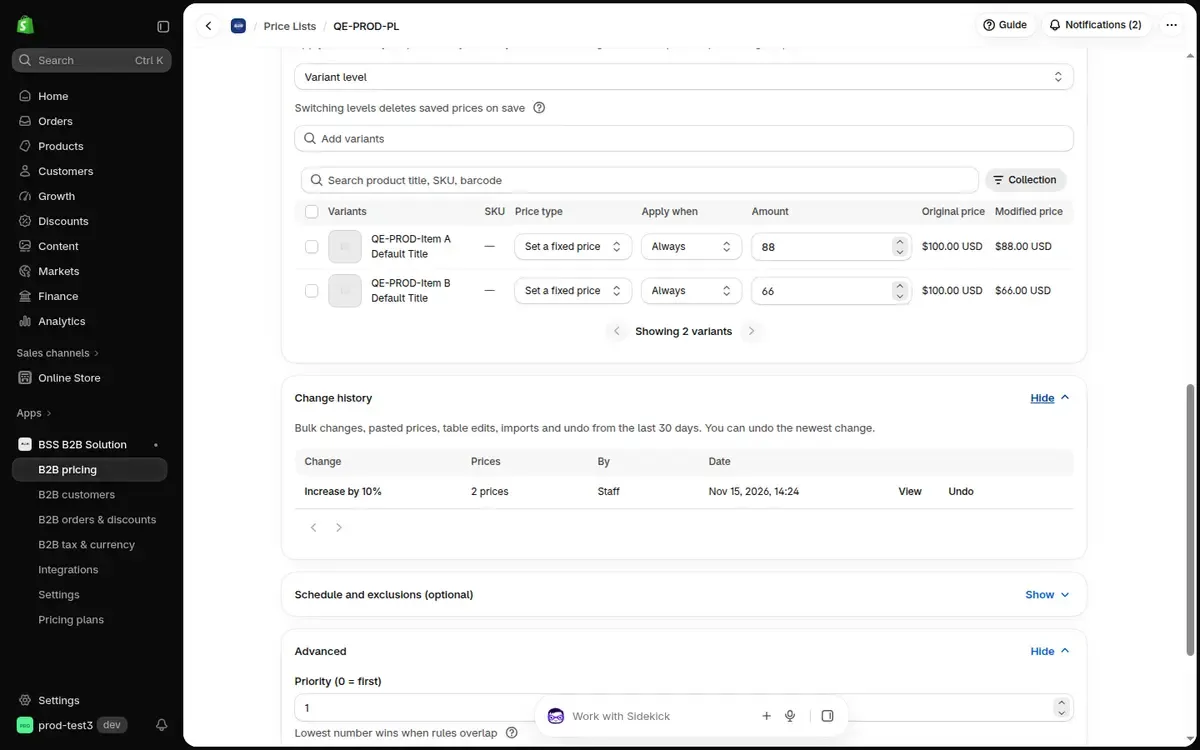
Section titled “Find the history”- In a price list: scroll to Change history. It lists bulk changes, pasted prices, table edits, imports and undo from the last 30 days.
- For rules: on the Price Lists, Custom Pricing and Volume Pricing pages, Bulk changes below the list shows edits made with Edit rules, and Enable and Disable on many rules.
Read an entry
Section titled “Read an entry”Each row shows what changed (for example Increase by 10%), how many prices or rules it touched, who did it and when.
A Partly done badge means a background change stopped before it finished.
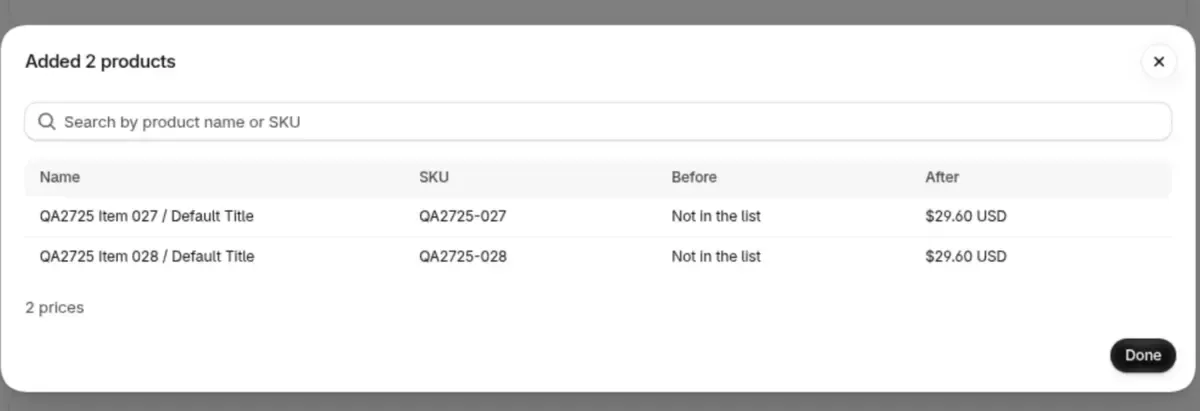
Click View to see every price or rule before and after. Search by product name or SKU.
Undo the newest change
Section titled “Undo the newest change”- Click Undo on the newest change.
- The window says how many prices or rules go back to what they were.
- Click Undo change to confirm. Prices change on your store right away.
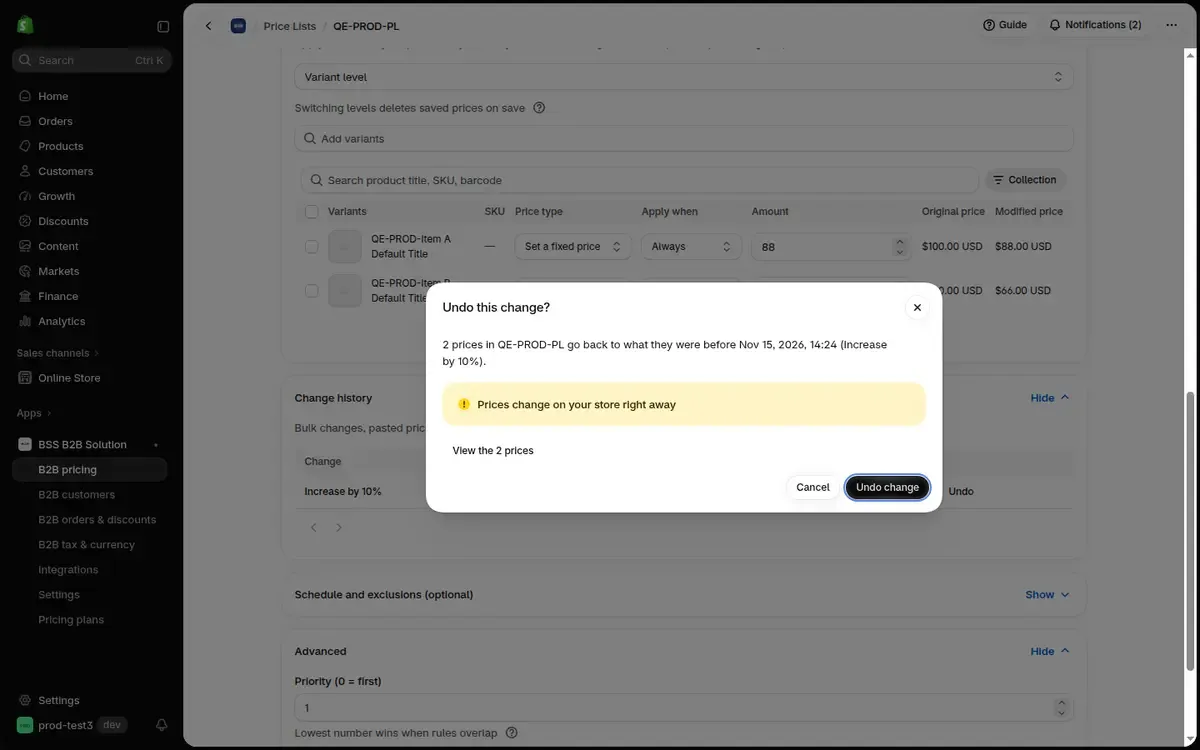
Undoing a change is listed in the history as a new entry.
When Undo is not available
Section titled “When Undo is not available”Undo is off while another change runs on the same price list or rules.
A change cannot be undone when:
- a newer change exists,
- it was already undone,
- it is itself an undo,
- it is older than 30 days.
How long is the history kept?
Section titled “How long is the history kept?”30 days. Older changes are no longer shown and cannot be undone.
Does the history show edits I make one by one?
Section titled “Does the history show edits I make one by one?”For a price list, it shows bulk changes, pasted prices, imports and edits saved from the price table. Bulk changes for rules shows the edits made with Edit rules, and Enable and Disable on many rules.